What is AI Logo Maker?
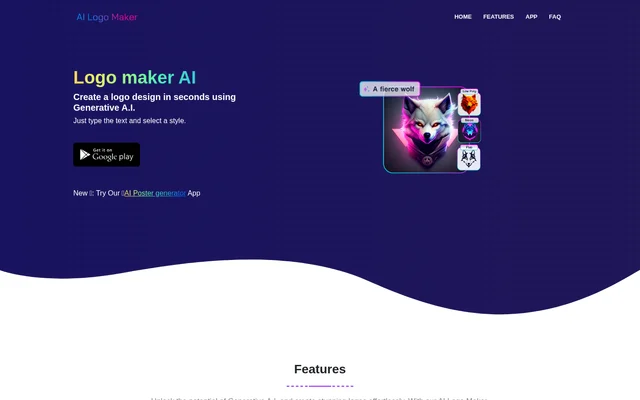
AI Logo Maker is a generative AI tool that creates logos and graphic elements from user input. AI Logo Maker is intended for people who want a brand identity without needing prior design experience, including startups and established brands seeking a refresh. The website describes a process built around entering text and selecting a style, with additional options for letters, icons, and uploaded images. The resulting concepts can be customized rather than treated as fixed designs.
What AI Logo Maker can do
AI Logo Maker supports several approaches to logo design, from a brand name presented as a wordmark to a design built around letters or symbols. AI Logo Maker also provides an editor for refining generated concepts with changes to visual elements. The website states that users can create as many logos as they like, making repeated experimentation part of the available workflow. Completed designs can be downloaded in several named formats for use beyond the editor.
- AI Logo Maker generates logo concepts from entered text.
- AI Logo Maker creates lettermarks and brand-name wordmarks.
- AI Logo Maker incorporates uploaded images or icons from its library.
- AI Logo Maker edits styles, colors, backgrounds, text, and shapes.
- AI Logo Maker exports logos in PNG, JPG, and SVG formats.
How AI Logo Maker works
AI Logo Maker starts with user input such as text, letters, or icons and generates logo concepts based on the selected preferences. For a text-based design, the stated starting point is to enter text and choose a style. For a symbol-based design, users can upload an image or select an icon from the library. AI Logo Maker then allows users to customize the concept in its logo editor, revisit the design for later changes, and download the finalized result.
Who AI Logo Maker is for
AI Logo Maker addresses users who need a logo but do not have design skills, as well as brands exploring a new visual direction. The page specifically names startups looking for an identity and established brands seeking a refresh. AI Logo Maker supports both personal and commercial use of downloaded logos, so the stated uses are not limited to private projects. Different logo types give users a choice between emphasizing a name, individual letters, or an associated symbol.
- AI Logo Maker helps startups develop a brand logo.
- AI Logo Maker helps established brands explore a logo refresh.
- AI Logo Maker creates downloadable designs for personal and commercial purposes.
AI Logo Maker strengths and available purchase information
AI Logo Maker combines logo generation, editable design elements, and downloadable output in a workflow that the website says requires no design experience. Unlimited creation and the ability to modify logos after generation support trying different directions before finalizing a design. AI Logo Maker also lists customer support for questions or issues and offers an app download. The page describes the service as affordable, but does not provide specific prices, plan names, or a stated free allowance.
AI Logo Maker FAQ
What is AI Logo Maker?
AI Logo Maker is a generative AI tool that creates logos and graphic elements from text, letters, icons, or images. AI Logo Maker supports customization and is designed for users with or without prior design experience.
What types of logos can AI Logo Maker create?
AI Logo Maker creates text-based logos, lettermarks, wordmarks, and logos containing icons or symbols. AI Logo Maker lets users enter a brand name, upload an image, or choose an icon from its library to guide the design.
Can AI Logo Maker logos be used commercially?
AI Logo Maker allows downloaded logos to be used for both personal and commercial purposes. The website states that finalized logos belong to the user to use as they see fit.
What download formats does AI Logo Maker support?
AI Logo Maker supports logo downloads in PNG, JPG, and SVG, among other formats. These download options allow users to obtain completed designs in different file types for different platforms and uses.
Can users edit logos after generating them with AI Logo Maker?
AI Logo Maker allows users to edit and modify generated logos at any time. AI Logo Maker includes an editor for changing styles, colors, backgrounds, text, and shapes, and supports revisiting designs for further refinement.
Is there a limit to how many logos AI Logo Maker can create?
AI Logo Maker states that there is no limit to the number of logos users can create. Users can generate and experiment with different designs until they find a suitable logo.
From the community
No reviews yet
Be the first to review this tool. What you write helps the next person choose.