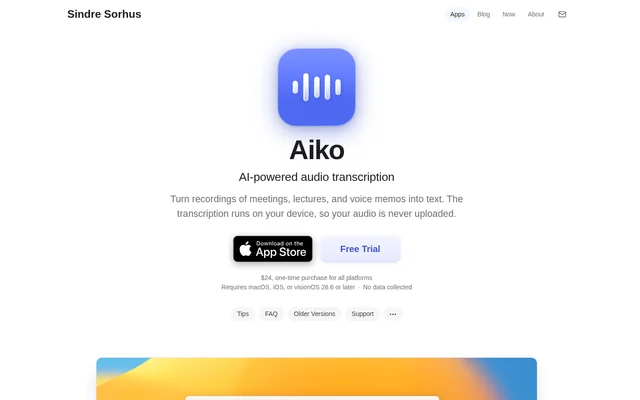
What is Aiko?
Aiko is an AI-powered audio transcription app for Mac, iPhone, iPad, and Apple Vision Pro. Aiko converts meetings, lectures, voice memos, and other recordings into text using OpenAI’s Whisper model. Transcription happens directly on the device, so audio is not uploaded to a cloud service for processing. The product page also states that no data is collected.
Aiko focuses on transcription rather than a broader suite of editing or summarization tools. Aiko supports audio in 100 languages, with a warning that some languages produce lower-quality results than others. The developer recommends trying the trial to assess whether transcription quality meets a particular user’s needs.
What Aiko can do
Aiko handles audio and video transcription and provides several export formats for using the results elsewhere. Aiko also supports Apple Shortcuts, extending transcription into recording, file-processing, and note-taking workflows. Names and technical terms can be entered in the Word replacements setting to address recurring spelling problems.
- Aiko transcribes audio and video files on the device.
- Aiko exports plain text and text with timestamps.
- Aiko exports SRT and WebVTT subtitles.
- Aiko exports transcription data as JSON and CSV.
- Aiko supports batch transcription through Shortcuts.
- Aiko supports recording and saving transcriptions to Notes through Shortcuts.
How Aiko works
Aiko uses the Whisper large v2 model on macOS and the medium or small model on iOS, depending on available memory. Aiko can process existing recordings, while supplied shortcuts support recording and transcribing in a connected workflow. On macOS, a supplied Finder Quick Action can transcribe selected audio files and produce text or subtitles.
Aiko displays the current transcription rather than maintaining multiple displayed results. A new transcription replaces the previous result, so users need to copy or export text they want to retain. Recordings remain available for transcription again, and a setting can restore the last transcription when Aiko opens.
Who Aiko is for
Aiko serves Apple device users who need written versions of spoken recordings. Aiko explicitly covers meetings, lectures, and voice memos, while local processing makes sensitive recordings a stated use case. A language learner’s review also describes using Aiko to create subtitles from Chinese videos that lack captions.
- Aiko turns meeting recordings into text for later reference.
- Aiko converts recorded lectures and voice memos into text.
- Aiko creates subtitles for language-learning material.
- Aiko processes sensitive recordings without uploading the audio.
Aiko pricing and plans
Aiko costs $24 as a one-time purchase covering all supported platforms and is available through the App Store. Aiko offers a 14-day trial through TestFlight with the full app and no feature limitations. The trial has no automatic charges or commitment; continued use after the trial requires purchasing Aiko from the App Store.
Aiko strengths and limitations
Aiko combines local transcription, multiple export formats, and Shortcuts support with a one-time purchase model. Aiko’s scope remains focused: editing requires an external text editor, and summarization requires tools such as Apple Intelligence or a separate shortcut workflow. Whisper output can contain errors, missing punctuation, repetitions, or text that was not spoken.
- Aiko requires macOS, iOS, or visionOS 26.6 or later.
- Aiko does not reliably transcribe audio containing multiple languages.
- Aiko has no built-in batch transcription.
- Aiko does not include built-in text editing or summarization.
Aiko FAQ
What is Aiko?
Aiko is an AI-powered transcription app that converts audio and video recordings into text on Apple devices. Aiko uses OpenAI’s Whisper model locally and supports meetings, lectures, voice memos, and other recorded material without uploading audio for transcription.
Is Aiko free?
Aiko is a paid app costing $24 as a one-time purchase for all supported platforms. Aiko offers a full-featured 14-day trial through TestFlight with no automatic charges or commitment. Continued use after the trial requires an App Store purchase.
Does Aiko upload audio to the cloud?
Aiko does not upload audio to the cloud for transcription; processing happens directly on the device. Aiko also states that no data is collected. Sending transcription text to ChatGPT for further processing is a separate action that takes the text off the device.
What formats can Aiko export?
Aiko exports text, text with timestamps, SRT and WebVTT subtitles, JSON, and CSV. Aiko can transcribe audio and video files, allowing users to obtain written transcripts or subtitle files from existing recordings.
Can Aiko transcribe multiple files at once?
Aiko supports batch transcription through Apple Shortcuts, but does not include built-in batch transcription. Aiko provides shortcuts for iOS and macOS that accept shared audio files, including a macOS Finder Quick Action for transcribing selected files.
Can Aiko edit or summarize transcriptions?
Aiko does not include built-in text editing or summarization. Aiko transcriptions can be exported for editing in a text editor. Summaries can be created using Apple Intelligence Writing Tools or a Shortcuts workflow combining Aiko’s Transcribe Audio action with the Use Model action.
From the community
No reviews yet
Be the first to review this tool. What you write helps the next person choose.