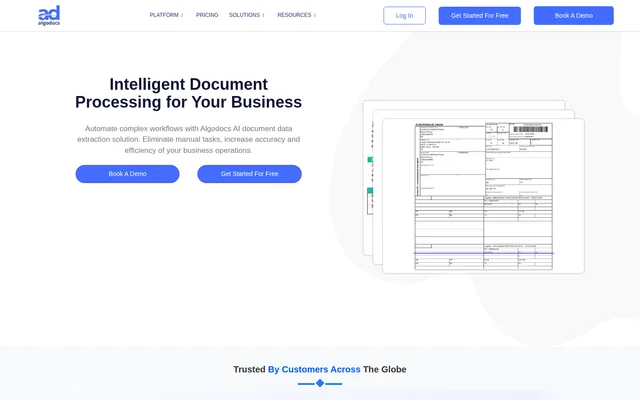
What is Algodocs?
Algodocs is an AI document processing tool for businesses that need to turn document content into structured data. Algodocs combines document classification, data extraction, review and workflow automation in a no-code solution. Supported business documents include invoices, purchase orders, receipts, bank statements, passports, ID cards, bills of lading and customs declarations.
Algodocs supports structured and unstructured documents, including scanned files, system-generated PDFs and handwritten content. Algodocs offers pre-trained models, custom models and extraction with prompts. Cloud and on-premise deployment options are available, while the website provides a live demo for testing selected document types before creating an account.
What Algodocs can do
Algodocs extracts document fields and tables and prepares the results for downstream systems. Extraction capabilities cover key-value pairs, financial line items, selection marks, signatures and handwritten text. Algodocs also provides post-processing operations, allowing businesses to change table structures and apply calculations before exporting their data.
- Algodocs classifies documents and can split them into individual files.
- Algodocs extracts key-value pairs, tables and financial line items.
- Algodocs converts handwritten text into machine-printed text.
- Algodocs detects checked and unchecked selection marks and signatures.
- Algodocs merges fields and tables extracted from different pages.
- Algodocs adds, removes, copies, swaps and replaces table rows or columns.
- Algodocs applies arithmetic operations to fields and table columns.
- Algodocs generates document summaries, reports and comparisons.
How Algodocs works
Algodocs imports documents through APIs, email attachments and drive folders such as Dropbox and SharePoint. Supported inputs include scanned and text PDFs, JPG, PNG and TIFF images, Microsoft Word files and Excel files. Algodocs supports long documents without the single-page restriction applied to the public live demo.
Algodocs workflows connect ingestion, classification, extraction and validation. Businesses can train custom classification models, assign documents to appropriate workflows and review extracted results. Corrections contribute to model improvement. Extracted data can then be reformatted and exported as CSV, Excel, JSON or XML, with API, webhook, FTP and Zapier connections also listed.
Who Algodocs is for
Algodocs serves businesses that process recurring document data and want to reduce manual sorting, entry and formatting. The listed solutions cover financial records, identity documents and shipping paperwork. Customer examples on the website also describe financial administration, legal document processing and high-volume document extraction, without restricting the tool to those industries.
- Algodocs extracts invoice and purchase-order fields for financial document processing.
- Algodocs processes bank statements, receipts and utility bills.
- Algodocs extracts information from passports and ID cards.
- Algodocs handles bills of lading and customs declarations.
- Algodocs converts handwritten forms into data that can be reviewed and exported.
Algodocs strengths and limitations
Algodocs combines document ingestion, extraction, post-processing and review rather than limiting functionality to text recognition. Broad file support, multiple export formats and cloud or on-premise deployment provide options for different document workflows. Human review is available for validation, and the support team can create custom extractors and configure document-specific setups.
- Algodocs restricts free-plan processing to 50 pages per month.
- Algodocs restricts live-demo uploads to JPG, PNG and single-page PDFs with a maximum file size of 5MB.
- Algodocs lists extended retention and unlimited users as Enterprise features.
Algodocs FAQ
What is Algodocs?
Algodocs is a no-code AI document processing tool that classifies documents, extracts fields and tables, and supports review and validation. Algodocs handles business documents such as invoices, bank statements, passports and bills of lading, with workflows connecting document ingestion to exported data.
Is Algodocs free?
Algodocs offers a free plan with up to 50 processed pages per month. Algodocs also offers Starter, Professional and Business subscriptions with larger page allowances, plus custom-priced Enterprise plans. All core features are included in all plans, and annual subscriptions are available.
Which file formats does Algodocs support?
Algodocs supports scanned and system-generated PDFs, JPG, PNG and TIFF images, Microsoft Word files and Excel files. Algodocs also processes handwritten documents and long PDFs. The public live demo has narrower limits: JPG, PNG or single-page PDF files up to 5MB.
Does Algodocs have an API or integrations?
Algodocs provides an API and lists webhooks, FTP, Dropbox, SharePoint and Zapier among its connection options. Algodocs can import documents from email attachments and drive folders, and export extracted data in CSV, Excel, JSON or XML formats.
How does Algodocs charge for document processing?
Algodocs charges only for pages actually processed, rather than every page in an uploaded document. Algodocs uses one credit when extracting data from one page of a 100-page PDF. Annual subscriptions provide the full credit allowance upfront for use within the 12-month period.
Can Algodocs be deployed on-premise?
Algodocs offers both on-premise and cloud deployment options. Algodocs also lists document storage region selection for AWS and Microsoft Azure among its Enterprise features, alongside custom integrations, extended document retention, unlimited users and premium support.
From the community
No reviews yet
Be the first to review this tool. What you write helps the next person choose.