What is Blog2Video?
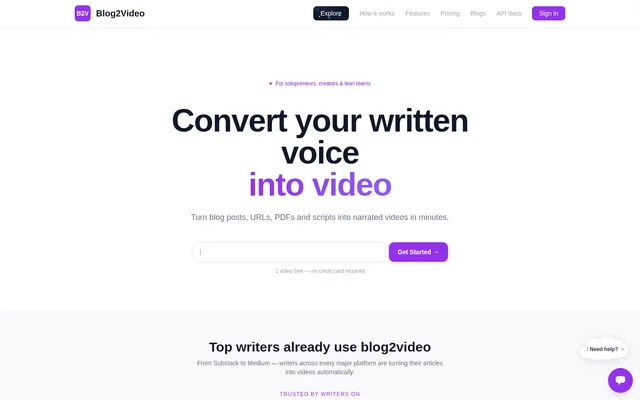
Blog2Video is a web-based AI tool for turning written content into structured narrated videos. Blog2Video accepts material such as blog posts, articles, PDFs, and documents, then builds video scenes, voiceovers, and captions. The service is relevant to creators and teams that want to reuse existing text as video rather than produce a separate piece of content from scratch.
Blog2Video presents text-to-video conversion as its central function. The website names both document-based inputs and web-based inputs, including blog URLs, alongside scripts and PowerPoint content. Blog2Video also lists dedicated blog-to-video uses for YouTube, Shorts, and LinkedIn, connecting the general conversion workflow with specific publishing destinations.
What Blog2Video can do
Blog2Video combines content conversion with the creation of several video components. The stated workflow covers scenes, spoken narration, and captions, while a separate capability creates avatars from a photo. Blog2Video therefore supports both turning source text into a narrated sequence and using a photo as the starting point for an avatar.
- Blog2Video converts blog URLs and articles into videos.
- Blog2Video accepts scripts, PDFs, and PowerPoint content.
- Blog2Video builds scenes from supplied material.
- Blog2Video generates voiceovers and captions.
- Blog2Video creates avatars from a photo.
How Blog2Video works
Blog2Video describes a workflow that begins by pasting a blog URL, script, PDF, or PowerPoint content. Blog2Video then builds the scenes, voiceover, and captions for a narrated video. The website says this conversion takes minutes, and the structured product information identifies the operating environment as the web. The supplied text does not describe additional editing steps.
Who Blog2Video is for
Blog2Video is relevant to blog authors, content creators, and teams with written material to repurpose. The listed uses focus on converting existing content rather than requiring a new video script for every project. Blog2Video names YouTube, Shorts, and LinkedIn as destinations for blog-based videos, while PDF and PowerPoint support extends the source material beyond published articles.
- Blog2Video turns blog posts into YouTube videos.
- Blog2Video repurposes blog content for Shorts.
- Blog2Video converts blog content into LinkedIn videos.
- Blog2Video turns PDFs and PowerPoint content into narrated videos.
Blog2Video pricing and plans
Blog2Video is free to start, and the pricing page lists free, pay-as-you-go, Standard, Pro, and custom team plans. Blog2Video also provides a contact route for discussing team plans. The supplied pricing text names the available options but does not state their prices, usage allowances, or feature differences, so the listed plan names do not establish which capabilities each option includes.
Blog2Video strengths and available product details
Blog2Video brings several source formats into a single text-to-video workflow and explicitly includes scene creation, voiceover, and captions. A free starting option allows access before choosing another plan. The source does not establish a specific product limitation; however, the supplied page leaves plan-level details and the workflow beyond initial conversion unspecified.
Blog2Video FAQ
What is Blog2Video?
Blog2Video is a web-based AI text-to-video tool that turns blog posts, articles, PDFs, and documents into structured narrated videos. Blog2Video builds scenes, voiceovers, and captions from supplied content and also offers avatars created from a photo.
Is Blog2Video free?
Blog2Video is free to start. The pricing page lists free, pay-as-you-go, Standard, Pro, and custom team plans, but the supplied text does not state prices, usage limits, or the features included in each plan.
What input formats does Blog2Video support?
Blog2Video supports blog URLs, scripts, PDFs, and PowerPoint content as starting materials for video creation. The product description also names blog posts, articles, and documents as content that Blog2Video turns into structured narrated videos.
Can Blog2Video turn blogs into videos for YouTube or LinkedIn?
Blog2Video lists blog-to-YouTube, blog-to-Shorts, and blog-to-LinkedIn video uses. Blog2Video converts written content into narrated videos with scenes, voiceovers, and captions; the supplied text does not describe direct publishing integrations.
Can Blog2Video create avatars from a photo?
Blog2Video offers avatars created from a photo. The same page also describes text-to-video generation with scenes, voiceovers, and captions, but does not explain avatar setup or identify which pricing plans include avatar creation.
From the community
No reviews yet
Be the first to review this tool. What you write helps the next person choose.