What is BraveGPT?
BraveGPT is an open-source browser userscript that brings AI chat and search summaries into Brave Search. BraveGPT serves people who want chatbot responses alongside their search activity rather than through a separate chat website. The repository describes responses as powered by large language models and provides installation instructions for desktop and mobile browser configurations.
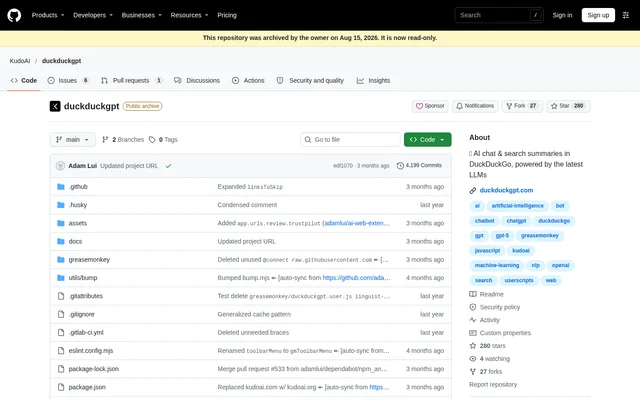
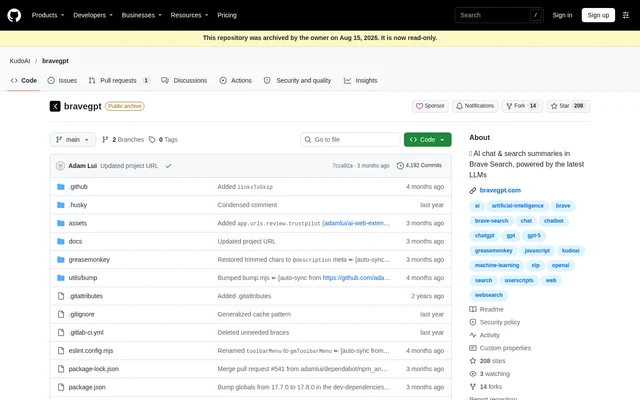
BraveGPT comes from the KudoAI repository and is now hosted at a different project location. The supplied GitHub repository is archived and read-only, with a notice directing users to Codeberg. That distinction matters when locating the project: the GitHub page provides documentation, but explicitly identifies Codeberg as the migration destination.
What BraveGPT can do
BraveGPT focuses on adding conversational assistance and summaries to the Brave Search experience. BraveGPT also provides a choice between account-based responses and an optional proxy response mode. Browser compatibility is documented by userscript manager, so available functionality depends partly on the manager installed rather than only on the browser name.
- BraveGPT adds AI chat to Brave Search.
- BraveGPT supplies AI search summaries.
- BraveGPT returns text responses through optional Proxy API Mode.
- BraveGPT supports use without a chatgpt.com account when Proxy API Mode is enabled.
- BraveGPT supports Streaming Mode with compatible userscript managers.
How BraveGPT works
BraveGPT requires a userscript manager before the BraveGPT userscript is installed. The documented workflow is to install a supported manager, install the userscript into that manager, and visit search.brave.com to enter a search and engage the bot. Listed managers include ScriptCat, Tampermonkey, Violentmonkey, OrangeMonkey, Stay and Userscripts, depending on the browser.
BraveGPT has Proxy API Mode disabled by default. With that mode disabled, fetching responses requires a ChatGPT account; enabling the mode allows text responses without a chatgpt.com account. The documentation also suggests enabling Proxy Mode when the OpenAI API is unreliable, but does not describe a separate API product for developers.
Who BraveGPT is for
BraveGPT is for Brave Search users who want AI assistance within their search workflow and can install a browser userscript. BraveGPT documents configurations for Chrome, Safari, Edge and Firefox, alongside other browsers. Desktop and mobile compatibility depends on the specific browser, operating system and userscript manager combination listed in the documentation.
- BraveGPT helps searchers access AI summaries in Brave Search.
- BraveGPT lets searchers engage a chatbot during a search session.
- BraveGPT supports account-free text responses through Proxy API Mode.
- BraveGPT accommodates supported desktop and mobile search setups.
BraveGPT pricing and access
BraveGPT is distributed as an open-source userscript, and the supplied project documentation does not state a BraveGPT subscription price or paid plan. BraveGPT access follows the userscript installation process. The separate GitHub pricing material describes GitHub services, not BraveGPT plans, and does not establish a price for this tool.
BraveGPT strengths and limitations
BraveGPT combines search summaries and AI chat in the same search environment, with documented support for several browser families. BraveGPT also offers an account-free response path through Proxy API Mode. The main constraints concern setup, manager-specific functionality and account requirements, while the archived GitHub repository adds a project-location consideration.
- BraveGPT requires a compatible userscript manager.
- BraveGPT requires a ChatGPT account when Proxy API Mode is disabled.
- BraveGPT cannot use Streaming Mode through Violentmonkey or OrangeMonkey.
- BraveGPT requires Developer Mode for Tampermonkey or OrangeMonkey in Chromium browsers.
- BraveGPT requires Opera userscript managers to have access to search page results.
- BraveGPT has migrated from the archived GitHub repository to Codeberg.
BraveGPT FAQ
What is BraveGPT?
BraveGPT is an open-source browser userscript that adds AI chat and search summaries to Brave Search. BraveGPT runs through a compatible userscript manager and is documented for supported desktop and mobile browser configurations.
How do you install BraveGPT?
BraveGPT is installed after setting up a compatible userscript manager, such as Tampermonkey or ScriptCat for supported browsers, or Stay or Userscripts for Safari. BraveGPT users then install the userscript, visit search.brave.com, enter a search and engage the bot.
Does BraveGPT require a ChatGPT account?
BraveGPT requires a ChatGPT account when Proxy API Mode is disabled, which is the default setting. BraveGPT can return text responses without a chatgpt.com account when Proxy API Mode is enabled.
Does BraveGPT work on mobile browsers?
BraveGPT documents mobile compatibility for supported browser and userscript manager combinations, including Safari on iOS and iPadOS, and Edge and Firefox on Android. BraveGPT compatibility depends on the specific configuration listed in the project documentation.
Why is BraveGPT Streaming Mode unavailable?
BraveGPT does not support Streaming Mode when used with Violentmonkey or OrangeMonkey. BraveGPT documentation explicitly identifies this userscript manager limitation, so streaming availability depends on the manager chosen during setup.
Has BraveGPT moved from GitHub?
BraveGPT has migrated to https://codeberg.org/KudoAI/bravegpt according to the repository notice. BraveGPT's GitHub repository is archived and read-only, so the documentation identifies Codeberg as the project's new location.
From the community
No reviews yet
Be the first to review this tool. What you write helps the next person choose.