What is Claude Video?
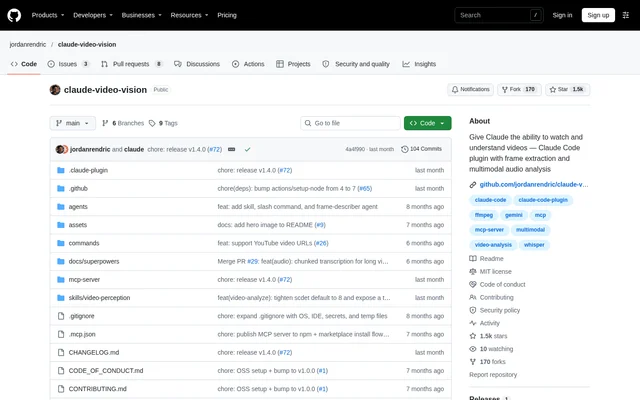
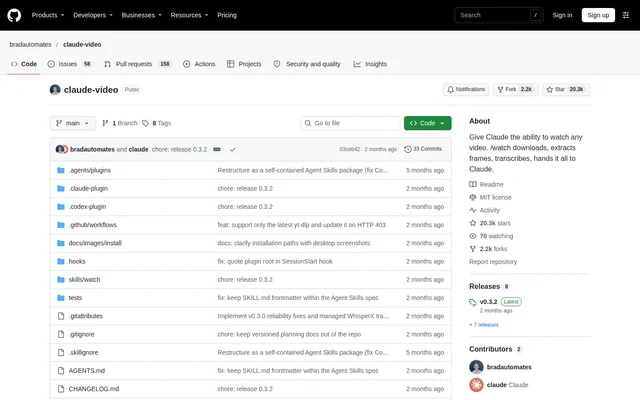
Claude Video is an open-source agent skill that converts video URLs and local files into evidence for AI-assisted analysis. Claude Video is distributed as watch and works with Claude Code, Codex and other Agent Skills hosts. The project supplies instructions and scripts that let an agent obtain visual and spoken information from a video, then use that information to answer questions.
Claude Video supports Claude Code through a Code session in Claude Desktop, the VS Code extension or a terminal. Codex users can install the skill through the desktop app, CLI or IDE extension. Other local agents can use the Skills CLI installation route. Claude Chat and Cowork are explicitly unsupported.
What Claude Video can do
Claude Video provides separate Gemini and local engines for working with video. The Gemini route sends picture and sound to Google's video model and relays a timestamped answer. The local route extracts frames and a transcript on the user's machine. Native captions come first, while optional speech transcription handles videos that lack captions.
- Claude Video accepts video URLs and local files.
- Claude Video extracts timestamped frames for agent analysis.
- Claude Video reads native captions without downloading the video.
- Claude Video supports optional local WhisperX or Groq/OpenAI transcription.
- Claude Video can restrict Gemini analysis to a selected start and end range.
- Claude Video supports prompts requesting timestamped visual summaries.
How Claude Video works
Claude Video selects Gemini automatically when a Gemini API key resolves; otherwise, Claude Video uses the local engine. Users can explicitly choose local processing, which never contacts Google. For Gemini runs, YouTube URLs go directly to Google. Other URLs are downloaded before upload, and local files are uploaded to Google's Files API and deleted after the answer.
Claude Video's local runtime uses Python, FFmpeg/ffprobe and a current yt-dlp installation. YouTube also requires a supported JavaScript runtime and EJS setup. Installing the skill does not install these dependencies. The bundled setup script checks the active environment, and the agent can help identify missing programs. Cloud environments need their own dependencies and network permissions.
Who Claude Video is for
Claude Video is for people who already use Claude Code, Codex or another supported agent and want video evidence inside that workflow. Users can share a folder containing a video, open that folder as the agent's project and request a timestamped visual summary. Public video URLs offer another route, subject to source access and the session's network permissions.
- Claude Video helps agent users summarize visible activity in local videos.
- Claude Video lets users request transcript detail from public video URLs.
- Claude Video supports local processing for users who choose not to send video to Google.
Claude Video licensing and access
Claude Video is available from its public GitHub repository under the MIT license. The source describes plugin and skill installation rather than subscription plans. Claude Desktop users add the repository as a marketplace and then install Watch; adding the marketplace alone is insufficient. Codex users can ask the skill installer to install the watch skill. The Gemini setup path uses a Google AI Studio key.
Claude Video strengths and limitations
Claude Video combines native captions, optional transcription and visual evidence with installation routes for several agent environments. Graphical installers are available for Claude Desktop and the Claude Code VS Code extension. The local engine provides a path without a Gemini key, while the Gemini engine handles picture and sound together. These options still depend on the chosen host, installed tools and video access.
- Claude Video does not support Claude Chat or Cowork.
- Claude Video does not bundle the local media dependencies.
- Claude Video URL access can be blocked by source sites or environment restrictions.
- Claude Video does not automatically switch engines after a Gemini failure.
- Claude Video does not produce a speech transcript from a local file when speech fallback is disabled.
Claude Video FAQ
What is Claude Video?
Claude Video is an open-source video analysis skill for Claude Code, Codex and other Agent Skills hosts. Claude Video gives agents video evidence from URLs or local files through timestamped frames, transcripts or answers from Google's video model.
Is Claude Video free?
Claude Video is available as an open-source GitHub project under the MIT license, and the page does not list subscription plans. Claude Video offers a local processing path without a Gemini API key and an optional Gemini path using a Google AI Studio key.
Does Claude Video work in Claude Chat or Cowork?
Claude Video does not support Claude Chat or Cowork. Claude Video works in Claude Code, including Code sessions in Claude Desktop, the VS Code extension and terminal sessions. Codex and other supported local agents also have installation routes.
Can Claude Video analyze videos locally?
Claude Video can extract frames and transcripts locally using FFmpeg and yt-dlp, and the local engine never contacts Google. Claude Video requires separately installed runtime tools; optional local WhisperX transcription is available for speech when native captions are unavailable.
Does Claude Video upload videos to Google?
Claude Video uploads local files to Google when using the Gemini engine and deletes those uploads after the answer. Other video URLs are downloaded and uploaded, while YouTube URLs go directly to Google. Claude Video's local engine never contacts Google.
How do you install Claude Video?
Claude Video can be installed through Claude Desktop's plugin marketplace controls, the Claude Code VS Code plugin window or terminal plugin commands. Codex users can request installation through the skill installer. Other local Agent Skills hosts can use the Skills CLI.
From the community
No reviews yet
Be the first to review this tool. What you write helps the next person choose.