What is Cockatoo?
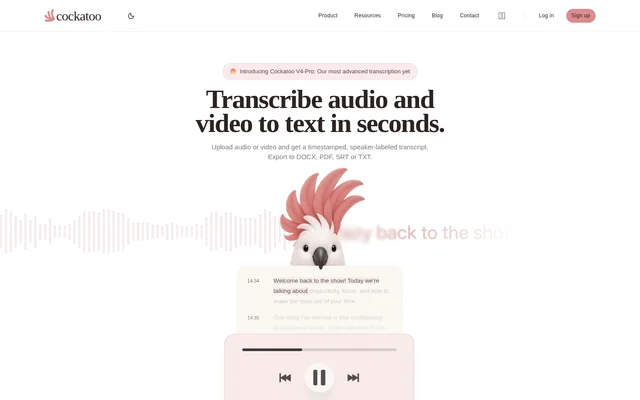
Cockatoo is an AI audio and video transcription service that turns recordings into editable text with timestamps and speaker labels. Cockatoo supports web and iOS access and serves people working with interviews, meetings, podcasts, lectures, and other recorded material. Transcripts can be downloaded for use in documents or subtitle workflows.
Cockatoo supports transcription in 90+ languages and accepts a broad range of audio and video formats. The website provides language-specific and format-specific transcription pages, along with tools for dictation, meeting summaries, and document translation. A free plan provides an entry point, while paid subscriptions increase usage allowances and add capabilities.
What Cockatoo can do
Cockatoo combines speech recognition with transcript editing, export, and translation tools. The core output is a text transcript organized with speakers, timestamps, and paragraphs. Paid Pro capabilities extend that workflow to live recording, dictation, bulk downloads, and Canvas tools that produce summaries and insights or support chat.
- Cockatoo transcribes uploaded audio and video recordings.
- Cockatoo identifies speakers and adds timestamps to transcripts.
- Cockatoo supports reading and editing transcripts in the browser.
- Cockatoo exports transcripts as DOCX, PDF, SRT, or TXT.
- Cockatoo provides unlimited live recording and dictation on Pro.
- Cockatoo translates transcripts into 90 languages on Pro.
- Cockatoo offers summaries, insights, and chat through Canvas on Pro.
How Cockatoo works
Cockatoo starts with a drag-and-drop upload or the file browser on its website. Supported examples include MP3, MP4, M4A, MOV, AAC, WAV, OGG, and FLAC. Users can upload a file to try the service without first creating an account, but saving and accessing the resulting transcript requires a free account.
Cockatoo processes the recording into text, which users can read, edit, and export. The website lists DOCX, TXT, PDF, and SRT output options. Processing speed depends on the recording and workload, so the stated transcription speeds are not fixed turnaround guarantees for every uploaded file.
Who Cockatoo is for
Cockatoo targets people who need usable text from recorded speech. The website lists interview, meeting, podcast, lecture, legal, medical, and market research transcription tools. Customer accounts also describe dissertation interviews, podcast and video transcription, and turning recordings into minutes, providing concrete examples of the work Cockatoo supports.
- Researchers can transcribe interviews used in dissertations and market research.
- Meeting participants can convert recordings into transcripts and summaries.
- Podcast and video creators can produce transcripts and subtitle files.
- Students can use the listed lecture summarizer tools.
Cockatoo pricing and plans
Cockatoo offers Free, Pro, and Max plans. Free costs $0, requires no credit card, and includes audio and video transcription trials, transcript reading and editing, file translation previews, and a Canvas trial. Pro costs $30 per month when billed monthly and includes higher Pro transcription limits, unlimited transcription modes, live recording, dictation, and bulk exports.
Cockatoo Max starts at $100 per month with monthly billing and includes everything in Pro. Max adds selectable higher usage allowances, early access to advanced features, and priority access during high-traffic periods. Cockatoo lists all prices in USD before applicable tax and also displays a yearly billing option for Pro.
Cockatoo strengths and limitations
Cockatoo combines broad language and file-format support with editable transcripts and several export formats. The free entry point allows users to test a recording before committing to a paid plan. Cockatoo also publishes benchmark results and methodology, while explicitly noting that transcription accuracy depends on the language and quality of the recording.
- Cockatoo accuracy varies by language and recording quality.
- Cockatoo processing time varies with the recording and workload.
- Cockatoo requires an account to save and access transcripts.
- Cockatoo reserves higher usage allowances and listed Pro capabilities for paid plans.
Cockatoo FAQ
What is Cockatoo?
Cockatoo is an AI audio and video transcription tool available on the web and iOS. Cockatoo converts recordings into editable transcripts with timestamps and speaker labels, and supports exports in DOCX, PDF, SRT, and TXT.
Is Cockatoo free?
Cockatoo offers a Free plan at $0 with no credit card required. The Free plan includes transcription trials, transcript reading and editing, file translation previews, and a Canvas trial. Paid Pro and Max subscriptions provide higher usage allowances and additional capabilities.
Do you need an account to use Cockatoo?
Cockatoo allows users to upload a file to try transcription without creating an account first. A free account is required to save and access the transcript. The upload workflow supports dragging in a recording or selecting a file through the file browser.
What file formats does Cockatoo support?
Cockatoo supports audio and video uploads in formats including MP3, MP4, M4A, MOV, AAC, WAV, FLAC, OGG, OPUS, MPEG, and WMV. Cockatoo converts uploaded recordings into text and offers DOCX, PDF, SRT, and TXT transcript exports.
Can Cockatoo translate transcripts?
Cockatoo includes transcript translation into 90 languages on its Pro plan. Pro also includes Canvas for summaries, insights, and chat. The Free plan lists file translation previews, and the website separately lists PDF and DOCX document translation tools.
How accurate is Cockatoo transcription?
Cockatoo states that V4-Pro achieved the lowest error rate, including ties, in 25 of 36 languages tested on FLEURS. Cockatoo also reports leading or tying in 25 of 36 languages on its internal real-world benchmark. Accuracy varies by language and recording quality, and published methodology is available.
From the community
No reviews yet
Be the first to review this tool. What you write helps the next person choose.