What is Comment Generator?
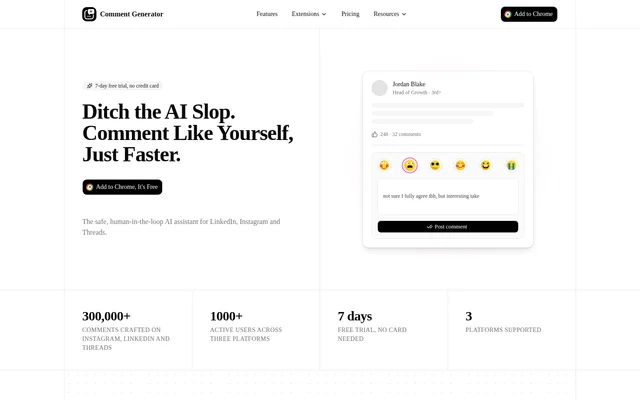
Comment Generator is an AI comment-writing assistant delivered as a Chrome extension for Instagram, LinkedIn and Threads. Comment Generator helps people draft replies based on the caption of a specific post, with instructions that reflect their personal voice or brand. The website positions the extension as a human-in-the-loop alternative to generic commenting bots: users receive a draft, then decide what to edit and publish.
What Comment Generator can do
Comment Generator combines post context with writing preferences to draft social replies. Comment Generator reads the caption rather than relying on a generic template, and users can specify both the purpose and tone of a comment. Custom instructions guide the writing style, while language support follows the language of the original post.
- Comment Generator drafts replies for Instagram, LinkedIn and Threads.
- Comment Generator uses the post caption as context.
- Comment Generator accepts custom instructions for personal or brand voice.
- Comment Generator supports objectives such as agreeing, disagreeing and adding insight.
- Comment Generator drafts in the post’s language, including English and German.
- Comment Generator lets users review and edit suggestions before posting.
How Comment Generator works
Comment Generator is installed from the Chrome Web Store and runs as a browser extension layered over the supported social platforms. Users sign up with an email address and confirm that address to activate the trial. After choosing an objective and tone, users receive a caption-based draft, check the suggestion, make any changes and publish the comment themselves. Comment Generator does not need social account login credentials.
Who Comment Generator is for
Comment Generator is aimed at people who want to maintain a social presence through regular commenting without writing every reply from scratch. The pricing page identifies freelancers and solopreneurs as the audience for Pro, and people managing multiple accounts as the audience for Unlimited. Personal writing instructions and brand-voice guidance support both individual and brand commenting workflows.
- Freelancers can draft replies for professional and social conversations.
- Solopreneurs can tailor comments to their own voice or brand.
- People managing multiple accounts can use the Unlimited comment allowance.
- Multilingual users can draft replies in the language of a post.
Comment Generator pricing and plans
Comment Generator offers a $0 trial lasting 7 days, with up to 30 comments and no credit card required. Pro costs $9.99 per month, per platform, and includes up to 1,500 comments per month, Stripe payments and cancellation at any time. Unlimited costs $29.99 per month, per platform, and includes everything in Pro, unlimited comments and priority email and phone support. The website lists Unlimited through a request-access option.
Comment Generator strengths and limitations
Comment Generator combines caption-specific drafting, configurable writing instructions and manual approval without requiring social account login credentials. These features let users control both the wording and publication of replies. Comment Generator remains a drafting aid rather than an automatic commenting system, and the pricing structure requires attention to both the selected social platform and the plan’s comment allowance.
- Comment Generator limits the free trial to 7 days and up to 30 comments.
- Comment Generator bills paid subscriptions per platform.
- Comment Generator caps Pro at 1,500 comments per month.
- Comment Generator requires users to publish comments themselves.
Comment Generator FAQ
What is Comment Generator?
Comment Generator is a Chrome extension that uses AI to draft personalized comments for Instagram, LinkedIn and Threads. Comment Generator reads post captions and uses custom instructions, objectives and tones to create replies that users review, edit and post themselves.
Is Comment Generator free?
Comment Generator offers a 7-day free trial with up to 30 comments and no credit card required. Paid plans include Pro at $9.99 per month, per platform, and Unlimited at $29.99 per month, per platform.
Does Comment Generator post comments automatically?
Comment Generator does not post comments automatically. Comment Generator drafts suggestions for users to review and edit, and users publish the final comment themselves. The extension also does not require social account login credentials.
Can Comment Generator match a personal or brand voice?
Comment Generator accepts custom instructions describing how a person or brand writes. Comment Generator also lets users choose an objective and tone, including agreeing, disagreeing or adding insight, while using the post caption to guide the draft.
Which platforms and languages does Comment Generator support?
Comment Generator supports Instagram, LinkedIn and Threads through a Chrome extension. Comment Generator drafts replies in the language of the original post, with English and German explicitly mentioned as examples of supported commenting languages.
How do you get started with Comment Generator?
Comment Generator is available from the Chrome Web Store. Users install the extension, register with an email address and confirm their email to activate the trial, then choose an objective and tone before reviewing, editing and posting a draft.
From the community
No reviews yet
Be the first to review this tool. What you write helps the next person choose.