What is Crayon AI?
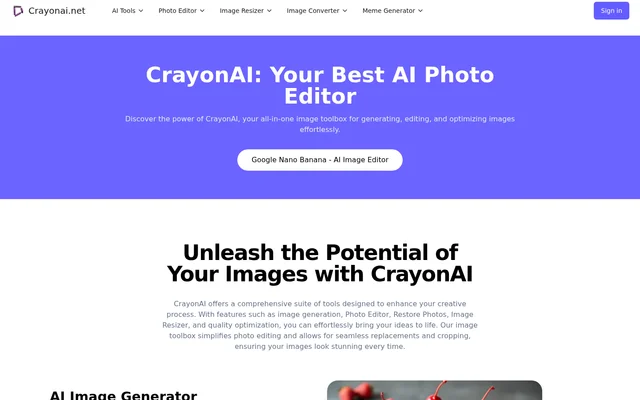
Crayon AI is an online photo editor and image generator for people who want to create digital artwork, edit existing pictures, or prepare images for sharing. It combines prompt-based image generation with practical tools for resizing and cropping, plus dedicated tools for removing backgrounds, restoring damaged photos, and making memes.
What Crayon AI can do
Crayon AI separates general photo editing from tasks such as background removal and restoration. The general editor covers changes to the composition and appearance of an image, while the dedicated tools can isolate a subject or improve an older photo. The image generator starts with a text description instead of an existing picture.
- Crayon AI generates images from text prompts with customizable styles.
- Crayon AI automatically detects and removes image backgrounds.
- Crayon AI crops, resizes, rotates, and flips pictures.
- Crayon AI adds text, stickers, shapes, and drawings to photos.
- Crayon AI restores damaged photos by removing scratches and sharpening faces.
- Crayon AI upscales images and offers an image compressor.
How Crayon AI works
Crayon AI runs online on desktop computers, tablets, and phones. To generate a new image, users enter a text prompt. When editing an existing picture, users can preview their adjustments in real time. The meme generator accepts either a template from the library or an uploaded image, then lets users customize the text before downloading or sharing the result.
Who Crayon AI is for
Crayon AI serves people making custom illustrations, preparing pictures for social media, or improving old personal photos. The resize and crop tools are useful when an image needs to fit a specific aspect ratio or display size. The restoration tools address different needs, including scratches and facial details that are difficult to see in older pictures.
- Generate illustrations or anime-style scenes from written descriptions.
- Resize images for websites, social media, or print.
- Create memes from templates or personal images.
- Restore old photos and improve facial detail.
Crayon AI pricing and plans
Crayon AI offers its photo editor at no charge, while some AI tools have a limited free allowance before payment is required. The pricing page lists the Basic plan at $10 per month with 300 credits and the Pro plan at $20 per month with 800 credits. Both are labeled as one-time payments valid for one month.
Crayon AI lists normal generation speed and limited downloads for Basic, and fast generation speed and unlimited downloads for Pro. The plan descriptions also show usage limits for image and video generation, background removal, image restoration, and upscaling. Users can buy either plan from the pricing page.
Strengths and limitations
Crayon AI combines basic photo adjustments and specialized AI tools in a browser-based toolbox. Live previews make it possible to check a crop or other adjustment before downloading, and support for JPEG, PNG, and WebP covers common image files. Not every AI tool is free to use without limits, and the paid plans differ in generation speed and download limits.
- Some AI tools require payment after the free allowance is used.
- Paid credits are valid for one month.
- Basic limits downloads, while Pro lists unlimited downloads.
Crayon AI FAQ
What is Crayon AI?
Crayon AI is an online toolbox for generating, editing, and optimizing images. It includes a text-to-image generator, a photo editor with live previews, an automatic background remover, tools for restoring and upscaling photos, and a template-based meme generator.
Is Crayon AI free to use?
Crayon AI offers its photo editor for free, but some AI tools have limited free usage and require payment after that allowance. The Basic plan is listed at $10 per month and Pro at $20 per month, both as one-time payments valid for one month.
Can Crayon AI restore old or damaged photos?
Crayon AI can restore old or damaged photos by improving image quality, removing scratches, and sharpening facial features. Its restoration tools also list noise reduction and color enhancement, which can make details in older pictures easier to see.
Can Crayon AI remove photo backgrounds automatically?
Crayon AI can automatically detect and remove an unwanted photo background. The background remover is a dedicated AI tool in the image toolbox, separate from manual editing tools for cropping, resizing, rotating, and flipping pictures.
What image formats does Crayon AI support?
Crayon AI supports common image formats including JPEG, PNG, and WebP. Its image resizer can adjust an image's dimensions and convert it to other formats when preparing pictures for web use, social media, or print.
Can I use Crayon AI on my phone?
Crayon AI can be used on mobile phones as well as tablets and desktop computers. The site is designed to be responsive, so users can access photo editing and image generation tools from those devices.
From the community
No reviews yet
Be the first to review this tool. What you write helps the next person choose.