What is Flick?
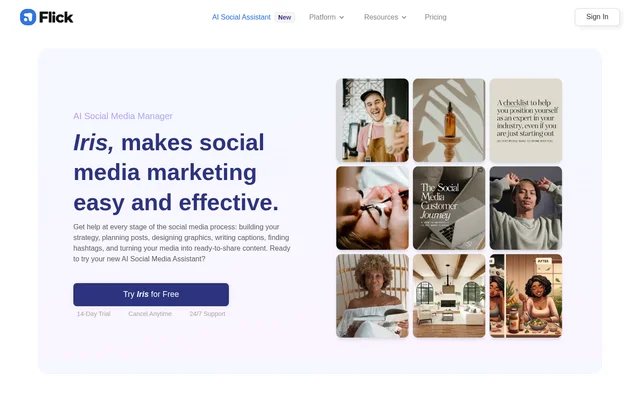
Flick is an all-in-one social media marketing platform that combines scheduling, hashtag tools, analytics, and AI assistance. Flick includes Iris, an assistant that builds a social media strategy, plans monthly content, and helps produce posts. The service addresses the work involved in maintaining a business presence on social media, from deciding what to publish to preparing content for approval.
Flick presents business-specific context as the basis for its AI suggestions. Business goals, offerings, products, services, and existing writing help shape the resulting strategy and captions. The supplied page includes examples from a small business owner, a freelance social marketer, and an e-commerce social media manager.
What Flick can do
Flick supports strategy, planning, production, and scheduling within the same social media workflow. The AI assistant can generate finished posts as well as suggestions for content that needs further work. Flick also provides a library of social trends and explains how those trends could relate to a particular business.
- Flick develops tailored strategies with editable content pillars.
- Flick creates monthly content calendars.
- Flick writes captions using a business's brand voice.
- Flick provides graphic design and image generation tools.
- Flick turns uploaded media into posts with captions and hashtags.
- Flick schedules posts through a visual content calendar.
- Flick provides analytics and hashtag tools.
How Flick works
Flick begins the described setup process by asking users to link a website and teach the assistant about their business, goals, and offerings. The Brand Hub holds business details and linked products or services. Flick then develops a tailored strategy and monthly content plan, with opportunities to edit content pillars and provide feedback during creation.
Flick uses uploaded photos or videos to tailor suggestions and prepare posts. Completed drafts can include captions, hashtags, and placement on the content calendar using suggested posting times. Flick supports Instagram, Facebook, TikTok, and LinkedIn scheduling, and users retain control: the assistant does not publish to social channels without approval.
Who Flick is for
Flick is intended for businesses and marketers managing an ongoing social media presence. The examples on the page include a small business without dedicated social media staff, a freelancer working across client niches, and an e-commerce business producing posts at scale. The tools support both planning new content and making use of an existing media backlog.
- Flick helps small businesses plan regular social posts.
- Flick helps freelance marketers tailor content to different clients.
- Flick helps e-commerce teams include products in content.
- Flick helps social media managers repurpose existing media.
Flick pricing and trial access
Flick promotes trial access throughout the page, with repeated offers of a 14-Day Trial and cancellation at any time. The page also advertises support alongside the trial. Subscription prices and detailed plan allowances are not provided in the supplied text, so the page does not establish the ongoing cost after trial access.
Flick strengths and limitations
Flick brings business context, content planning, creative assistance, and scheduling into a connected workflow. Editable strategies, caption-style controls, and feedback let users adjust suggestions rather than accept a fixed output. Approval requirements preserve publishing control. However, the assistant does not create every content type: video is specifically described as requiring instructions or scripts for the user to follow.
- Flick supplies video scripts and instructions rather than creating videos.
- Flick requires approval before publishing social posts.
- Flick does not list subscription prices on the supplied page.
Flick FAQ
What is Flick?
Flick is an all-in-one social media marketing platform with scheduling, hashtag tools, analytics, and AI assistance. Flick includes Iris, an assistant that develops strategies, plans monthly content, and helps create business-specific social posts.
Is Flick free?
Flick offers trial access, with the page repeatedly advertising a 14-Day Trial and cancellation at any time. Flick does not list ongoing subscription prices or describe a permanent free plan in the supplied text.
Which social networks can Flick schedule posts for?
Flick supports scheduling for Instagram, Facebook, TikTok, and LinkedIn through a visual content calendar. Flick also lets users preview a future feed, while its AI assistant uses the scheduler to plan and prepare posts.
Does Flick publish AI posts without approval?
Flick does not publish AI-created content to social channels without user approval. Flick's assistant creates draft posts and content suggestions, leaving users in control of what is scheduled for posting.
Can Flick match a business's brand voice?
Flick can tailor captions to a business's writing style by analyzing existing social posts and creating writing rules. Flick also allows users to adjust caption settings, including formality and length, and add business context through the Brand Hub.
Can Flick create videos?
Flick provides video scripts and step-by-step instructions rather than generating videos. Flick can also analyze uploaded videos during planning and use existing media to prepare social posts with captions, hashtags, and calendar placement.
From the community
No reviews yet
Be the first to review this tool. What you write helps the next person choose.