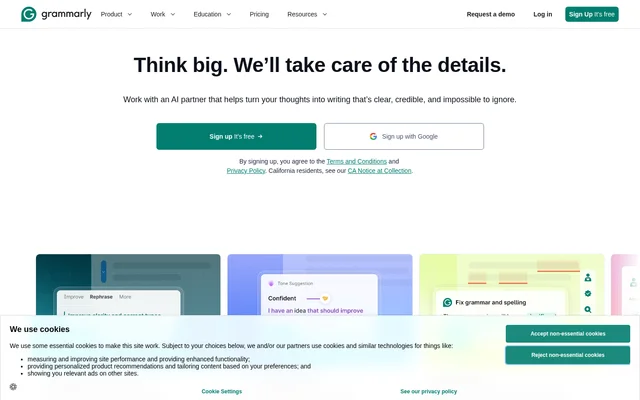
What is Grammarly?
Grammarly is a writing assistant that helps people proofread text and improve readability. Grammarly combines grammar checking, contextual spelling checks, vocabulary suggestions, and plagiarism detection. The website identifies business professionals, bloggers, students, and professional writers as users, while also describing writing intended for online audiences, family, and friends.
Grammarly’s described checks address both sentence mechanics and word choice. Grammar coverage includes subject-verb agreement, article use, and modifier placement. Contextual spelling checks focus on words that are spelled correctly but used incorrectly, while vocabulary suggestions address how effectively a word fits the surrounding text.
What Grammarly can do
Grammarly provides several kinds of writing review rather than limiting checks to misspelled words. Grammarly scans text against more than 400 grammar rules and offers context-based word suggestions. Grammarly also describes a plagiarism checker that searches material from 16 billion web pages and ProQuest’s databases.
- Grammarly checks grammar rules covering agreement, articles, and modifiers.
- Grammarly detects contextual mistakes such as lose/loose and affect/effect.
- Grammarly suggests vocabulary based on the context of a sentence.
- Grammarly checks plagiarism against web pages and ProQuest’s databases.
- Grammarly provides options to check text or upload a file.
How Grammarly works across writing environments
Grammarly’s page offers entry points labeled Check your text and Upload a file. Grammarly then describes scanning writing for grammar problems, contextual spelling errors, and opportunities to improve vocabulary. The supplied page does not describe a detailed account setup process or a step-by-step procedure for reviewing suggestions.
Grammarly lists desktop applications for Windows and Mac, along with browser extensions for Chrome, Safari, Firefox, and Edge. Grammarly also lists mobile options for iPhone, iPad, and Android. For document and email workflows, the page states compatibility with Word and Outlook and includes links for MS Office and Google Docs.
Who Grammarly is for
Grammarly explicitly names business professionals, bloggers, students, and professional writers as proofreading users. Grammarly also frames grammar checking as relevant whether writing reaches a large online audience or close family and friends. These audiences can use the described checks to review grammar, clarify word choice, and identify contextual spelling problems.
- Business professionals can use Grammarly to proofread their writing.
- Bloggers can use Grammarly to check writing intended for online readers.
- Students can use Grammarly to review grammar and word choice.
- Professional writers can use Grammarly for proofreading.
- Personal writers can use Grammarly to check text shared with family and friends.
Grammarly pricing and plans
Grammarly lists Grammarly Pro, Grammarly for Teams & Businesses, Grammarly Enterprise, and Grammarly for Education under plans. Grammarly also provides links to desktop, browser, mobile, and document-writing options. The supplied page does not state subscription prices, identify a free tier, or explain which features belong to each plan.
Grammarly strengths and available product details
Grammarly’s described strengths include the combination of grammar, contextual spelling, vocabulary, and plagiarism checks, alongside access options across several writing environments. Grammarly gives concrete examples of grammar rules and confused words, making the core proofreading functions clear. The supplied page provides less detail about plan differences and the operation of features listed only in navigation.
Grammarly FAQ
What is Grammarly?
Grammarly is a writing assistant and proofreading tool that checks grammar, contextual spelling, vocabulary, and plagiarism. Grammarly serves business professionals, bloggers, students, and professional writers, with desktop, browser, mobile, and document-writing options listed on the website.
What grammar mistakes does Grammarly check?
Grammarly checks more than 400 grammar rules, including subject-verb agreement, article use, and modifier placement. Grammarly also detects correctly spelled words used in the wrong context, including commonly confused pairs such as lose/loose and affect/effect.
Does Grammarly check for plagiarism?
Grammarly offers plagiarism detection against 16 billion web pages and ProQuest’s databases. Grammarly lists a Plagiarism Checker among the available features, but the supplied page does not explain which plans include plagiarism checking.
Where can you use Grammarly?
Grammarly lists Windows and Mac desktop applications; Chrome, Safari, Firefox, and Edge browser extensions; and iPhone, iPad, and Android options. Grammarly also states compatibility with Word and Outlook and lists options for MS Office and Google Docs.
How much does Grammarly cost?
Grammarly does not state prices on the supplied page. Grammarly lists Grammarly Pro, Grammarly for Teams & Businesses, Grammarly Enterprise, and Grammarly for Education, but does not provide subscription amounts or a comparison of included features.
From the community
No reviews yet
Be the first to review this tool. What you write helps the next person choose.