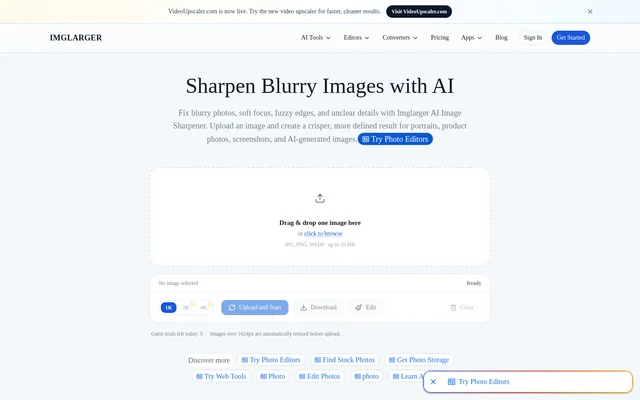
What is Image Sharpener Online | Sharpen Blurry Photos Free?
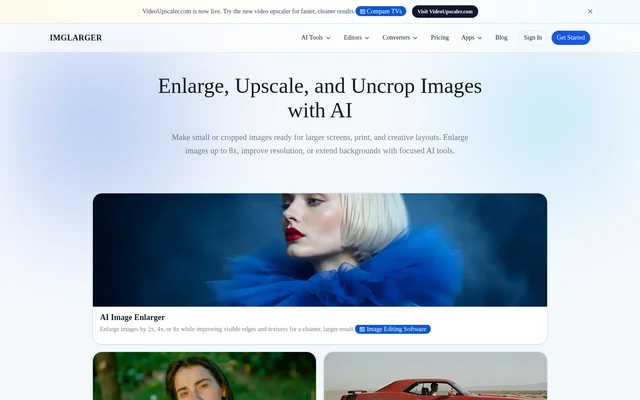
Image Sharpener Online | Sharpen Blurry Photos Free is an online AI tool from Imglarger that improves clarity in blurry or low-detail images. The tool focuses on soft focus, unclear edges, and fine texture rather than broader image enhancement. Supported subjects include portraits, product photos, screenshots, illustrations, anime images, and AI-generated artwork.
Image Sharpener Online | Sharpen Blurry Photos Free serves people preparing visual assets for publishing or printing. The website distinguishes sharpening from enhancing: sharpening targets blur, edge clarity, and fine detail, while enhancing addresses broader qualities such as noise, compression artifacts, contrast, texture, and overall clarity.
What Image Sharpener Online | Sharpen Blurry Photos Free can do
Image Sharpener Online | Sharpen Blurry Photos Free analyzes soft edges and low-contrast details, then improves local sharpness, clarity, and texture. The tool handles several common sources of softness and provides automatic processing without complicated manual editing. Users can inspect a comparison before deciding whether to download the processed image.
- Image Sharpener Online | Sharpen Blurry Photos Free improves images affected by soft focus and slight motion blur.
- Image Sharpener Online | Sharpen Blurry Photos Free sharpens fuzzy edges and compression blur.
- Image Sharpener Online | Sharpen Blurry Photos Free improves hair detail, product contours, and visible texture.
- Image Sharpener Online | Sharpen Blurry Photos Free refines soft faces, textures, and line work in AI-generated artwork.
How Image Sharpener Online | Sharpen Blurry Photos Free works
Image Sharpener Online | Sharpen Blurry Photos Free runs in a browser without software installation. Users drag an image into the uploader or browse for a file, then select Upload and Start. Processing usually takes a few seconds, depending on image size and quality. The results view supports comparison with the original and downloading the sharpened image.
Image Sharpener Online | Sharpen Blurry Photos Free accepts JPG, JPEG, PNG, and WebP images, with the uploader showing a 10 MB file limit. Uploaded and processed images are automatically deleted within six hours. Sign-in requirements, processing options, and usage limits can vary by tool and plan.
Who Image Sharpener Online | Sharpen Blurry Photos Free is for
Image Sharpener Online | Sharpen Blurry Photos Free is intended for creators handling photographs and digital assets that need clearer edges or more visible texture. The listed uses include product images, profile pictures, social media images, screenshots, and creative assets. AI-generated artwork is also supported when textures or line work look too soft.
- Image Sharpener Online | Sharpen Blurry Photos Free prepares product photos and thumbnails for publishing.
- Image Sharpener Online | Sharpen Blurry Photos Free improves portraits and profile pictures.
- Image Sharpener Online | Sharpen Blurry Photos Free sharpens illustrations and AI-generated artwork before publishing or printing.
Image Sharpener Online | Sharpen Blurry Photos Free strengths and limitations
Image Sharpener Online | Sharpen Blurry Photos Free combines automatic sharpening, browser access, and before-and-after review. The workflow avoids manual sharpening sliders and supports common photo and artwork formats. Results still depend on how much reliable detail remains in the original; the website recommends a less compressed or higher-resolution source when results are unsatisfactory.
- Image Sharpener Online | Sharpen Blurry Photos Free may not recover all original detail from extremely blurred images.
- Image Sharpener Online | Sharpen Blurry Photos Free limits uploaded files to 10 MB in the sharpener interface.
- Image Sharpener Online | Sharpen Blurry Photos Free access is subject to plan-specific processing and usage limits.
Image Sharpener Online | Sharpen Blurry Photos Free FAQ
What is Image Sharpener Online | Sharpen Blurry Photos Free?
Image Sharpener Online | Sharpen Blurry Photos Free is Imglarger’s browser-based AI sharpening tool for blurry photos and digital artwork. The tool improves soft edges, local clarity, and texture in portraits, product photos, screenshots, illustrations, and AI-generated images.
What image formats does Image Sharpener Online | Sharpen Blurry Photos Free support?
Image Sharpener Online | Sharpen Blurry Photos Free supports JPG, JPEG, PNG, and WebP images. The sharpener uploader displays a 10 MB file limit. Supported image types include photographs, screenshots, digital artwork, anime images, illustrations, and AI-generated images.
Can Image Sharpener Online | Sharpen Blurry Photos Free fix every blurry photo?
Image Sharpener Online | Sharpen Blurry Photos Free can improve many soft or slightly blurry images, but extremely blurred photos may not recover all original detail. Results depend on usable source detail, and the website recommends trying a less compressed or higher-resolution image when possible.
Does Image Sharpener Online | Sharpen Blurry Photos Free keep uploaded images?
Image Sharpener Online | Sharpen Blurry Photos Free automatically deletes uploaded and processed images within six hours rather than retaining a permanent public gallery. Users can compare the processed result with the original in the browser before downloading.
From the community
No reviews yet
Be the first to review this tool. What you write helps the next person choose.