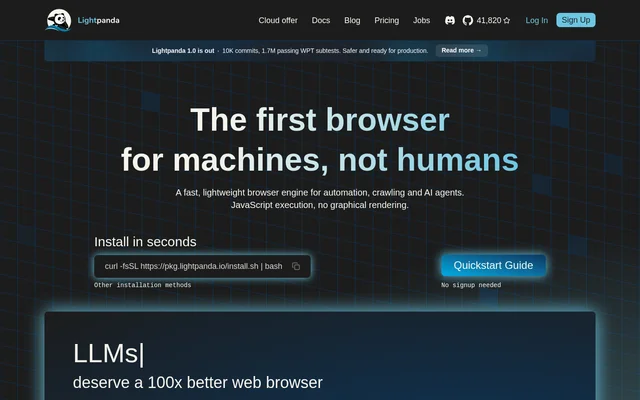
What Lightpanda can do
Lightpanda combines JavaScript execution with browser automation interfaces and network request controls. CDP compatibility connects Lightpanda to Puppeteer and Playwright workflows, while concurrent connections allow multiple CDP clients within a single process. Lightpanda also exposes optional robots.txt compliance and request interception for controlling how automated workloads interact with web resources.
- Lightpanda executes JavaScript through V8.
- Lightpanda supports Puppeteer and Playwright through CDP compatibility.
- Lightpanda accepts concurrent CDP connections in a single process.
- Lightpanda can block, modify or mock HTTP requests.
- Lightpanda can obey robots.txt through the --obey_robots flag.
- Lightpanda runs without CSS, images, layout or GPU compositing.
How Lightpanda works
Lightpanda offers an installation script and a quickstart guide, with no signup needed for installation. Supported operating systems include Linux, macOS and Windows through WSL. The managed cloud route instead provides remote browser access and offers a choice between Chrome and Lightpanda to cover different workflow requirements.
Lightpanda demonstrates cloud access with a Puppeteer example that replaces puppeteer.launch with puppeteer.connect. The connection uses a browserWSEndpoint containing a cloud WebSocket address and an access token. The example then creates a new page, and the page states that the rest of the script remains the same. Cloud API access can be requested through the website.
Who Lightpanda is for
Lightpanda is intended for developers and businesses running automated web workloads, including crawling, scraping and AI-agent navigation. Existing Puppeteer and Playwright users can use the supported automation interfaces rather than adopt an unrelated browser-control workflow. The pricing page distinguishes performance testing, production workloads and high-volume enterprise requirements through separate cloud plans.
- Developers can use Lightpanda for programmatic web automation.
- Scraping teams can use Lightpanda to crawl websites with JavaScript execution.
- AI-agent developers can use Lightpanda for browser-based navigation.
- Businesses can request Enterprise deployment for on-premise or private cloud requirements.
Lightpanda pricing and plans
Lightpanda offers an open-source browser alongside managed cloud plans. Explorer costs $0 forever and includes 10 browser hours per month, 5 concurrent sessions and community support through Discord. Builder costs $19 per month and includes 300 browser hours, followed by $0.08/hr, plus 30 concurrent sessions and email and Slack support.
Lightpanda requires Explorer and Builder customers to bring their own proxy. Enterprise pricing is custom and targets high-volume usage or advanced requirements. Listed Enterprise provisions include dedicated support, SLA and uptime guarantees, on-premise or private cloud options, and advanced security needs. Enterprise access and pricing are arranged by contacting the provider.
Lightpanda strengths and limitations
Lightpanda provides a purpose-built headless engine with JavaScript execution, existing automation-tool compatibility and a choice of local or managed access. Request interception and optional robots.txt compliance provide concrete controls for automated workloads. The absence of graphical rendering is also a functional boundary: Lightpanda is designed for machine-driven browsing rather than visual browser use.
- Lightpanda does not provide CSS, images, layout or GPU compositing.
- Lightpanda cloud plans limit included browser hours and concurrent sessions.
- Lightpanda Explorer and Builder plans require a user-supplied proxy.
Lightpanda FAQ
What is Lightpanda?
Lightpanda is an open-source headless browser built from scratch in Zig for web automation, web scraping and AI agents. Lightpanda executes JavaScript through V8 without graphical rendering and supports CDP-based automation with Puppeteer and Playwright.
Does Lightpanda work with Puppeteer and Playwright?
Lightpanda supports Puppeteer and Playwright through CDP compatibility. The cloud connection example replaces puppeteer.launch with puppeteer.connect and supplies a browserWSEndpoint containing an access token. The website states that the rest of the Puppeteer script remains the same.
Which operating systems does Lightpanda support?
Lightpanda supports Linux, macOS and Windows through WSL. Lightpanda provides an installation script, other installation methods and a quickstart guide, with no signup needed for installation. A managed cloud service is also available.
Does Lightpanda render web pages visually?
Lightpanda does not perform graphical rendering: the browser omits CSS, images, layout and GPU compositing. Lightpanda instead executes JavaScript for headless automation, scraping and AI-agent workloads, rather than providing a graphical browsing experience.
How much does Lightpanda cloud cost?
Lightpanda offers Explorer at $0 forever, Builder at $19 per month and Enterprise with custom volume pricing. Builder includes 300 browser hours per month, then charges $0.08/hr. Explorer includes 10 browser hours monthly, and both listed plans require users to bring their own proxy.
From the community
No reviews yet
Be the first to review this tool. What you write helps the next person choose.