What is lintapple?
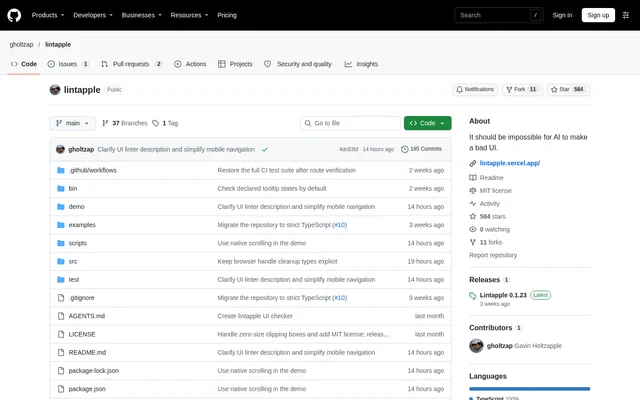
lintapple is an open-source UI linter for checking rendered web pages against fixed design rules. lintapple supports terminal-based checks and assertions inside Playwright tests, making the project relevant to developers testing browser interfaces. The repository provides source code, tests, examples, and build scripts, and distributes the project under the MIT license.
lintapple evaluates measurable interface properties rather than treating a rendered page as a single pass-or-fail image. Findings identify the rule, element, measured value, and suggested fix. Reports also distinguish confirmed failures from unresolved checks, helping developers separate detected rule violations from measurements that still need review.
What lintapple can do
lintapple combines checks that work without extra markup with checks that need explicit layout information. Font, contrast, control-size, and screen-bounds checks run without additional attributes. Developers can mark layout groups and configure selectors to check spacing, alignment, nested corner radii, content insets, and selected icon dimensions.
- lintapple groups repeated problems in text reports.
- lintapple retains every finding and measurement groups in JSON reports.
- lintapple checks declared tooltips on hover and keyboard focus.
- lintapple checks tooltip Escape dismissal and focus retention.
- lintapple measures visible text and DOM icon insets in buttons and custom dropdown controls.
- lintapple applies optional size rules to selected SVG, image, and HTML elements.
How lintapple works
lintapple requires Node.js 22 or later and installs in an application's project directory with npm install -D lintapple && npx lintapple init. Initialization creates ui-policy.json and a lint:ui script while retaining existing settings. Developers configure fonts and text sizes in the policy, set the application URL in the script, start the application, and run npm run lint:ui.
lintapple also exports expectUI through lintapple/playwright for use after a test page is ready. Findings fail the test and attach a JSON report. The helper reads ui-policy.json and checks the current document. Developers must call checkPage(frame) separately for child frames, including accessible cross-origin frames.
Who lintapple is for
lintapple suits web developers who need repeatable checks of rendered interface rules and teams already writing Playwright tests. The configurable policy supports application-specific fonts, text sizes, content insets, and icon sizes. Explicit layout attributes provide additional checks where the linter needs information about intended grouping or alignment.
- lintapple checks application pages against configured font and sizing policies.
- lintapple adds UI findings to existing Playwright test results.
- lintapple tests declared tooltip behavior across interaction states.
- lintapple validates marked layout groups and selected component dimensions.
lintapple licensing and access
lintapple is available as an open-source project under the MIT license, with installation instructions using npm. The repository includes the license, examples, and development commands. The package exports built JavaScript and generated types for lintapple and lintapple/playwright, so Node.js users do not need a TypeScript loader.
lintapple strengths and limitations
lintapple provides both readable grouped output and detailed JSON evidence, including suggested fixes and coverage information. Important limits remain: checks do not automatically cover child frames, some layout measurements need markup, and certain content cannot be fully measured. Coverage limits alone do not change the exit code, but unresolved checks require review and produce a failing result.
- lintapple requires separate checks for child frames.
- lintapple cannot discover unmarked tooltip triggers whose tooltip does not exist until opening.
- lintapple leaves native title tooltips and some unreachable triggers unmeasured.
- lintapple cannot fully measure native input content, CSS images, generated content, or clipped content in automatic control-inset checks.
lintapple FAQ
What is lintapple?
lintapple is an open-source UI linter that checks rendered web pages against fixed design rules. lintapple runs from the terminal or Playwright tests and reports affected elements, measured values, and suggested fixes.
Is lintapple free?
lintapple is an open-source project distributed under the MIT license. lintapple is available through npm, and the repository includes source code, tests, examples, and build scripts.
How do you install lintapple?
lintapple installs with npm install -D lintapple && npx lintapple init in the application's project directory and requires Node.js 22 or later. Initialization creates ui-policy.json and a lint:ui script while keeping existing settings.
Does lintapple work with Playwright?
lintapple provides expectUI through lintapple/playwright for existing Playwright tests. Developers call the helper after the page is ready; findings fail the test and attach a JSON report. The helper reads the application's ui-policy.json file.
Can lintapple check tooltips automatically?
lintapple automatically checks declared tooltips during CLI and checkUrl scans using hover, Tab, and Escape. Checks cover open states, dismissal, and focus retention. checkPage and expectUI remain passive, so tests must open tooltips before calling those helpers.
Does lintapple check content inside iframes?
lintapple checks the current document and does not automatically check child frames. Developers can call checkPage(frame) separately, including for cross-origin frames Playwright can access. Reports identify checked documents and omitted child frames through frameCoverage.
From the community
No reviews yet
Be the first to review this tool. What you write helps the next person choose.