What is LiveKit Agents?
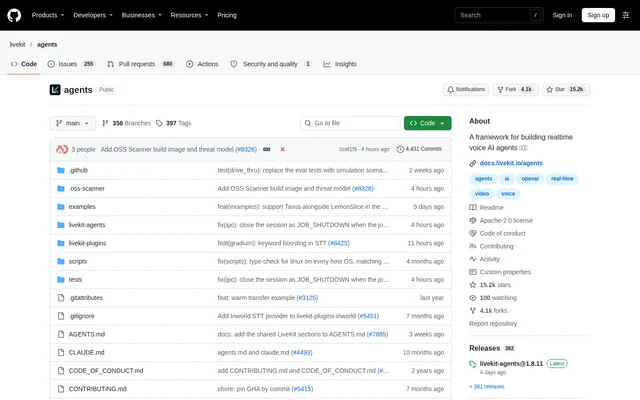
LiveKit Agents is an open-source Python framework for building realtime, programmable voice AI agents that run on servers. LiveKit Agents serves developers creating conversational applications with audio and visual capabilities. The repository describes agents as participants that can see, hear, and understand, rather than as a standalone consumer chatbot.
LiveKit Agents combines agent logic with the infrastructure needed to connect end users to interactive sessions. The framework includes model integrations, session management, job scheduling, and client connectivity. The repository also points JavaScript and TypeScript developers to the separate AgentsJS library.
What LiveKit Agents can do
LiveKit Agents lets developers assemble voice applications from speech recognition, language models, speech generation, and Realtime APIs. LiveKit Agents also provides interaction controls and connectivity features for applications that extend beyond a single voice conversation, including tool access, phone calls, and data exchange with clients.
- LiveKit Agents mixes speech-to-text, language model, text-to-speech, and Realtime API providers.
- LiveKit Agents schedules jobs and dispatches agents to end users.
- LiveKit Agents connects to phones through LiveKit's telephony stack.
- LiveKit Agents exchanges client data through RPCs and other Data APIs.
- LiveKit Agents detects conversational turn endings with a transformer model.
- LiveKit Agents integrates tools from MCP servers.
- LiveKit Agents supports agent tests and judges for evaluating behavior.
How LiveKit Agents works
LiveKit Agents is installed with pip, with optional plugins for providers including OpenAI, Deepgram, and Cartesia. Developers define an Agent with instructions and tools, configure an AgentSession, and start the session from an entrypoint. AgentServer coordinates job scheduling and launches agents for user sessions.
LiveKit Agents supports terminal mode for local audio testing without external servers or dependencies. Development mode adds hot reloading and connects to LiveKit Cloud or a self-hosted server using LIVEKIT_URL, LIVEKIT_API_KEY, and LIVEKIT_API_SECRET. Applications can connect through LiveKit client SDKs or telephony integration, while production mode enables production-oriented optimizations.
Who LiveKit Agents is for
LiveKit Agents is aimed at developers building voice and multimodal applications rather than users seeking a ready-made assistant. The repository provides examples and setup guidance for conversational agents, telephone workflows, transcription, and visual interactions. A multi-agent example demonstrates gathering user information before handing the conversation to a personalized storytelling agent.
- LiveKit Agents supports conversational voice assistant development.
- LiveKit Agents provides an outbound telephone agent example.
- LiveKit Agents provides a multi-user room transcription example.
- LiveKit Agents demonstrates video avatars with Tavus, Bithuman, and LemonSlice.
- LiveKit Agents includes a Gemini Live vision example with an iOS app.
LiveKit Agents licensing and access
LiveKit Agents is available from the public GitHub repository and is licensed under Apache-2.0. LiveKit Agents supports running the entire stack on a developer's own servers, including LiveKit server. The repository does not list subscription plans or hosted service prices, and the LiveKit turn detection models are covered separately by the LiveKit Model License.
LiveKit Agents strengths and limitations
LiveKit Agents combines provider flexibility, self-hosting, client connectivity, and native testing in a code-based framework. LiveKit Agents includes runnable examples and distinct terminal, development, and production modes. These capabilities support application development and validation, but setup involves writing Python code, configuring sessions, and supplying credentials where the selected connections or tests require them.
- LiveKit Agents requires connection credentials for development against LiveKit Cloud or a self-hosted server.
- LiveKit Agents plugin integration tests require API credentials.
- LiveKit Agents turn detection models have a separate license.
- LiveKit Agents directs JavaScript and TypeScript users to AgentsJS.
LiveKit Agents FAQ
What is LiveKit Agents?
LiveKit Agents is an open-source Python framework for building realtime voice and multimodal AI agents that run on servers. LiveKit Agents combines model integrations, session management, job scheduling, WebRTC clients, and telephony connectivity for developer-built conversational applications.
Is LiveKit Agents free?
LiveKit Agents is available as an open-source project under Apache-2.0 and supports self-hosting the entire stack. The repository does not provide hosted service or model-provider pricing. The turn detection models use the separate LiveKit Model License.
Can LiveKit Agents be self-hosted?
LiveKit Agents supports running the entire stack on a developer's own servers, including LiveKit server. Development mode can connect to either a self-hosted server or LiveKit Cloud, using the LiveKit URL, API key, and API secret environment variables.
Does LiveKit Agents support MCP and model integrations?
LiveKit Agents provides native MCP support for integrating tools from MCP servers. LiveKit Agents also lets developers mix speech-to-text, language model, text-to-speech, and Realtime API providers, with installation examples including OpenAI, Deepgram, and Cartesia plugins.
Can LiveKit Agents make phone calls?
LiveKit Agents integrates with LiveKit's telephony stack so agents can make calls to phones or receive calls from phones. LiveKit Agents also includes an outbound caller example in the repository's collection of application examples.
How do developers test LiveKit Agents?
LiveKit Agents includes a native testing framework with judges for evaluating agent behavior. LiveKit Agents also provides terminal mode with local audio input and output for testing without external servers or dependencies, while plugin integration tests require API credentials.
From the community
No reviews yet
Be the first to review this tool. What you write helps the next person choose.