What is Morph Studio?
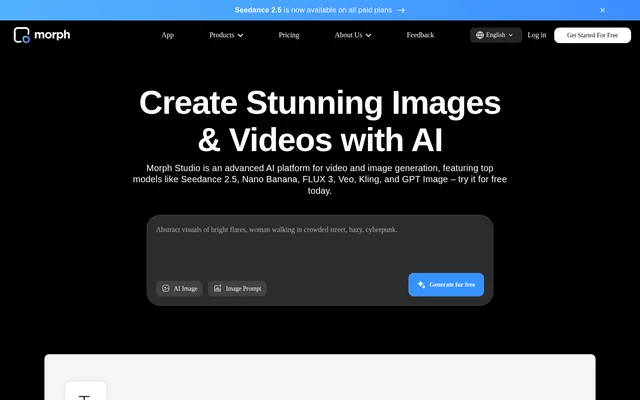
Morph Studio is an AI image and video generation suite for creators ranging from amateurs to professional studios. Morph Studio supports both generating new material and transforming existing images or footage. An image can be edited and then used as the starting point for a video, while separate shots can be placed on a canvas to develop a visual story.
What Morph Studio can do
Morph Studio takes text, still images, or existing footage as inputs, depending on the tool. A written prompt can produce a new image or video, while a still image can be transformed or animated. Video Style Transfer works on footage that already exists, changing its visual treatment rather than generating a clip from a written scene description.
- Generate images from text prompts or reference images.
- Create video clips from text prompts or still images.
- Restyle existing footage in up to 8 artistic styles.
- Replace backgrounds or remove objects from images.
- Use video tools for motion control, upscaling, or lip sync.
How Morph Studio works
Morph Studio divides its workflow between Immersive Space, a focused area for prompt-based generation, and Open Canvas, a visual workspace for arranging, editing, and connecting creations. A creator can generate material from a prompt, then use the canvas to lay out scenes. The site lists models such as Veo, Kling, Seedance 2.5, FLUX, and GPT Image.
Who Morph Studio is for
Morph Studio is aimed at creators who need anything from a standalone image or clip to a sequence of shots for a larger video. The site features visual artists, filmmakers, and a TV producer describing uses such as laying out scenes in storyboard form, experimenting with stylized footage, and making proofs of concept for clients.
- Create individual shots for a storyboard.
- Make a visual proof of concept for a client.
- Turn a still photo into a motion clip.
- Explore a different artistic style for existing footage.
Morph Studio strengths and limitations
Morph Studio combines still-image editing, video generation, and scene layout in the same suite. For example, a creator can replace a background in an image, animate the edited image, and arrange the resulting clip alongside other shots. The plan details matter when choosing a model, estimating how far the monthly credit allowance will go, or deciding how long generated assets need to remain available.
- Free-plan asset retention is limited to 90 days.
- Generation usage varies by model.
- Seedance 2.5 is listed as available on paid plans.
Morph Studio FAQ
What is Morph Studio?
Morph Studio is an AI suite for generating and editing images and videos. Morph Studio offers Immersive Space for prompt-based generation and Open Canvas for arranging, editing, and connecting creations into a visual story.
Can Morph Studio turn a photo into a video?
Morph Studio can turn a still photo into a video through image-to-video generation. A creator can also edit the image first, such as by replacing the background or changing a hairstyle, and then animate the edited image.
Can Morph Studio change the style of an existing video?
Morph Studio can change the look of existing footage with Video Style Transfer, which the site describes as offering up to 8 artistic styles. Video Style Transfer is listed on both the free and paid plans.
Does Morph Studio allow commercial use?
Morph Studio lists commercial use as a benefit of its Basic, Pro, and Premier paid plans. Those plans also list unlimited asset retention, while the free plan lists 90-day asset retention and does not list commercial use.
From the community
No reviews yet
Be the first to review this tool. What you write helps the next person choose.