What is Myreader AI?
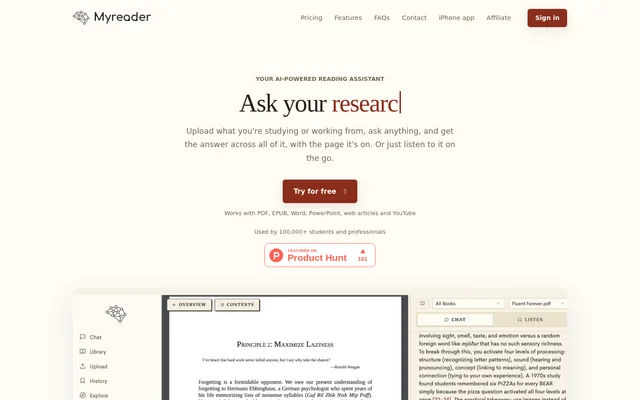
Myreader AI is an AI-powered reading assistant for asking questions about books, documents, web articles, and YouTube content. Myreader AI supports students studying textbooks, researchers analyzing papers, and professionals extracting information from work documents. Answers include citations so users can locate the relevant source pages rather than rely only on a generated response.
Myreader AI combines document chat with an organized library and audio listening. Users can work with a single book, group related materials into collections, or ask questions across an entire library. Myreader AI also offers iPhone access for asking questions and listening while away from a computer.
What Myreader AI can do
Myreader AI brings question answering, summaries, source navigation, and text-to-speech into a document library. Supported inputs include uploaded books and office documents as well as article and YouTube links. The pricing page also lists OCR for scanned documents and bulk upload across the available plans.
- Myreader AI answers questions across a document, collection, or entire library.
- Myreader AI generates summaries and extracts insights from uploaded materials.
- Myreader AI links cited answers to exact pages and sections.
- Myreader AI converts text into audio with 50+ voices and 30+ languages.
- Myreader AI accepts PDF, EPUB, AZW, Word, and PowerPoint files.
- Myreader AI supports article links, YouTube links, scanned documents, and bulk uploads.
How Myreader AI works
Myreader AI starts with uploading study or work materials, or adding article and YouTube links to a library. Users can then ask questions about selected content or search across multiple books at once. Inline citations provide a route back to the relevant page or section for further reading.
Myreader AI stores documents in secure cloud storage and makes the library accessible across devices. The website states that documents are private to each user, are not shared between users, and can be deleted at any time. Collections let users separate materials by subject, such as philosophy, finance, or health.
Who Myreader AI is for
Myreader AI serves students, researchers, and professionals who need to understand or reference written material. Myreader AI also offers custom solutions for publishers, businesses, educational institutions, teachers, professors, and course facilitators. These custom offerings can provide an audience with preloaded content to search, with arrangements available by contacting the service.
- Myreader AI helps students summarize textbooks and prepare for exams.
- Myreader AI helps researchers analyze papers and keep reference material accessible.
- Myreader AI helps professionals extract key information from documents.
- Myreader AI lets readers listen to material while on the go.
Myreader AI strengths and limitations
Myreader AI combines multi-document questions, source citations, and audio conversion for users who alternate between searching, reading, and listening. Format support extends beyond ebooks to office documents and linked content. Access and storage limits depend on the plan, so users comparing options need to consider question volume, uploaded pages, listening allowances, and free-plan retention.
- Myreader AI restricts free questions to 5 per day.
- Myreader AI caps free uploads at 200 pages total.
- Myreader AI deletes free-plan books after 7 days of inactivity.
- Myreader AI sets monthly question, upload, and listening allowances on paid plans.
Myreader AI FAQ
What is Myreader AI?
Myreader AI is an AI-powered reading assistant that answers questions about books, documents, articles, and YouTube content. Myreader AI provides summaries, page citations, library collections, and text-to-speech for students, researchers, and professionals.
Is Myreader AI free?
Myreader AI offers a free plan with 5 questions per day and 200 pages of total uploads. Myreader AI also has paid Lite and Pro plans with larger allowances. Books on the free plan are deleted after 7 days of inactivity.
Which file formats does Myreader AI support?
Myreader AI supports PDF, EPUB, AZW, Word, and PowerPoint files, including the extensions .pdf, .epub, .azw, .doc, and .ppt. Myreader AI also accepts article and YouTube links and lists OCR support for scanned documents.
Can Myreader AI answer questions across multiple books?
Myreader AI can answer questions about a single book, a group of books, or an entire library. Myreader AI lets users organize books into collections and provides inline citations linking answers to relevant pages and sections.
Can Myreader AI turn documents into audio?
Myreader AI converts text into audio with 50+ voices and 30+ languages, and supports listening on iPhone. Myreader AI lists 10 hours of audiobook listening for Lite and 30 hours for Pro; the free plan also lists audiobook listening.
Are documents uploaded to Myreader AI private?
Myreader AI states that uploaded documents are kept in secure cloud storage, remain private to each user, and are not shared between users. Myreader AI allows users to delete their data at any time, while free-plan books are deleted after 7 days of inactivity.
From the community
No reviews yet
Be the first to review this tool. What you write helps the next person choose.