What is Nymos?
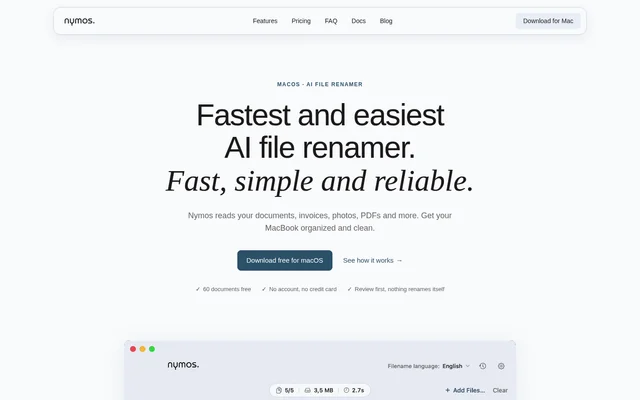
Nymos is an AI file renamer for Mac users who want descriptive, consistent filenames for documents, invoices, receipts and photos. Nymos examines file contents instead of simply modifying an existing filename. Suggested names wait for review, so users retain control over every change, whether handling an individual file or a batch.
Nymos is a native application for macOS 14, also called Sonoma, and newer. Nymos supports 57 file types, including scanned PDFs, office documents, Apple productivity files and images. The application renames files in their existing locations without moving, copying or reorganizing folders.
What Nymos can do
Nymos combines content analysis with naming templates to produce filenames based on information inside files. Built-in templates cover invoices, receipts, documents and contracts, while custom templates offer live previews. Nymos also handles incoming files through watched folders, but automatic analysis never means automatic renaming.
- Nymos reads scanned PDFs using built-in OCR.
- Nymos suggests names using fields in the order defined by a template.
- Nymos generates batch suggestions concurrently.
- Nymos allows inline editing before users apply suggested names.
- Nymos records renames in a day-grouped history for reversal.
- Nymos names files in their original language or in English, Dutch or Spanish.
How Nymos works
Nymos starts with a file dropped into the application, reads its contents and proposes a filename. Users can edit the suggestion, apply an individual rename or approve a batch. Watched folders prepare suggestions for new arrivals. Every rename remains reversible through history, and the keyboard undo command reverses the latest change.
Nymos offers managed analysis without an API key or an own-provider connection through a separate license. Supported connections include Anthropic, OpenAI, Gemini and any OpenAI-compatible endpoint. With the own-provider option, Nymos servers are not in the analysis path, and users pay their AI provider directly.
Who Nymos is for
Nymos is intended for Mac users dealing with messy folders and filenames that do not describe their contents. Relevant files include administrative documents, invoices, receipts, scans and photos. Nymos also supports multilingual filing by keeping each file’s language or applying a selected filename language across files.
- Nymos can name invoices using vendor, date, subject and amount fields.
- Nymos can replace uninformative scan filenames with content-based names.
- Nymos can prepare suggestions for files arriving in a watched Downloads folder.
Nymos pricing and plans
Nymos offers a trial covering 60 documents, with a week to use them and no account, email or credit card required. Managed subscriptions start at $9 a month for 400 documents, and annual billing includes two months free. The $79 one-time own-provider license includes unlimited renames through Nymos, with provider usage billed separately.
Nymos strengths and limitations
Nymos combines approval controls, reversible history and unchanged folder locations with content-based naming. Nymos states that subscription analysis takes place in the European Union, with no permanent document storage or model training. Nymos also states that the app has no analytics, tracking or telemetry, although document content is sent for analysis.
- Nymos has no Windows or mobile version.
- Nymos names audio and video from metadata rather than watching or listening.
- Nymos requires paid access for new suggestions after the trial.
Nymos FAQ
What is Nymos?
Nymos is a native macOS AI file renamer that reads file contents and suggests descriptive names. Nymos supports documents, invoices, scans, photos and other files, with templates, batch review and approval required before any rename.
Is Nymos free?
Nymos offers a 60-document trial with a week to use it, without an account, email or credit card. Managed subscriptions start at $9 a month for 400 documents. An own-provider license costs $79 once, with AI usage paid separately.
Which file types can Nymos rename?
Nymos supports 57 file types, including scanned PDFs, Word, Excel, PowerPoint, Pages, Numbers, Keynote, OpenDocument, HEIC photos, plain text, Markdown and CSV. Nymos uses built-in OCR for scans and metadata rather than audiovisual content for audio and video.
Does Nymos rename or move files automatically?
Nymos never renames files without approval and never moves, copies or reorganizes files. Watched folders only prepare suggestions for review. Users can approve names individually or in a batch and reverse changes through rename history or keyboard undo.
Does Nymos work on Windows?
Nymos does not have a Windows or mobile version. Nymos is a native Mac application requiring macOS 14, also known as Sonoma, or newer, and is available as a free trial download for macOS.
Can Nymos use an external AI provider?
Nymos offers a one-time own-provider license connecting Anthropic, OpenAI, Gemini and other providers, or any OpenAI-compatible endpoint. Nymos includes unlimited renames under this license, while users pay their provider directly for usage and Nymos servers stay outside the analysis path.
From the community
No reviews yet
Be the first to review this tool. What you write helps the next person choose.