What is Object Remover?
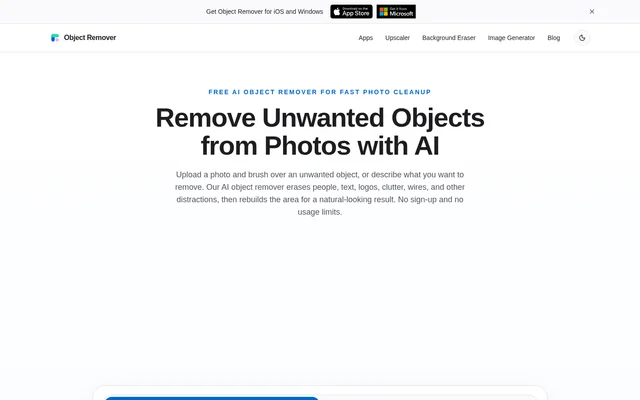
Object Remover is a free AI image editing tool that removes unwanted objects from photos while preserving the surrounding scene. Object Remover is intended for travel shots, portraits, product images, property listings, food photos, screenshots, and social media visuals. The browser-based workflow accepts a brush selection or a written description of the detail to erase.
Object Remover differs from a background remover because the cleanup targets a selected area rather than separating the main subject from the entire background. AI inpainting reconstructs the erased region using nearby image information. The page describes stronger results on repeatable textures and simple surfaces, including walls, sky, grass, fabric, and open space.
What Object Remover can do
Object Remover combines object selection with AI reconstruction to clean distracting details from an existing photo. The brush provides control over the removal mask, while a text prompt offers another way to describe the unwanted object. Object Remover fills the chosen region using nearby texture, color, lighting, shadows, and scene structure.
- Object Remover erases people, text, logos, captions, signs, cables, and clutter.
- Object Remover lets users fine-tune a brush mask before generating a result.
- Object Remover accepts text instructions describing what to remove.
- Object Remover supports JPG, PNG, and WebP uploads.
- Object Remover provides cleaned image downloads without watermarks.
How Object Remover works
Object Remover starts with an image uploaded from the user's device into the browser workspace. Users brush over the unwanted object or enter a prompt describing the removal, then generate and inspect the result before downloading. For brush-based cleanup, the page recommends covering the entire object and including a small edge around the selection.
Object Remover uses AI inpainting to analyze the surrounding image and fill the selected area. When an object touches complex details, the page recommends trying a slightly tighter mask or running another pass over the remaining area. Uploaded images and generated results are automatically removed within 2 hours, and editing does not require an account.
Who Object Remover is for
Object Remover serves people who want to keep a photo but remove a distracting detail without using complicated editing tools. The source identifies both personal and commercial visuals, including portraits, marketplace images, real estate listings, and marketing creative. Object Remover also supports screenshot cleanup for private information, labels, annotations, and interface clutter.
- Object Remover cleans travel photos containing tourists, cars, signs, or clutter.
- Object Remover cleans product photos for eCommerce listings, ads, and marketplaces.
- Object Remover removes cords, bins, wall marks, and messy room details from property images.
- Object Remover removes crumbs, stains, utensils, and napkins from food photos.
- Object Remover prepares social media images by erasing distracting details.
Object Remover pricing and access
Object Remover is completely free and has no usage limits. The page states that cleanup does not require credits, a subscription, registration, or login, and downloads do not carry watermarks. Object Remover is accessed through the browser by uploading a supported photo, so users can begin editing without creating a profile or sharing personal details.
Object Remover strengths and limitations
Object Remover combines unlimited free access, brush and prompt input, and automatic file deletion in a focused photo cleanup workflow. The surrounding scene remains in place while the selected detail is erased. Results depend on the image content: the page identifies simple surfaces and repeatable textures as the strongest backgrounds for reconstruction.
- Object Remover lists JPG, PNG, and WebP as supported image formats.
- Object Remover may need a tighter mask or another pass around complex details.
- Object Remover permits commercial photo cleanup only when users have rights to edit and use the original image.
Object Remover FAQ
What is Object Remover?
Object Remover is a browser-based AI photo cleanup tool that removes unwanted objects with a brush or text prompt. Object Remover rebuilds the selected area using surrounding image details rather than removing the entire background.
Is Object Remover free?
Object Remover is completely free, with no usage limits, credits, subscriptions, registration, or login required. Object Remover also provides downloads without watermarks, and users can repeat object removal as often as needed.
What can Object Remover remove from photos?
Object Remover can erase people, text, logos, captions, signs, cables, clutter, and other unwanted details. Object Remover supports cleanup of travel photos, portraits, product images, property listings, food photos, screenshots, and marketing visuals.
What image formats does Object Remover support?
Object Remover supports JPG, PNG, and WebP images uploaded from a user's device. Object Remover lets users select unwanted details with a brush or describe them with a text prompt, inspect the generated cleanup, and download the result.
How does Object Remover handle uploaded photos?
Object Remover automatically removes uploaded images and generated results within 2 hours. Object Remover does not require an account, so users can edit photos without linking their files to a user profile.
Can Object Remover be used for commercial photos?
Object Remover can clean product photos, marketing images, listing photos, and other commercial visuals, provided users have the rights to edit and use the original image. Object Remover can remove distracting text, logos, props, and background clutter.
From the community
No reviews yet
Be the first to review this tool. What you write helps the next person choose.