What is Onison?
Onison is an AI background-removal tool for professional product photos. Onison replaces image backgrounds and adds drop-shadows while retaining the CMYK layers of the original product image. The tool is trained for products that need whitespace, predefined background colors, or transparency. Onison presents this capability as a professional whitespace tool within its Web DAM offering, alongside file storage and sharing functions available through the background-removal subscription.
What Onison can do
Onison combines background treatment and shadow controls for product images. Onison supports both CMYK and RGB workflows, with professional image format input and output available through a subscription. The listed formats are JPG, JPEG, PNG, TIF, TIFF, GIF, DNG (RAW), and BMP. Background choices include transparency, whitespace, and any color, while drop-shadows can be preselected or defined by the user.
- Onison automatically removes backgrounds from professional product image files.
- Onison replaces backgrounds with white, transparent, or colored alternatives.
- Onison adds preselected or user-defined drop-shadows.
- Onison retains CMYK layers from the original product image.
- Onison supports professional image formats including TIFF and DNG (RAW).
How Onison works
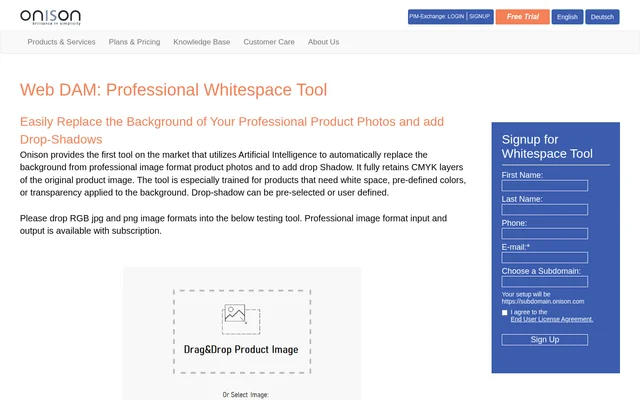
Onison provides a testing tool on the product page where users can drop RGB JPG and PNG images. Onison makes professional image format input and output available with a subscription rather than through the stated testing workflow. The subscription also provides storage and asset management functions. Users can share any number of files publicly or within their organization, with the page stating that files remain under the user's control in Onison's secure environment.
Who Onison is for
Onison is intended for users working with professional product photos that require controlled backgrounds and drop-shadows. Onison specifically addresses products needing whitespace, predefined colors, or transparency, making those image preparation tasks the clearest use cases. CMYK layer retention and professional file format support are relevant to users who need to preserve those image characteristics while changing the background. Organizational file sharing also supports teams handling product image assets.
- Onison prepares product photos with white backgrounds.
- Onison creates transparent backgrounds for product images.
- Onison applies chosen background colors and drop-shadows.
- Onison shares product image files within an organization or publicly.
Onison pricing and plans
Onison lists a background-removal subscription at $20 per month, including 50 product image background removals and drop-shadows. Additional removals cost $1 per 5 images, and bulk plans start at 3 cents per image background removal. The subscription includes 1 GB of disk space, unlimited assets with universal file type support, and one administrative user. Prices are in U.S. Dollars, and billing is by credit card only.
Onison strengths and limitations
Onison brings background removal, replacement backgrounds, and drop-shadows together with CMYK layer retention. Onison also lists a range of supported professional formats and includes storage and sharing in the subscription. Access conditions matter when evaluating the service: professional format input and output requires a subscription, and the unlimited upload and download allowances have qualifications. The testing tool is described specifically for RGB JPG and PNG images.
- Onison requires a subscription for professional image format input and output.
- Onison includes one administrative user in the background-removal subscription.
- Onison subjects unlimited downloads to a fair usage policy.
- Onison excludes creating standard-size derivatives while discarding originals from unlimited uploads.
Onison FAQ
What is Onison?
Onison is an AI background-removal tool for professional product photos. Onison replaces backgrounds with whitespace, colors, or transparency, adds drop-shadows, and retains the CMYK layers of the original product image.
How much does Onison background removal cost?
Onison costs $20 per month for a subscription including 50 product image background removals and drop-shadows. Additional removals cost $1 per 5 images. Onison also lists bulk plans starting at 3 cents per image background removal.
Which image formats does Onison support?
Onison lists support for CMYK and RGB images in JPG, JPEG, PNG, TIF, TIFF, GIF, DNG (RAW), and BMP formats. Professional image format input and output requires a subscription; the on-page testing tool accepts RGB JPG and PNG images.
Can Onison add shadows and transparent backgrounds?
Onison can replace product photo backgrounds with transparency, whitespace, or any color and add drop-shadows. Onison allows drop-shadows to be preselected or user defined and retains the original product image's CMYK layers.
Can you test Onison before subscribing?
Onison provides an on-page testing tool that accepts RGB JPG and PNG images. Onison states that professional image format input and output is available with a subscription, distinguishing that access from the testing tool.
What storage and sharing does Onison include?
Onison includes 1 GB of disk space, an unlimited number of assets, and one administrative user with its background-removal subscription. Onison allows public and organizational file sharing, while unlimited uploads have an exclusion and unlimited downloads are subject to fair usage.
From the community
No reviews yet
Be the first to review this tool. What you write helps the next person choose.