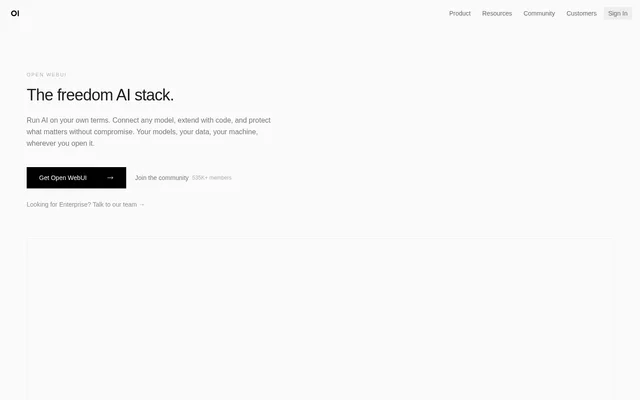
What is Open WebUI?
Open WebUI is a self-hosted interface for running AI with local or cloud models. Open WebUI brings models, conversations, and tools into one place for individuals and organizations. The website describes deployment on users' own hardware, in cloud environments, or across both, with connections to Ollama, OpenAI, Anthropic, and compatible services.
Open WebUI also provides a community space for sharing resources built around AI workflows. Available resources include prompts, models, tools, functions, discussions, and reviews. The website describes these contributions as available to everyone, with options to browse, install, and contribute rather than build every component independently.
What Open WebUI can do
Open WebUI combines model access with capabilities for voice, vision, retrieval, generation, and search. Open WebUI can be extended with Python, while community resources provide additional configurations and reusable instructions. The toolkit distinguishes between models, prompts, skills, tools, and functions, including supporting files for skills and Python pipelines for functions.
- Open WebUI connects to Ollama, OpenAI, Anthropic, and compatible services.
- Open WebUI supports voice, vision, retrieval, generation, and search.
- Open WebUI supports Python extensions and function pipelines.
- Open WebUI offers tools for RAG, search, and execution.
- Open WebUI provides skills with reusable instructions and supporting files.
- Open WebUI brings models, conversations, and tools into one place.
How Open WebUI works
Open WebUI runs as a self-hosted interface connected to the models a user chooses. Deployment can be local, cloud-based, or a combination of both. The website provides pip and Docker installation paths and links to documentation and GitHub. After obtaining Open WebUI, users can connect model services and extend their setup with Python or shared community resources.
Who Open WebUI is for
Open WebUI serves people who want to run AI on their own hardware and organizations planning broader deployments. The website explicitly addresses startups, global enterprises, and regulated industries. Enterprise-oriented capabilities include SSO, role-based access control, audit logs, data residency, and on-premises or air-gapped deployment, alongside resources for planning an organizational rollout.
- Individuals can run AI on their own hardware.
- Developers can extend model workflows with Python.
- Teams can share prompts, models, tools, and functions.
- Organizations can plan a focused pilot before a broader rollout.
- Regulated organizations can use on-premises or air-gapped deployment.
Open WebUI strengths and limitations
Open WebUI offers flexibility in model selection, deployment location, and code-based extension. Support for both local and cloud connections allows different model services to be used within the same interface. Community contributions provide shared resources, while organizational controls address access management and deployment requirements. Self-hosting also means users must install and operate the software rather than only access a hosted website.
- Open WebUI self-hosting requires software installation.
- Open WebUI deployment requires an environment in which to run the software.
- Open WebUI Python extensions involve working with code.
Getting started with Open WebUI
Open WebUI presents pip and Docker as installation options and gives the command pip install open-webui. The website states that no account is required to get started. Documentation and GitHub links provide further entry points, while the community offers resources to browse and install. Organizations can contact the team about enterprise options or use the switch guide to prepare a pilot and rollout.
Open WebUI FAQ
What is Open WebUI?
Open WebUI is a self-hosted AI interface that brings models, conversations, and tools into one place. Open WebUI connects to local and cloud models and supports Python extensions, community resources, and organizational deployment controls.
Which model providers does Open WebUI support?
Open WebUI supports connections to Ollama, OpenAI, Anthropic, and compatible services. Open WebUI can run locally, in the cloud, or across both environments, allowing users to bring different models into the same interface.
How do you install Open WebUI?
Open WebUI offers installation through pip or Docker, and the website provides the command pip install open-webui. Open WebUI does not require an account to get started, and the website links to documentation and GitHub.
Can Open WebUI run in an air-gapped environment?
Open WebUI supports air-gapped and on-premises deployment for regulated industries. Open WebUI also lists SSO, role-based access control, audit logs, and data residency among its organizational capabilities, with enterprise options available through the team.
What can you share through the Open WebUI community?
Open WebUI provides community-created prompts, models, tools, functions, discussions, and reviews that are available to everyone. Open WebUI also lists skills containing reusable instructions and supporting files within its toolkit.
Can you extend Open WebUI with Python?
Open WebUI supports extensions with Python and lists Python pipelines under functions. Open WebUI also includes tools for RAG, search, and execution, alongside community resources that users can browse, install, and contribute.
From the community
No reviews yet
Be the first to review this tool. What you write helps the next person choose.