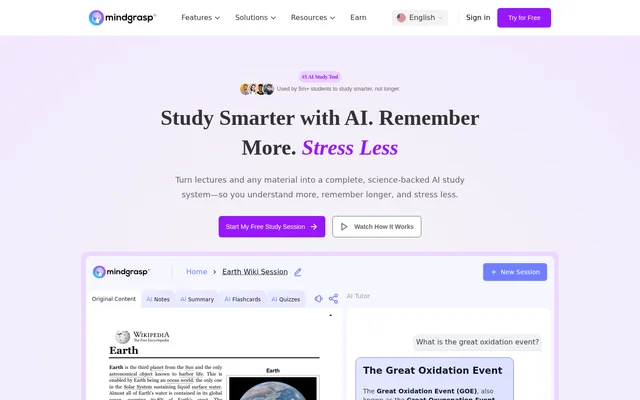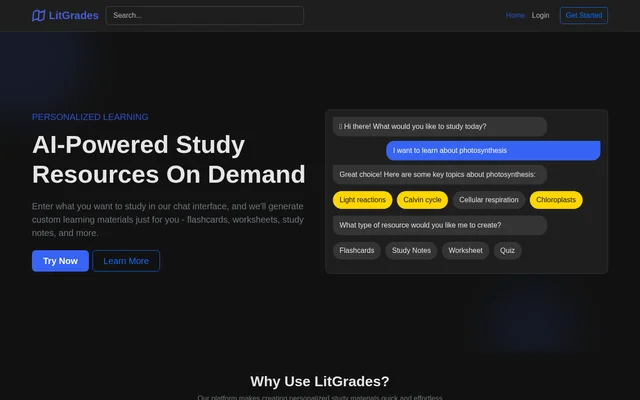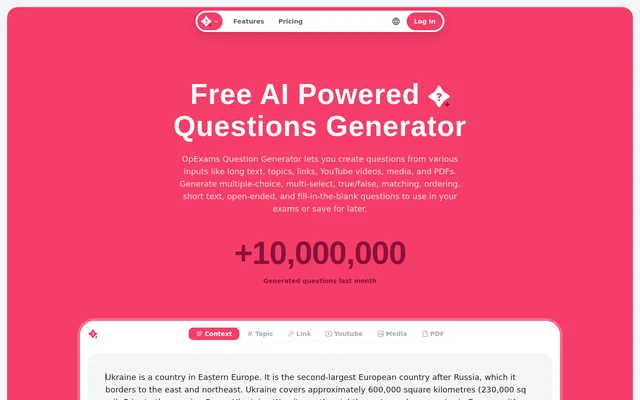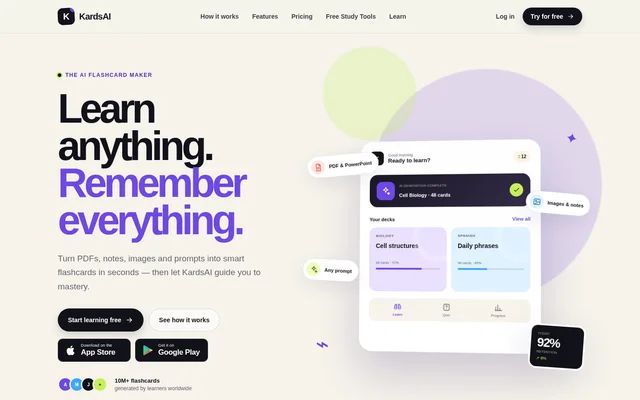
What is Quizbot?
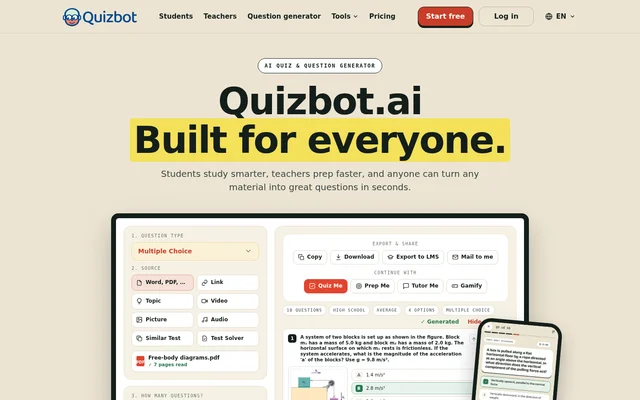
Quizbot is an AI quiz and question generator for turning learning materials into assessments, practice activities and study resources. Quizbot serves students preparing for exams, teachers creating classroom materials, and tutors or training teams building questions from existing content. Supported source materials include documents, links, video, audio, pictures and topics.
Quizbot combines question creation with tools for using the resulting material. Students can practise with quizzes, flashcards and an AI tutor, while teachers can prepare worksheets, answer keys and replacement tests. Quizbot also supports publishers, course creators and certification preparation workflows that require questions based on supplied material.
What Quizbot can do
Quizbot generates questions in different formats and lets users control the level, difficulty and language of the output. Quizbot includes answer keys and offers explanations when requested. Generated questions remain editable, so users can revise wording, change the correct answer, add options, reorder questions or remove items before sharing.
- Quizbot creates multiple-choice, true-or-false, fill-in-the-blank and open-ended questions.
- Quizbot supports calculations, matching, ordering and categorization on specified paid plans.
- Quizbot generates questions in 21 output languages.
- Quizbot creates flashcards and daily review activities.
- Quizbot produces a similar test from an existing exam.
- Quizbot solves photographed tests and worksheets with working.
- Quizbot exports assessments to supported learning management systems on the Educator plan.
How Quizbot works
Quizbot follows a workflow of adding material, selecting question settings, and editing or exporting the result. Users can provide Word, PDF or PPT files, a link, a topic, video, a picture or audio. Settings include question type, question count, educational level, difficulty, answer options, explanations and output language.
Quizbot makes generated material available for immediate use in study modes or for export, depending on the plan. Quizbot lists Word, PDF, HTML and text outputs, alongside destinations including Moodle, Canvas, Google Classroom, Schoology, Blackboard and Kahoot. Quizbot also lists web access, App Store and Google Play apps, plus Chrome and Edge extensions.
Who Quizbot is for
Quizbot addresses student study, teacher preparation and question creation for professional learning. Students can turn notes or a YouTube lesson into practice material, while teachers can create assessments at their class's language and level. Quizbot also names tutors, trainers, HR and L&D teams, publishers and content creators as intended users.
- Quizbot helps students practise from notes, slides and lesson recordings.
- Quizbot helps teachers prepare worksheets, tests and answer keys.
- Quizbot helps tutors and trainers build questions from teaching materials.
- Quizbot supports question creation for certification preparation and courses.
Quizbot pricing and plans
Quizbot offers a free plan with 20 questions, basic question types and a notebook with up to 2 sources, without requiring a credit card. Monthly subscriptions are Standard at $7.50, Pro at $12.50 and Educator at $18.50. Quizbot also lists annual subscriptions, prepaid question packages, and quotes for schools, districts, teams and companies.
Quizbot Standard includes 2000 questions monthly, while Pro and Educator list unlimited questions. Paid plans allow up to 40 questions per set and up to 4 files per run. Quizbot reserves LMS export, Google Classroom, ordering, categorization and Bloom’s Taxonomy features for Educator in the plan comparison.
Quizbot strengths and limitations
Quizbot combines varied input formats, editable output and study tools in a single service. Quizbot supports both generating assessments and practising with the resulting material, with multilingual output and answer keys. Access to advanced question types, export destinations and higher usage allowances depends on the selected plan, so those requirements affect plan choice.
- Quizbot limits the free plan to 20 questions and 10 questions per batch.
- Quizbot limits paid question sets to 40 questions.
- Quizbot restricts Test Solver and Similar Test to Pro and Educator.
- Quizbot restricts LMS export and Google Classroom support to Educator.
Quizbot FAQ
What is Quizbot?
Quizbot is an AI quiz and question generator that converts documents, links, topics, videos, pictures and audio into editable questions. Quizbot serves students, teachers and training professionals with assessment creation, answer keys, flashcards and study tools.
Is Quizbot free?
Quizbot offers a free plan with 20 questions, basic question types and a notebook supporting up to 2 sources, with no credit card required. Quizbot also offers Standard, Pro and Educator subscriptions, annual billing options and prepaid question packages.
What materials can Quizbot turn into quizzes?
Quizbot accepts Word, PDF and PPT files, links, topics, videos, pictures and audio as source material. Quizbot also provides Similar Test for generating a new assessment from an existing test and Test Solver for answering tests or worksheets.
Does Quizbot export to Moodle or Google Classroom?
Quizbot supports exports to Moodle, Canvas, D2L, Google Classroom, Schoology, Blackboard and Kahoot. Quizbot lists LMS export and Google Classroom as Educator-only features in its plan comparison, while paid plans also offer file downloads.
Can Quizbot help students study?
Quizbot provides practice quizzes, timed tests, flashcards, daily review, exam preparation plans and an AI tutor that answers questions from students' notes. Quizbot also offers homework solving, photographed-answer checking and key points and flashcards from class recordings.
How many questions can Quizbot generate at once?
Quizbot allows up to 40 questions per set on its paid plans, while the free plan comparison lists 10 questions per batch. Quizbot Standard includes 2000 questions monthly, and Pro and Educator list unlimited questions with the same per-set limit.
From the community
No reviews yet
Be the first to review this tool. What you write helps the next person choose.