What is Reclaim?
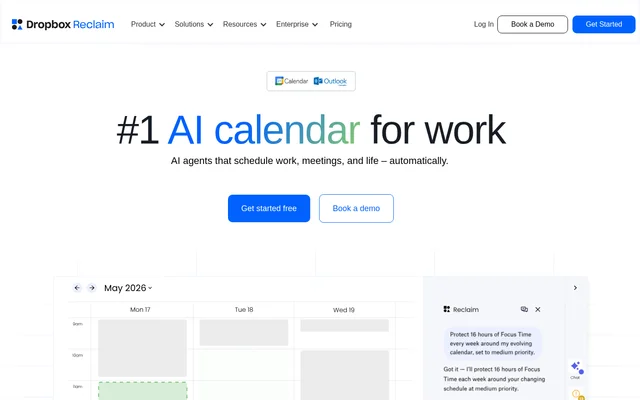
Reclaim is an AI calendar assistant that automates scheduling for individuals, teams, and enterprises. Reclaim protects focus time, schedules tasks and recurring routines, and arranges meetings around existing calendar events. The service works with Google Calendar and Outlook Calendar, allowing people to manage work commitments and protect personal availability across connected schedules.
Reclaim also connects scheduling with time analysis. Individuals can examine how their time is spent, while managers can review meeting load, workloads, and team focus time. For organizations, Reclaim combines workforce analytics with shared scheduling policies and company initiatives intended to reduce interruptions and calendar fragmentation.
What Reclaim can do
Reclaim combines automatic calendar planning, meeting coordination, and time tracking. The scheduling features cover both individual work and shared meetings, while analytics examine how calendar time is distributed. Reclaim also includes an AI assistant that accepts chat requests to find meeting times, resolve conflicts, and analyze the day.
- Reclaim schedules focus time around a weekly goal.
- Reclaim places tasks on calendars by priority.
- Reclaim finds flexible times for recurring habits.
- Reclaim schedules internal meetings across attendee schedules.
- Reclaim shares availability through scheduling links with meeting controls.
- Reclaim adds breaks, travel, preparation, and follow-up time.
- Reclaim analyzes meeting load, deep work, and calendar fragmentation.
How Reclaim works
Reclaim runs on a connected Google Calendar or Outlook Calendar account and schedules meetings, focus time, tasks, and habits around existing events. Multiple calendars can be synchronized across Google and Outlook to prevent conflicts and protect personal commitments on a work schedule. Users can set a focus time goal and let automatic scheduling defend that time.
Reclaim connects with task tools including Asana, ClickUp, Todoist, Jira, Linear, and Google Tasks. Reclaim also lists Zoom and Raycast integrations, plus Slack status synchronization to reflect calendar activity. These connections support scheduling existing work and keeping availability visible without relying solely on manual calendar updates.
Who Reclaim is for
Reclaim serves individuals managing their own calendars, managers coordinating team schedules, and enterprises pursuing organization-wide time management. The website also identifies product, engineering, sales, marketing, HR, finance, and executive assistant audiences. Their stated needs range from protecting coding time and planning campaigns to booking meetings and improving recruitment planning.
- Reclaim helps individuals schedule tasks, habits, and focus time.
- Reclaim helps engineering teams protect coding time and improve sprint planning.
- Reclaim helps executive assistants book meetings and track time.
- Reclaim helps managers examine meeting load and protect team focus time.
- Reclaim helps organizations introduce focus time and no-meeting-day initiatives.
Reclaim pricing and plans
Reclaim offers a free Lite plan for individuals that remains free without requiring a credit card. All users receive a free 14-day Business trial, with access reverting to Lite if the additional capabilities are not needed. Paid Starter, Business, and Enterprise plans unlock longer scheduling ranges, more events, and team-wide controls. The website also offers demo booking and sales contact options.
Reclaim strengths and limitations
Reclaim brings focus time protection, meeting scheduling, calendar synchronization, and time analytics into one service. Support for Google Calendar and Outlook allows scheduling across both calendar systems. Reclaim states that user data is not used to train AI, and the website lists enterprise security and administration capabilities including SSO, SCIM, and custom onboarding.
- Reclaim requires a Google Calendar or Outlook Calendar account.
- Reclaim places longer scheduling ranges and higher event allowances in paid plans.
- Reclaim reserves team-wide controls for paid plans.
Reclaim FAQ
What is Reclaim?
Reclaim is an AI calendar assistant that automatically schedules focus time, tasks, habits, and meetings. Reclaim works with Google Calendar and Outlook Calendar and includes time tracking and workforce analytics for individuals, teams, and enterprises.
Is Reclaim free?
Reclaim offers a free Lite plan for individuals with no credit card required. Reclaim also provides a free 14-day Business trial and paid Starter, Business, and Enterprise plans with longer scheduling ranges, more events, and team-wide controls.
Does Reclaim work with Google Calendar and Outlook?
Reclaim works with both Google Calendar and Outlook Calendar, scheduling around existing events. Reclaim can synchronize multiple calendars across Google and Outlook to prevent conflicts and protect personal commitments on a work calendar.
Which task tools does Reclaim integrate with?
Reclaim lists task integrations with Asana, ClickUp, Todoist, Jira, Linear, and Google Tasks. Reclaim automatically syncs and schedules tasks on calendars by priority, alongside meetings, habits, and protected focus time.
Who is Reclaim for?
Reclaim serves individuals, managers, teams, and enterprise organizations. Reclaim identifies product, engineering, sales, marketing, HR, finance, and executive assistant use cases, including protecting deep work, booking meetings, improving planning, and analyzing team time.
Does Reclaim train AI on user data?
Reclaim states that user data is not used to train AI. Reclaim also lists enterprise security and administration capabilities, including SSO and SCIM, along with a trust center for security and compliance information.
From the community
No reviews yet
Be the first to review this tool. What you write helps the next person choose.