What is Roboto AI?
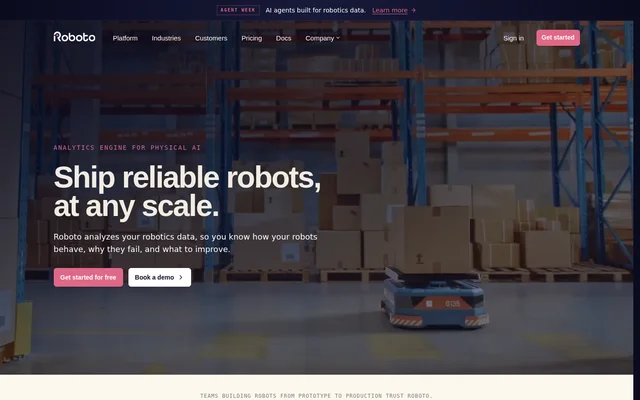
Roboto AI is an analytics engine for Physical AI that helps robotics teams understand behavior, diagnose failures, and improve system performance. Roboto AI addresses analysis across individual recordings and entire fleets, rather than focusing only on manual log replay. The website presents applications for teams building drones, medical and surgical robots, and autonomous vehicles.
Roboto AI brings raw robotics recordings into a workflow for investigation, reliability monitoring, and dataset preparation. Teams can inspect a specific incident or aggregate metrics across devices and software releases. Customer examples describe using the service to investigate hardware and software issues, reduce manual recording review, and turn recordings into training-ready datasets.
What Roboto AI can do
Roboto AI combines data ingestion, automated analysis, search, and curation. Roboto AI's agents support triage, root cause analysis, and event detection, while configurable workflows process incoming recordings into metrics. Search covers both descriptive information and patterns within signals, allowing teams to look beyond a single log when investigating recurring behavior.
- Roboto AI ingests ROS, PX4, MCAP, Parquet, JSON, CSV, and custom formats.
- Roboto AI automates analysis workflows with Actions and Triggers.
- Roboto AI searches metadata, tags, topics, events, and signal patterns.
- Roboto AI synchronizes video, robot telemetry, and system logs.
- Roboto AI aggregates custom metrics and fleet-level KPIs.
- Roboto AI organizes selected data into Collections and exports training datasets.
How Roboto AI works
Roboto AI ingests logs and returns indexed datasets ready for querying through a single Python SDK. Developers can read supported log formats through the same API, retrieve topic data, query fleets, and search for similar signals. Roboto AI supports use in notebooks, CI, and existing scripts, including workflows with Jupyter and pandas.
Roboto AI uses Actions to process data and Triggers to automate execution, including running analysis on new uploads. Developers install the SDK with pip install roboto, and the documented requirement is Python 3.10 or later. Selected events and recording slices can then be grouped into Collections and exported to training formats such as LeRobot.
Who Roboto AI is for
Roboto AI serves robotics teams moving from prototype development to production, with specific workflows for drones, medical devices, surgical robots, and autonomous vehicles. Roboto AI supports engineers investigating individual failures as well as teams monitoring performance across fleets. The medical workflow also includes repeatable, version-controlled analysis pipelines for preparing regulatory evidence.
- Roboto AI helps drone teams detect vibration spikes, GPS jamming, sensor clipping, and failsafe activation.
- Roboto AI helps medical robotics teams review procedures and prepare evidence for FDA review.
- Roboto AI helps autonomous vehicle teams investigate disengagements and identify potential root causes.
- Roboto AI helps data teams extract episodes for training and evaluation.
Roboto AI pricing and access
Roboto AI offers a free starting option through the website, alongside demo booking and sign-in links. The supplied page includes pricing navigation but does not describe paid plans, usage allowances, or free-access limits. Roboto AI also provides documentation and a Python SDK installation command for developers preparing to work with robotics logs.
Roboto AI strengths and limitations
Roboto AI combines support for multiple robotics formats with automated analysis and fleet-wide search. Roboto AI also connects investigation with dataset curation, so selected events can become training material rather than remaining isolated findings. The developer workflow allows the same Python analysis used in a notebook to run as an Action on new uploads.
- Roboto AI's Python SDK requires Python 3.10 or later.
- Roboto AI's SDK-based workflows involve Python code.
- Roboto AI's supplied page does not specify pricing amounts or free-access allowances.
Roboto AI FAQ
What is Roboto AI?
Roboto AI is an analytics engine for Physical AI that ingests robotics logs and automates data analysis. Roboto AI helps robotics teams understand robot behavior, diagnose failures, monitor fleet performance, and curate recordings into datasets for training and evaluation.
Is Roboto AI free?
Roboto AI offers a free starting option on the website. Roboto AI also provides demo booking, but the supplied page does not state plan prices, usage allowances, or the limits of free access.
Which robotics data formats does Roboto AI support?
Roboto AI supports ROS, PX4, MCAP, Parquet, JSON, CSV, Journal, and custom formats. Roboto AI also describes ingesting video and autonomous vehicle sensor data, including LiDAR, camera, and radar data, for analysis and investigation.
Does Roboto AI have a Python SDK?
Roboto AI provides a Python SDK for reading robotics logs, querying fleets, matching signal patterns, and configuring automated Actions. Roboto AI's SDK requires Python 3.10 or later and works with Jupyter, pandas, existing scripts, and CI workflows.
Can Roboto AI create robotics training datasets?
Roboto AI can extract selected slices from raw recordings, organize events and episodes into Collections, and export datasets for training and evaluation. Roboto AI explicitly names LeRobot as an example export format.
Who is Roboto AI for?
Roboto AI is for robotics teams building and operating drones, medical and surgical robots, and autonomous vehicles. Roboto AI supports use cases including flight anomaly detection, procedure review, fleet reliability monitoring, disengagement triage, and training dataset preparation.
From the community
No reviews yet
Be the first to review this tool. What you write helps the next person choose.