What is Scenario?
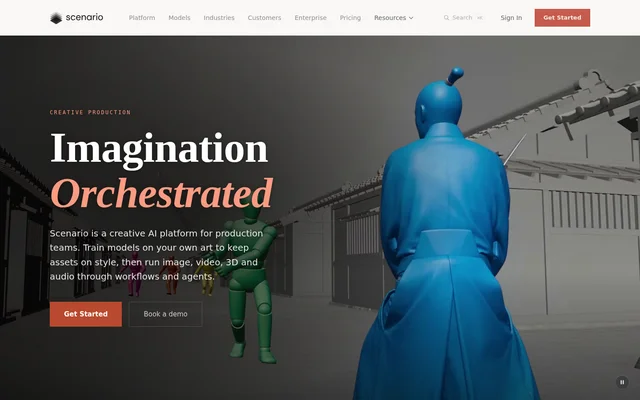
Scenario is a creative AI platform for production teams working with images, video, 3D assets and audio. Scenario brings model selection, reference assets, custom training and production workflows into a shared workspace. The stated audiences include studios, agencies and brands creating game assets, advertising, film, product imagery, illustrations and educational material.
Scenario organizes production around reusable processes rather than isolated generation requests. Teams can keep references and prompts while switching models within a workflow. Scenario also supports training on a team's own art when a project requires a brand look, product line or recurring character that references alone cannot maintain.
What Scenario can do
Scenario combines media generation with editing, workflow construction and custom model training. The browser workspace lets teams compare models using the same brief and anchor results with references or trained models. Saved node chains can become workflows or apps that other team members run through a simple form.
- Scenario generates, edits, upscales and splits images into layers.
- Scenario turns boards into video shots, restyles footage and extends takes.
- Scenario converts an image into a textured 3D model and supports rigging.
- Scenario creates sound effects, music and voice from prompts.
- Scenario trains custom models on a team's own artwork.
- Scenario saves linked models and tools as reusable workflows.
- Scenario shows the cost before a workflow runs.
How Scenario works
Scenario runs in a browser, where users sign in and start working with models and assets. Teams can build pipelines by connecting models and tools on a node canvas. The Node Agent can turn a brief into a working graph and run it, while Genie selects models, fills forms and helps construct workflows.
Scenario also connects to Claude Code, Codex and Cursor through MCP. Developers can call models and saved workflows through the REST API using TypeScript or Python SDKs. The experimental Blender plugin brings generation into the viewport, while open-source skills help agents work with Blender, Maya, ZBrush, Unreal and Unity.
Who Scenario is for
Scenario serves creative teams across film and animation, advertising, gaming, e-commerce, fashion, architecture, education and illustration. The examples focus on producing related assets from shared inputs: a product photo becomes creator-style videos, a character carries across illustration styles, or game key art becomes advertising and store assets.
- Scenario helps game teams create matching item icons and inventory assets.
- Scenario helps film teams turn rough previs into finished shots.
- Scenario helps e-commerce teams create videos from product photography.
- Scenario helps architecture teams generate listing footage from floor plans and 3D models.
- Scenario helps education teams turn diagrams into consistent explainer plates.
Scenario pricing and Enterprise access
Scenario describes Enterprise access through an agreement with committed credits and unlimited users. Enterprise teams can set project spend caps and approved-model lists that apply to members, API keys and agents. The page offers demo booking and a sales contact path, but does not publish standard subscription prices or establish whether a free plan is available.
Scenario offers IP Detection as an optional add-on billed separately in credits. The check screens covered inputs against an organization's policy before generation. A blocked request does not reach a model and incurs no generation charge. Enterprise agreements also cover the stated commitment not to train models on customer work without prior written consent.
Scenario strengths and limitations
Scenario's strengths include shared assets across browser, API and agent workflows, custom training for visual consistency, and reusable node pipelines. Enterprise controls extend across people and automated access, with single sign-on, exportable audit logs and generation records. These governance features are described specifically within the Enterprise offering rather than as universal account features.
- Scenario identifies the Blender plugin as experimental.
- Scenario requires an Enterprise agreement for the described organization-wide governance controls.
- Scenario charges separately for optional IP Detection checks.
- Scenario excludes audio, 3D and finished images from IP Detection.
- Scenario describes IP Detection as a policy risk signal, not legal advice.
Scenario FAQ
What is Scenario?
Scenario is a creative AI platform for production teams making images, video, 3D assets and audio. Scenario combines a browser workspace, custom model training, reusable node workflows and agents, with MCP and API access to the same models, workflows and assets.
How is Scenario priced?
Scenario offers Enterprise agreements with committed credits and unlimited users, while optional IP Detection is billed separately in credits. Scenario's page does not list standard subscription prices or confirm a free plan, and directs enterprise buyers to sales.
Can Scenario train models on your own art?
Scenario supports custom model training on a team's own artwork and references. Scenario describes training for a brand look, product line or recurring character, allowing teams to generate new assets in the same style when references alone are insufficient.
Does Scenario have an API or MCP integration?
Scenario provides a REST API with TypeScript and Python SDKs, plus MCP connections for Claude Code, Codex and Cursor. Scenario lets developers call models or saved workflows from their own pipelines and access workspace models, workflows and assets through connected assistants.
Can Scenario be used inside Blender?
Scenario provides an experimental Blender plugin that brings image, video, 3D and materials into the viewport. Scenario describes generating textures, props and whole scenes without leaving Blender, alongside open-source skills that help agents drive supported creative applications.
What does Scenario IP Detection check?
Scenario IP Detection checks covered prompts, input images and video endpoint frames against an organization's policy before a model runs. Scenario excludes audio, 3D and finished images from these checks and describes the optional add-on as a risk signal, not legal advice.
From the community
No reviews yet
Be the first to review this tool. What you write helps the next person choose.