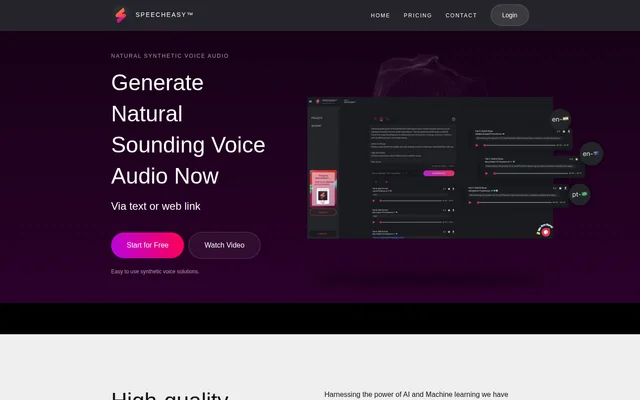
What is SpeechEasy?
SpeechEasy is an AI and machine-learning text-to-speech tool for turning written content into synthetic voice audio. SpeechEasy accepts text or web links and is aimed at people who prefer listening to content, along with users adding audio to e-learning material. The website describes listening at home, in the office and while on the go.
SpeechEasy focuses on synthetic voice generation through a simple interface. SpeechEasy describes its output as natural-sounding voice audio and offers a selection of voices rather than a single narration option. Desktop and mobile support lets users create and listen to audio voice files across those device types.
What SpeechEasy can do
SpeechEasy combines text conversion, voice selection and cross-device listening in a tool focused on synthetic audio. SpeechEasy lists nearly a dozen voices and says more are being added regularly. The current feature descriptions emphasize converting written material and listening to the resulting files, while expanded voice-over applications appear separately under a coming-soon heading.
- SpeechEasy generates synthetic voice audio from text.
- SpeechEasy accepts web links as an input for voice generation.
- SpeechEasy lets users choose from nearly a dozen synthetic voices.
- SpeechEasy supports creating and listening to voice files on desktop and mobile.
- SpeechEasy supports adding voice audio to e-learning content.
How SpeechEasy works
SpeechEasy presents a workflow built around supplying text or a web link and generating voice audio. SpeechEasy provides a choice of synthetic voices and supports creating and listening to the resulting audio files on desktop and mobile. The website offers a free starting path but does not describe a detailed setup or installation process.
SpeechEasy requires a network connection for its cross-device, on-the-go listening capability. SpeechEasy describes the interface as simple and focused, without added features that get in the way. The website also states a privacy-first approach, with keeping a minimal amount of personal information secure identified as a priority.
Who SpeechEasy is for
SpeechEasy serves people who want written material in an audio format and creators who need synthetic narration for learning content. SpeechEasy explicitly mentions listening at home, at work and on the go. The website also identifies marketing, learning and publishing as areas of development, so those expanded applications should be distinguished from the core conversion features.
- SpeechEasy helps listeners consume converted text while on the go.
- SpeechEasy supports listening to written content at home or in the office.
- SpeechEasy helps e-learning creators add synthetic voice audio to learning material.
- SpeechEasy lists video voice-over, virtual podcasts, audiobooks and articles as upcoming applications.
SpeechEasy pricing and plans
SpeechEasy offers a free Starter option and states that getting started for free includes access to all voices and app features. SpeechEasy lists Content Creator as an in-app purchase and Enterprise as a contact-sales option. The Marketer option is marked coming soon. The website does not provide purchase amounts or a detailed comparison of plan allowances.
SpeechEasy strengths and limitations
SpeechEasy combines a free starting option, access to all voices and desktop and mobile support. SpeechEasy also states a privacy-first approach and emphasizes a straightforward interface. The main stated constraints concern network access and availability: cross-device listening needs a connection, and both the Marketer option and expanded voice-over use cases are presented as forthcoming.
- SpeechEasy requires a network connection for listening across devices.
- SpeechEasy lists the Marketer option as coming soon.
- SpeechEasy presents expanded marketing, learning and publishing voice-over use cases as coming soon.
SpeechEasy FAQ
What is SpeechEasy?
SpeechEasy is an AI-powered text-to-speech tool that generates synthetic voice audio from text or web links. SpeechEasy supports desktop and mobile use for listening to converted content and adding audio to e-learning material.
Is SpeechEasy free?
SpeechEasy offers a free Starter option, with the website stating that free access includes all voices and app features. SpeechEasy also lists Content Creator through an in-app purchase and Enterprise through sales contact, while Marketer is coming soon.
Does SpeechEasy work on mobile and desktop?
SpeechEasy supports creating and listening to audio voice files on desktop and mobile. SpeechEasy describes mobile and web access for taking converted files on the go, with a network connection required.
How many voices does SpeechEasy offer?
SpeechEasy offers nearly a dozen synthetic voices, according to the website, which also says more voices are added regularly. SpeechEasy states that users getting started for free receive access to all voices.
Can SpeechEasy create voice-overs for videos and audiobooks?
SpeechEasy lists video voice-over, audiobooks and articles among use cases in development under a coming-soon heading. SpeechEasy currently describes text and web-link conversion, cross-device listening and adding synthetic voice audio to e-learning content.
From the community
No reviews yet
Be the first to review this tool. What you write helps the next person choose.