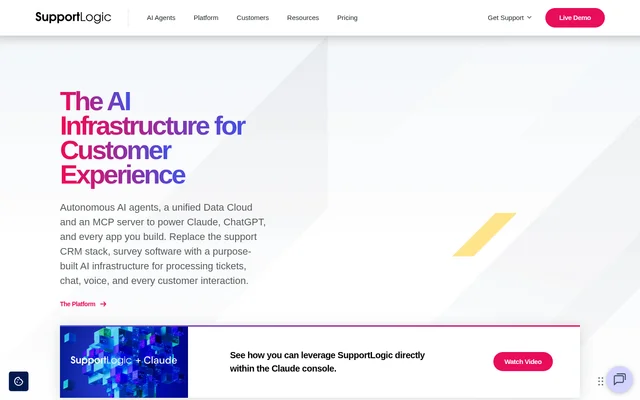
What is SupportLogic?
SupportLogic is an AI infrastructure platform for customer support and customer experience teams. SupportLogic analyzes tickets, chat, voice, and other post-sales interactions to extract signals and build a customer history across channels and systems. Teams can use that context to prioritize cases and monitor accounts, while AI assistants and internal apps can retrieve the same underlying information through open interfaces.
What SupportLogic can do
SupportLogic uses AI agents to turn customer interactions into signals that support teams can act on. The agents cover case-level work, such as routing and summarization, as well as account-level analysis. This lets teams look at the needs of an individual ticket alongside broader indicators such as customer sentiment and account health.
- SupportLogic detects customer sentiment and escalation risk.
- SupportLogic routes support cases.
- SupportLogic summarizes cases and supports coaching.
- SupportLogic surfaces relevant support knowledge.
- SupportLogic provides account health signals.
How SupportLogic works
SupportLogic connects to systems that already hold customer data, including Salesforce, Zendesk, and ServiceNow for CRM, and NICE, Genesys, and Zoom for voice and chat. Its data extraction, signal extraction, and context agents gather information from connected sources and assemble a customer history that spans channels and systems. Support staff can see signals through embedded CRM widgets.
SupportLogic gives AI assistants and applications separate ways to access that context. Claude and ChatGPT can connect through the Model Context Protocol server, while internal apps can use the REST API. The Snowflake-native Data Cloud makes signals, scores, and predictions directly queryable from the warehouse without requiring a copy.
Who SupportLogic is for
SupportLogic is designed for customer support and customer experience teams that need to spot issues across support channels. Support leaders can use sentiment and escalation signals to decide which cases need attention, while customer success teams can monitor account health and churn risk. Developers can use the same customer context in internal applications or AI assistants.
- Prioritize cases that show signs of frustration or escalation risk.
- Route cases and surface support knowledge for agents.
- Review account health alongside open escalations.
- Connect an AI assistant to customer support data.
SupportLogic pricing and plans
SupportLogic does not publish pricing, plan names, or free tier details on its website. The page lists two ways to evaluate the product: a self-guided tour organized around use cases and an open, live demo with an expert. The page also directs teams to contact SupportLogic to discuss deployment on their own data.
SupportLogic strengths and limitations
SupportLogic can surface the same customer context in an existing CRM, a Snowflake warehouse, an AI assistant, or a custom app. That gives support teams a way to see signals in their CRM while developers and analysts can access them separately. The workflows described depend on data from connected support and customer systems, so the relevant way to access those signals depends on where the team works.
Getting started with SupportLogic
SupportLogic offers self-guided demos for exploring specific use cases and a live expert demo for questions. The site also shows how SupportLogic works inside the Claude console. Its example asks for account health and returns a health score, churn risk, open escalations, and the top signals behind the assessment.
SupportLogic FAQ
What is SupportLogic?
SupportLogic is an AI infrastructure platform for customer experience and support operations. SupportLogic processes tickets, chat, voice, and other customer interactions to detect signals, build account context, and support workflows such as routing, escalation detection, and summarization.
Does SupportLogic publish pricing?
SupportLogic does not publish prices, plan details, or a free tier on its website. The page offers self-guided product tours and live demos with an expert, and directs teams to contact SupportLogic about deployment.
Can SupportLogic help detect support escalations?
SupportLogic detects escalation risk and customer sentiment from support interactions. SupportLogic can surface those signals in CRM widgets so support teams can identify cases that need attention while working in their existing tools.
Which CRM systems does SupportLogic work with?
SupportLogic offers embedded widgets for Salesforce, Zendesk, ServiceNow, Jira, and Freshdesk. The widgets surface support signals inside the CRM, including sentiment and escalation risk, so agents can review them where they already work.
Does SupportLogic have an MCP server and a REST API?
SupportLogic offers both an MCP server and a REST API. The MCP server makes customer context available to assistants such as Claude and ChatGPT, while the REST API gives applications programmatic access to agents, signals, and scores.
From the community
No reviews yet
Be the first to review this tool. What you write helps the next person choose.