What is Timely?
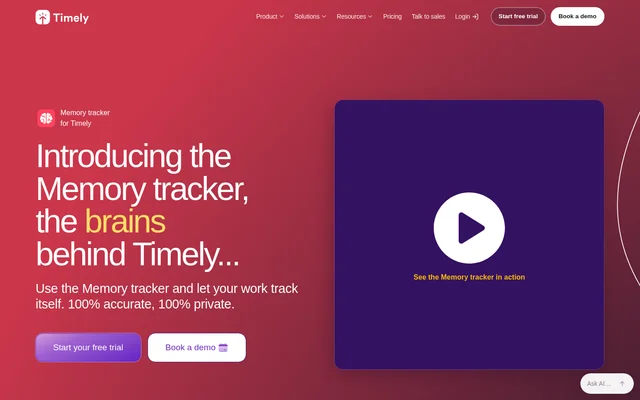
Timely is automatic time tracking software for people and teams managing client work, timesheets and project costs. Timely uses its Memory tracker to capture time spent working across tasks, apps and meetings. The recorded activity forms a private timeline that users can review when they are ready to log their time.
Timely separates background activity capture from sharing work records. Users choose which memories become timesheet entries and which records to leave out. The source describes applications in consulting, design and project management, alongside customer examples involving budget control, project profitability and decisions about team capacity.
What Timely can do
Timely combines automatic work capture with timesheet preparation and reporting. The Memory tracker continues recording activity when meetings run longer than expected or users switch tasks. Recorded work remains available on a personal timeline for later project logging, rather than requiring users to reconstruct their day from memory.
- Timely records time spent on tasks, apps and meetings in the background.
- Timely captures activity durations to the second.
- Timely lets users drag memories into timesheets.
- Timely supports logging recorded time against projects.
- Timely provides time reports used to review project budgets.
- Timely lets users delete or ignore unwanted records.
How Timely works
Timely begins with access to the product, followed by downloading and installing the private Memory tracker from inside Timely. The tracker runs in the background while users work normally. When users are ready to prepare timesheets, they review their recorded memories, drag selected activities into a timesheet and log them against projects.
Timely gives users control over the captured records before sharing. Automatic tracking can be disabled, and data can be deleted at any time. Timely states that the tracker does not take screenshots or monitor mouse activity. The product’s structured data lists Web, Windows, macOS, iOS and Android as supported operating systems.
Who Timely is for
Timely serves consultants, project managers and teams that need records of work across clients and projects. Customer examples describe using time reports to understand project costs, assess budget performance and make staffing decisions. Individual users can also use the private activity timeline to recall work before completing timesheets.
- Consultants can use Timely to record time across client assignments.
- Project managers can use Timely to compare worked time with project budgets.
- Business teams can use Timely reports to review capacity and staffing needs.
Timely pricing and plans
Timely offers monthly and yearly plans, with a free trial available from the product page. The supplied pricing excerpt names a Starter plan and advertises savings of up to 22% with yearly billing, but does not provide plan prices. Timely also offers demos and a personalized introduction for groups of 30 people or more.
Timely strengths and limitations
Timely combines background time capture with user-controlled sharing, allowing work to be recorded without automatically exposing the full activity timeline. Drag-and-drop logging connects captured activity to timesheets, while customer examples show reporting uses beyond billing. The workflow still requires installation of the Memory tracker and user involvement when selecting and logging recorded work.
- Timely requires a downloaded Memory tracker for automatic activity capture.
- Timely asks users to select recorded activities for timesheet logging.
- Timely keeps unwanted records out of shared time logs through user selection or deletion.
Timely FAQ
What is Timely?
Timely is automatic time tracking software that uses a Memory tracker to record work across tasks, apps and meetings. Timely creates a private activity timeline, letting users select recorded work for timesheets and project-based time logs.
Is Timely free?
Timely offers a free trial alongside monthly and yearly paid plans. Timely’s pricing excerpt advertises yearly savings of up to 22% and names a Starter plan, but the supplied page does not state plan prices or the trial duration.
Does Timely take screenshots or track mouse activity?
Timely states that its Memory tracker does not take screenshots or track mouse activity. Timely keeps the recorded timeline private to the user, who decides what to share, can disable automatic tracking and can delete data at any time.
How do you set up Timely automatic time tracking?
Timely provides the Memory tracker as a download from inside Timely. Timely users install the tracker, let it record work in the background, then review their private timeline and drag selected memories into timesheets for project logging.
Who is Timely for?
Timely is for consultants, project managers and teams tracking work across clients and projects. Timely customer examples describe using recorded time and reports for client billing, project budget monitoring, cost management and staffing decisions.
Which operating systems does Timely support?
Timely lists Web, Windows, macOS, iOS and Android in its product structured data. Timely’s setup instructions separately describe downloading the Memory tracker from inside Timely, without specifying which of those systems support the tracker itself.
From the community
No reviews yet
Be the first to review this tool. What you write helps the next person choose.