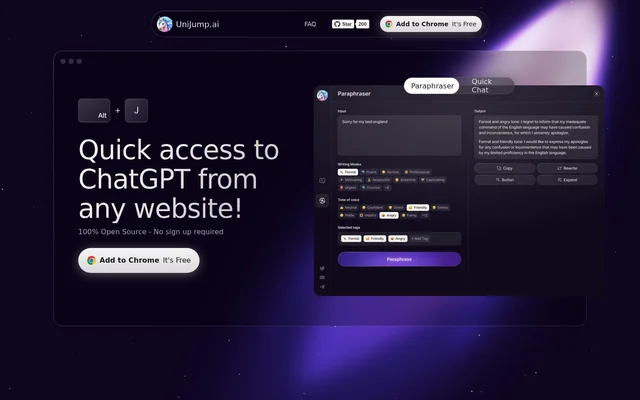
What is UniJump?
UniJump is an open-source browser extension for accessing ChatGPT from the website a user is already browsing. UniJump focuses on writing assistance, questions and answers, and experimentation with different communication styles. The extension is intended for daily ChatGPT use without navigating away from the current website. UniJump is free to use and does not require a separate UniJump account.
What UniJump can do
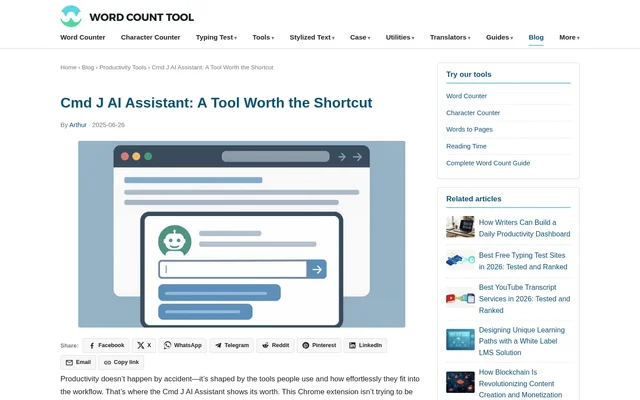
UniJump brings writing and conversational assistance into the browsing experience. UniJump names Paraphraser and Quick Chat as features and describes writing improvement, answering questions, and exploring communication styles as its main uses. Access is provided through a keyboard shortcut or a widget on the website, so users can reach ChatGPT while keeping the current page open.
- UniJump provides ChatGPT access from the website being browsed.
- UniJump includes a Paraphraser for writing assistance.
- UniJump includes Quick Chat for asking questions.
- UniJump helps users experiment with different communication styles.
- UniJump opens through ⌘ Cmd + J or the UniJump widget.
How UniJump works
UniJump is installed through the Google Chrome Webstore using the link provided on the product website. UniJump requires an OpenAI account, which the website says can be created for free at chat.openai.com. After installation, users access UniJump through the ⌘ Cmd + J shortcut or the on-page widget. No separate registration with UniJump is required to use the extension.
Who UniJump is for
UniJump is for people who use ChatGPT while browsing and want help without leaving the website in front of them. UniJump describes uses centered on written communication and getting answers, rather than a particular profession or industry. The stated capabilities fit users who want to revise wording, ask questions, or try different ways of communicating during everyday browsing.
- UniJump helps users improve writing while browsing.
- UniJump supports paraphrasing text.
- UniJump lets users ask questions from the current website.
- UniJump supports experimentation with different communication styles.
UniJump pricing and access
UniJump is free to use, and the website explicitly says that users do not need to register with UniJump. An OpenAI account remains a requirement, with free account creation linked from the website. UniJump is obtained through the Google Chrome Webstore. The source code is also publicly available on GitHub, where the project invites users to review and contribute to the code.
UniJump strengths and limitations
UniJump combines free access, public source code, and access to ChatGPT without leaving the current website. UniJump states that personal data, entered information, and visited websites are not stored, and directs users to GitHub to verify that claim. The website also cautions users about extensions that can access personal and work data and email, making code transparency part of its stated approach to security.
- UniJump requires an OpenAI account despite not requiring UniJump registration.
- UniJump lists the Google Chrome Webstore as its installation route.
- UniJump asks users to review the public code to verify its data-handling claims.
UniJump FAQ
What is UniJump?
UniJump is a free, open-source browser extension that provides access to ChatGPT without leaving the website being browsed. UniJump helps with writing, answering questions, paraphrasing, and experimenting with different communication styles.
Is UniJump free to use?
UniJump is free to use and does not require a separate UniJump registration. UniJump requires an OpenAI account, which the website says users can create for free at chat.openai.com.
How do you install and open UniJump?
UniJump can be downloaded from the Google Chrome Webstore through the link on its website. UniJump can then be accessed with the ⌘ Cmd + J shortcut or the UniJump widget on the website being browsed.
Does UniJump store personal data?
UniJump states that personal data, information, data entry, and visited websites are not stored. UniJump publishes its source code on GitHub and directs users to review that code to verify the stated data-handling practices.
What can you use UniJump for?
UniJump can be used to improve writing, paraphrase text, get answers to questions, and experiment with different communication styles. UniJump provides these ChatGPT-related capabilities while users remain on the website they are browsing.
Is UniJump open source?
UniJump is open source, with public code available on GitHub. UniJump encourages contributions and says that publishing the code allows users to see what the extension does and review its data-handling behavior.
From the community
No reviews yet
Be the first to review this tool. What you write helps the next person choose.