What is Verbalate?
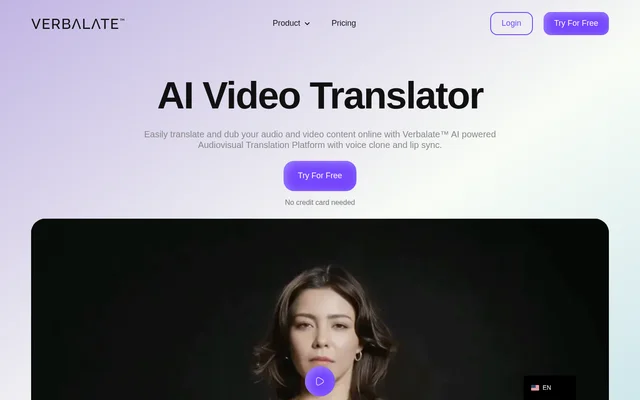
Verbalate is an online AI translation and dubbing tool for spoken content in video and audio files. It is designed for creators, course producers, and companies that want to publish existing material in other languages. A project can produce a translated video, a separate audio track, or multilingual subtitles, depending on how the content will be published.
What Verbalate can do
Verbalate combines automatic translation with tools for controlling the sound and timing of a dub. Users can clone a voice, guide the pronunciation of specific words, and decide whether to keep background audio. For projects where the speaker appears on screen, lip sync is available as an optional step rather than a requirement for translation.
- Verbalate translates both audio and video files.
- Verbalate clones a voice using a minute of source audio.
- Verbalate can sync on-screen lip movements with dubbed speech.
- Verbalate creates multilingual subtitles and supports SRT file uploads and editing.
- Verbalate uses phonetics to guide pronunciation.
- Verbalate can preserve or remove the source recording’s background sound.
How Verbalate works
Verbalate starts a translation project with an audio or video upload and a choice of output language. Users can proofread the transcription and translation before processing, then download the result. Verbalate also offers back translation, which converts the translated text back into the user's language so it can be checked against the original.
Verbalate uses a separate workflow for multilingual avatar videos. A user uploads a video and a voice recording of the person to be cloned, enters a script, and selects an output language. Once the project has been processed, the user can download the generated video.
Who Verbalate is for
Verbalate is aimed at people who already publish audio or video and need to adapt it for audiences who speak other languages. Course producers can dub recorded lessons, while marketing teams can localize product videos for new markets. YouTubers can download translated narration as a separate audio track to accompany an existing video.
- Dub recorded lessons for learners who speak other languages.
- Publish translated narration as multilingual audio tracks on YouTube.
- Adapt product marketing videos for audiences in new markets.
Verbalate pricing and plans
Verbalate advertises a free try option without requiring a credit card. The Translator plan is listed at $9 per month or $90 per year, and the Creator plan at $49 per month or $490 per year. Both paid plans include a translation allowance, with additional minutes charged separately. Creator adds multilingual avatars.
Verbalate supplies Enterprise pricing by custom quote. The Enterprise plan lists human-in-the-loop translation, an account manager, and API access. The API is intended for companies that want to integrate Verbalate into a product or service, while professional translation verification is available for projects that need a human translator to check the output.
Verbalate strengths and limitations
Verbalate offers several ways to check and adjust a translation before publishing. Users can review the transcript, edit SRT subtitle files, or use back translation to compare the result with the source. Dubbed videos and separate audio tracks serve different publishing needs, and users can choose whether to keep the original background sound.
- Translation is listed for more than 230 languages, while voice cloning is listed for 29 languages.
- Multilingual avatar creation is available on Creator and Enterprise.
- API access and professional translation verification are Enterprise features.
- Additional translation minutes cost extra on Translator and Creator.
Verbalate FAQ
What is Verbalate?
Verbalate is an online AI video and audio translation tool that creates dubbed content with voice cloning and optional lip sync. Verbalate can also generate multilingual subtitles and export translated audio tracks for existing videos.
Can you try Verbalate for free?
Verbalate advertises a free try option with no credit card required. Verbalate also lists paid Translator and Creator plans with monthly and annual billing, plus a custom-priced Enterprise plan.
Can Verbalate create multilingual audio tracks for YouTube?
Verbalate can generate and export translated audio tracks for YouTube videos. Creators can download the translated narration as a separate audio file to accompany the original video rather than relying on translated subtitles alone.
Does Verbalate support lip sync and voice cloning?
Verbalate supports voice cloning and optional lip sync for video dubbing. Verbalate lists voice cloning from a minute of audio for 29 languages and over 50 accents, while lip sync aligns on-screen mouth movements with the translated speech.
Does Verbalate have an API or human translation review?
Verbalate offers API access and professional human translation verification on its Enterprise plan. The API is intended for integration into products or services, and human verification lets a professional translator review the translated content.
From the community
No reviews yet
Be the first to review this tool. What you write helps the next person choose.