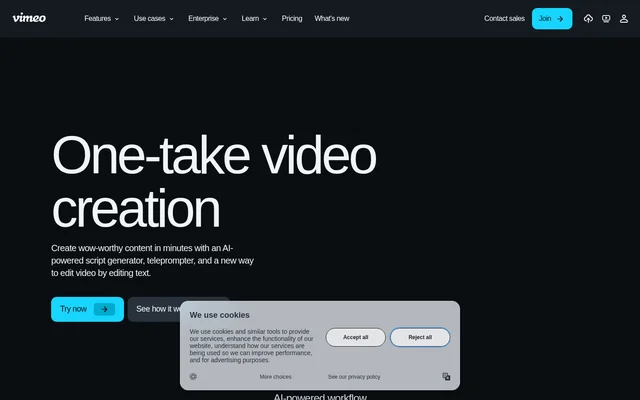
What is Vimeo AI?
Vimeo AI is a collection of AI-powered tools for writing, recording, and editing video. Vimeo AI brings together a script generator, an online teleprompter, and an editor that changes footage when users edit transcript text. The tools serve people creating video content, including presenters speaking directly to a camera and creators working from mobile devices.
Vimeo AI appears within Vimeo’s broader video creation, management, and sharing offering. The page emphasizes a connected workflow rather than separate writing and post-production tasks. Customer examples include a public relations principal and a freelance producer, illustrating how the tools can fit professional video work without establishing a restriction to those audiences.
What Vimeo AI can do
Vimeo AI supports several stages of video production, from developing a script to cleaning up a recording. Vimeo AI uses a short description as the starting point for script generation and an automatically generated transcript as the basis for text-driven editing. The teleprompter provides visible guidance during an on-camera performance.
- Vimeo AI generates video scripts from a short description.
- Vimeo AI provides a built-in online teleprompter.
- Vimeo AI identifies filler words and pauses for removal.
- Vimeo AI removes corresponding footage when unwanted transcript text is deleted.
- Vimeo AI supports creating new clips from footage.
- Vimeo AI provides recording, editing, and sharing capabilities through the Vimeo mobile app.
How Vimeo AI works
Vimeo AI starts script generation with a brief description of the intended video. The built-in online teleprompter then supplies large, readable guidance for speaking to the camera. During editing, users select unwanted transcript text and delete it to remove the corresponding material from the video, including filler words or awkward pauses.
Vimeo AI also supports a mobile workflow through the Vimeo mobile app. The app combines video capture with a built-in teleprompter, an AI-powered editor, and sharing. The page describes these mobile capabilities together, but does not provide installation instructions or explain differences in AI functionality between individual mobile operating systems.
Who Vimeo AI is for
Vimeo AI is aimed at people who create and share videos, including those who want guidance while recording or a text-based approach to editing. The page addresses different budgets and levels of expertise. Mobile capture and editing also make the described workflow relevant to creators who need to produce content away from a fixed recording location.
- Vimeo AI helps presenters follow a script while speaking to the camera.
- Vimeo AI helps creators clean up spoken recordings by removing filler words.
- Vimeo AI helps mobile creators capture, edit, and share video.
Vimeo AI pricing and access
Vimeo AI is presented alongside Vimeo’s invitation to explore plans, start a free trial, or begin with a free plan. The supplied text does not identify which subscription includes the AI creation tools, provide paid-plan prices, or state AI usage allowances. The free-plan reference therefore does not establish that every AI capability is available without payment.
Getting started with Vimeo AI
Vimeo AI can be explored through the page’s creation links and interactive transcript-editing demonstration. The demonstration shows how removing filler words or pauses from transcript text changes the video. For access options, the page links to plans, a free trial, a free plan, and a demo request; mobile users can also explore the Vimeo mobile app.
Pros and cons
What works
- Vimeo AI connects script writing, guided recording, and video editing.
- Vimeo AI lets users remove unwanted footage by deleting transcript text.
- Vimeo AI supports a mobile recording, editing, and sharing workflow.
Vimeo AI FAQ
What is Vimeo AI?
Vimeo AI is a set of AI-powered video creation tools that combines script generation, a built-in online teleprompter, and transcript-based video editing. Vimeo AI helps creators move from a video idea to recording and post-production.
Is Vimeo AI free?
Vimeo AI is presented on a page that offers a Vimeo free plan and free trial, but the supplied text does not specify whether those options include the AI tools. Vimeo AI feature availability and paid-plan prices are not stated.
How does Vimeo AI edit video using text?
Vimeo AI lets users edit footage by selecting unwanted text in an automatically generated transcript and deleting it. Vimeo AI also identifies filler words and pauses so users can remove those moments from the corresponding video.
Can Vimeo AI generate video scripts?
Vimeo AI generates video scripts from a short description of the intended content. Vimeo AI pairs this script-generation capability with an online teleprompter that provides guidance while a presenter speaks to the camera.
Can you use Vimeo AI on mobile?
Vimeo AI supports a mobile workflow through the Vimeo mobile app, which offers video capture with a built-in teleprompter, AI-powered editing, and sharing. Vimeo AI is presented as an option for creators working while on the move.
From the community
No reviews yet
Be the first to review this tool. What you write helps the next person choose.