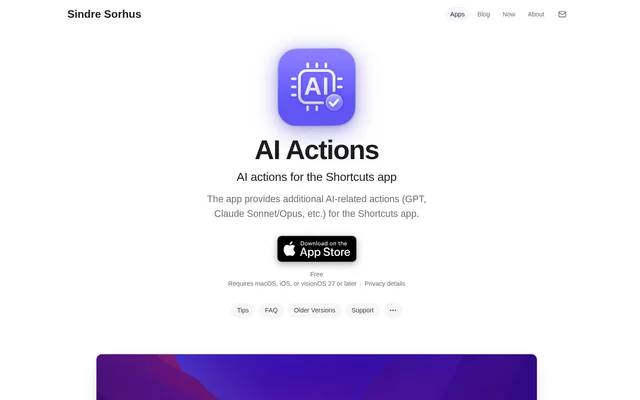
What is AI Actions?
AI Actions is a utility by Sindre Sorhus that adds AI model actions to Apple’s Shortcuts app on macOS, iOS, and visionOS. AI Actions gives people who build shortcuts a way to call OpenAI, Anthropic, and compatible services without constructing the API request in Shortcuts. The utility also works on supported devices that do not have Apple Intelligence.
What AI Actions can do
AI Actions provides Ask AI, Ask AI (Response API), and Ask Claude. The actions can send text, images, and some documents, such as PDFs. Compared with the built-in Use Model action, AI Actions lets users choose the provider and model and configure options such as the system prompt, temperature, and reasoning effort.
- AI Actions sends text prompts from Shortcuts.
- AI Actions accepts images and PDFs as inputs.
- AI Actions connects to OpenAI and Anthropic APIs.
- AI Actions can call local models served through Ollama.
How AI Actions works
AI Actions uses an API key supplied by the user for services that require authentication and stores the key in the device’s Keychain, not in the shortcut. For OpenAI-compatible services such as Groq and OpenRouter, users can enter the provider’s base URL, select Custom in Ask AI, and supply the model name. Gemini works through Google’s OpenAI-compatible endpoint rather than a native integration.
Who AI Actions is for
AI Actions is for Apple Shortcuts users who want to choose the model that handles a workflow or set options that the built-in Use Model action does not offer. AI Actions also suits people who already run a compatible local model server and want to call it from Shortcuts instead of using a hosted service.
- Send a prompt to GPT or Claude during a shortcut.
- Pass an image or PDF to a model from Shortcuts.
- Connect a shortcut to a local Ollama instance.
- Share a shortcut without including the creator’s API key.
AI Actions pricing and plans
AI Actions is free and available through the App Store. The download does not include usage of paid model APIs: users supply their own keys and pay the provider for what they use. A ChatGPT Plus subscription or a paid Anthropic account does not include free API access. The product page also offers a separate macOS download that does not receive automatic updates.
AI Actions strengths and limitations
AI Actions simplifies API calls from Shortcuts and keeps credentials out of the shortcuts people share. Model choice extends beyond OpenAI and Anthropic to compatible hosted services and local servers. The trade-off is that users must configure access for their chosen service, and the app does not handle every input type or run on every Mac.
- The actions do not accept audio or support the OpenAI Whisper API.
- The current Mac App Store version requires Apple silicon.
- Gemini requires an OpenAI-compatible endpoint and a custom model name.
- The non-App Store macOS download does not update automatically.
Getting started with AI Actions
AI Actions requires macOS, iOS, or visionOS 27 or later for the current release listed on the product page. After installing and opening AI Actions, users can enter a provider API key and select the matching action in Shortcuts. For Ollama, users point the app at their Ollama server and enter the model name under Custom. If the actions do not appear in Shortcuts, the product page suggests opening the app once and restarting the device.
AI Actions FAQ
What is AI Actions for Apple Shortcuts?
AI Actions is a utility that adds actions for GPT, Claude, and other compatible models to Apple Shortcuts. AI Actions runs on macOS, iOS, and visionOS and lets users choose the model and set options such as a system prompt, temperature, and reasoning effort.
Is AI Actions free to use?
AI Actions is free to download, but users pay their chosen provider for API usage when charges apply. AI Actions uses keys supplied by the user, and neither ChatGPT Plus nor a paid Anthropic account includes free API access.
Can AI Actions use local models with Ollama?
AI Actions can call local models through Ollama by pointing the app at the Ollama server and entering the model name under Custom in the Ask AI action. Because Ollama does not require authentication, the OpenAI API key field can contain placeholder text.
Does AI Actions support Google Gemini?
AI Actions supports Gemini through Google’s OpenAI-compatible endpoint, not through a native Gemini integration. Users enter the compatible base URL, select Custom in the Ask AI action, and supply the Gemini model name.
Can AI Actions send PDFs, images, or audio?
AI Actions can send text, images, and some documents, including PDFs, but cannot send audio. AI Actions does not support the OpenAI Whisper API for transcription.
Where does AI Actions store API keys?
AI Actions stores API keys in the device’s Keychain rather than in the shortcut itself. The shortcut can therefore be shared with other people without exposing the original user’s API key.
From the community
No reviews yet
Be the first to review this tool. What you write helps the next person choose.