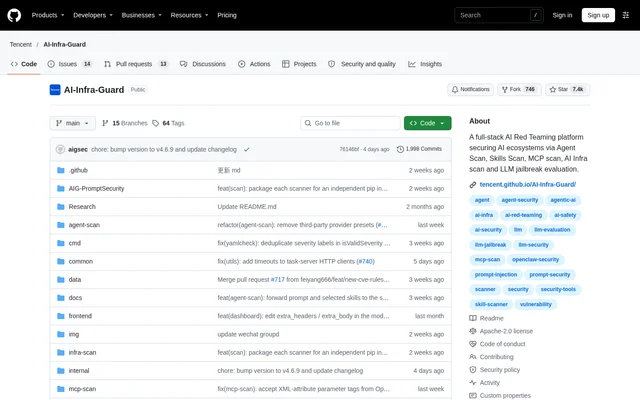
What is AI-Infra-Guard?
AI-Infra-Guard is an open-source AI red teaming platform developed by Tencent Zhuque Lab, part of the Tencent Security Platform Department. AI-Infra-Guard brings together agent security scanning, AI tool and skill scanning, MCP scanning, infrastructure vulnerability assessment and LLM security evaluation. The project is intended for internal use by enterprises or individuals.
AI-Infra-Guard covers security assessment across several parts of an AI ecosystem rather than only model responses. The repository also identifies OpenClaw security checks among its capabilities. Users can deploy the web interface locally or run individual scanners from the command line without starting the web service.
What AI-Infra-Guard can do
AI-Infra-Guard provides distinct scanners for different assessment targets. Infrastructure scanning matches fingerprints and vulnerabilities, while LLM assessment evaluates models through an OpenAI-compatible API. Agent, skill and MCP scanners address running agents, local skill directories and MCP implementations. The repository includes separate installation commands and documentation links for these scanners.
- AI-Infra-Guard scans a domain, IP address or URL for infrastructure fingerprints and vulnerabilities.
- AI-Infra-Guard evaluates LLM security and jailbreak behavior.
- AI-Infra-Guard scans MCP server source directories or connects to running services.
- AI-Infra-Guard audits local Agent Skill directories.
- AI-Infra-Guard sends test prompts to running agents.
How AI-Infra-Guard works
AI-Infra-Guard supports deployment using pre-built Docker Hub images, an installation script that installs Docker and launches the service, or a Docker image built from local source code. After deployment, the web interface is available at http://localhost:8088. The documented Docker requirements are Docker 20.10 or higher, 4GB+ RAM and 10GB+ disk space.
AI-Infra-Guard also distributes standalone scanners through pip installation commands. The agent scanner uses a target.yaml file to describe the agent under test. MCP, skill and agent examples configure an LLM_API_KEY environment variable. The MCP and skill examples write SARIF JSON output, while the agent example writes JSON results.
Who AI-Infra-Guard is for
AI-Infra-Guard is positioned for enterprises and individuals conducting internal AI security assessments. Security practitioners can select scanners according to the component under review, from infrastructure endpoints to running agents. Researchers can also use the project in security research and vulnerability analysis, with citation and attribution requirements described in the repository.
- Enterprise teams can assess AI infrastructure endpoints for vulnerabilities.
- Agent developers can test running agents and audit local skills.
- MCP maintainers can inspect server source directories or running services.
- Model evaluators can run jailbreak assessments against compatible model APIs.
AI-Infra-Guard licensing and access
AI-Infra-Guard is available as an open-source GitHub project under the Apache License 2.0. The repository provides source code, Docker deployment instructions and standalone scanner installation commands. The page describes obtaining and running the software rather than subscription plans, and does not state hosted-service pricing.
AI-Infra-Guard includes explicit attribution requirements. Distributions must retain the original LICENSE and NOTICE files. Products integrating the core code, components or scanning engine must identify AI-Infra-Guard and Tencent Zhuque Lab in documentation, a usage guide or an About page. Research articles and vulnerability reports must mention the project and link to the repository.
AI-Infra-Guard strengths and limitations
AI-Infra-Guard combines multiple assessment targets with both web-based and command-line access. The plugin system supports additional fingerprint files, vulnerability rules, MCP security rules and model evaluation datasets. These extension points allow contributors to add assessment material using existing rule formats and submit changes through pull requests.
- AI-Infra-Guard currently lacks an authentication mechanism.
- AI-Infra-Guard should not be deployed on public networks.
- AI-Infra-Guard requires local deployment or command-line setup.
- AI-Infra-Guard model assessment requires an OpenAI-compatible API.
AI-Infra-Guard FAQ
What is AI-Infra-Guard?
AI-Infra-Guard is an open-source AI red teaming platform developed by Tencent Zhuque Lab. AI-Infra-Guard combines agent, skill, MCP and infrastructure security scanning with LLM security assessment and jailbreak evaluation for internal enterprise or individual use.
Is AI-Infra-Guard free?
AI-Infra-Guard is available as an open-source project under the Apache License 2.0. The repository provides source code and deployment instructions without listing subscription prices. Distributions and integrations must follow the repository's notice-retention and attribution requirements.
Can AI-Infra-Guard run without its web interface?
AI-Infra-Guard supports standalone command-line use without starting the web service. The repository provides pip installation and usage examples for infrastructure scanning, LLM assessment, MCP scanning, skill auditing and agent testing, with separate README files for further parameters.
How do you install AI-Infra-Guard?
AI-Infra-Guard supports pre-built Docker Hub images, an installation script that installs Docker and launches the service, and a source-build method using Docker Compose. After the service starts, the local web interface is available at http://localhost:8088.
Can AI-Infra-Guard be deployed on a public network?
AI-Infra-Guard should not be deployed on public networks because the project currently lacks an authentication mechanism. The repository positions AI-Infra-Guard as an AI red teaming platform for internal use by enterprises or individuals.
What models can AI-Infra-Guard evaluate?
AI-Infra-Guard can evaluate models that expose an OpenAI-compatible API. The standalone model scanner accepts a model name, base URL and API key, alongside assessment options such as scenarios, techniques and concurrency.
From the community
No reviews yet
Be the first to review this tool. What you write helps the next person choose.