What is Aimi.fm?
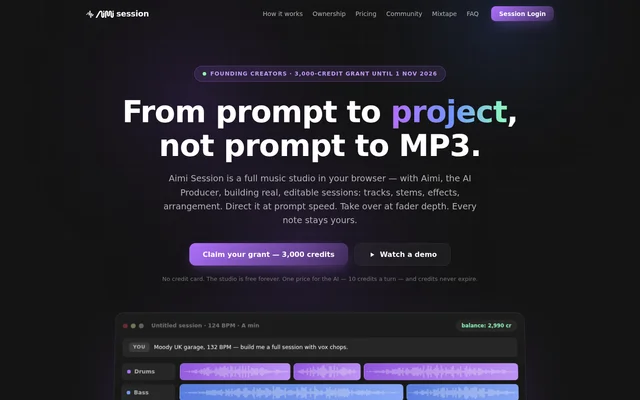
Aimi.fm is a browser-based music production tool offering Aimi Session, an editable studio shared by a creator and an AI producer. Aimi.fm serves music creators who want to move from a prompt into a working project containing tracks, stems, effects and an arrangement, rather than receiving only a finished audio file.
Aimi.fm lets creators direct production through prompts and then adjust the results manually. The AI can operate the same studio controls available to the creator, and its changes can be undone or revised. Projects live in the cloud and follow users across devices, without requiring a software installation.
What Aimi.fm can do
Aimi.fm combines AI-assisted generation with recording, editing and mixing tools inside an editable session. Aimi.fm builds projects using an owned loop library and generated stems, while also accepting uploaded audio. Creators can develop musical parts, change the arrangement and publish the resulting music without leaving the browser-based workflow.
- Aimi.fm generates songs, stems and lyrics and separates audio through AI turns.
- Aimi.fm creates editable tracks, clips, effects and arrangements.
- Aimi.fm supports AI-written MIDI and manually drawn MIDI.
- Aimi.fm plays MIDI through built-in virtual instruments with adjustable sound controls.
- Aimi.fm supports free recording, audio uploads, editing, mixing and audio exports.
- Aimi.fm publishes tracks to Mixtape and supports community remixing with automatic attribution.
How Aimi.fm works
Aimi.fm starts with a musical prompt describing the desired result. The AI producer builds a multitrack session, after which the creator can request changes to sections or sounds, or manipulate the controls directly. Tracks, clips, effects and arrangements remain editable instead of being locked into a single generated recording.
Aimi.fm supports publishing and remixing alongside production. Publishing sends music to Mixtape, where listeners can play and share tracks without logging in or downloading software. Eligible published sessions can be opened and forked by other members, with credit flowing back automatically. Projects containing uploaded audio publish as mixes rather than sessions.
Who Aimi.fm is for
Aimi.fm serves creators who want AI help building music while retaining access to the underlying session. Aimi.fm also supports producers bringing their own vocals, stems or samples, and community members who develop new versions of published work. Mixtape provides a separate listening space for people who want to follow artists and discover tracks.
- Music creators can turn prompts into editable production projects.
- Producers can combine uploaded audio with studio editing and mixing tools.
- Remixers can fork eligible community sessions and retain automatic attribution.
- Listeners can follow artists, queue mixtapes and react to published music.
Aimi.fm pricing and credits
Aimi.fm provides the studio free forever, including recording, editing, mixing, uploading, exporting, publishing and remixing. AI work is metered separately: each production action or reply costs 10 credits, including whatever that turn generates. Credit packs start at $6, credits never expire, and there is no subscription.
Aimi.fm offers a one-time signup grant of 3,000 credits for accounts created before 1 November 2026; later signups receive 1,000 credits. No credit card is required to begin. When credits run out, the free studio remains available, and additional credits are only needed to resume AI work.
Aimi.fm strengths and limitations
Aimi.fm combines editable AI production with free exports and commercial release rights that do not depend on purchasing credits. Aimi.fm grants a permanent, royalty-free licence to use library material within created music. Private work and conversations are excluded from training, while Settings includes a control to withhold published tracks from training.
- Aimi.fm charges credits for AI replies as well as music production actions.
- Aimi.fm does not permit reselling or repackaging library material as standalone samples.
- Aimi.fm states that generated output is not unique.
- Aimi.fm notes that purely AI-made material may not receive copyright protection in some countries.
- Aimi.fm allows published projects to support model training unless withheld through Settings.
Aimi.fm FAQ
What is Aimi.fm?
Aimi.fm is a browser-based music production tool offering an AI producer and an editable studio called Aimi Session. Creators can generate tracks and stems, adjust effects and arrangements, write MIDI, upload audio and export music without installing software.
Is Aimi.fm free?
Aimi.fm provides recording, editing, mixing, uploading, exporting, publishing and remixing free forever. AI actions and replies cost 10 credits per turn. Credit packs start at $6, signup grants provide initial credits, and neither grant credits nor purchased credits expire.
Can you release music made with Aimi.fm commercially?
Aimi.fm allows creators to release, sell, sync and stream music made in their sessions without buying credits. Library loops and samples carry a permanent licence for use within music, but cannot be resold as standalone samples. Generated output is not unique, and copyright protection for purely AI-made material varies by country.
Does Aimi.fm train AI on private projects?
Aimi.fm excludes private projects, uploaded audio within private work and conversations from model training. Published projects can be used for training, but a Settings switch withholds tracks from training, including tracks already published.
Can you upload your own audio to Aimi.fm?
Aimi.fm supports free uploads of stems, vocals and samples. Creators must own or hold rights to uploaded audio before sharing. Projects containing uploaded audio publish as mixes rather than editable sessions, preventing other members from building session derivatives from those uploads.
Does Aimi.fm require installation?
Aimi.fm runs entirely in a browser and does not require installation. Projects live in the cloud and follow users across devices. The website describes a laptop and headphones as sufficient for using the studio.
From the community
No reviews yet
Be the first to review this tool. What you write helps the next person choose.