What is Beautiful AI?
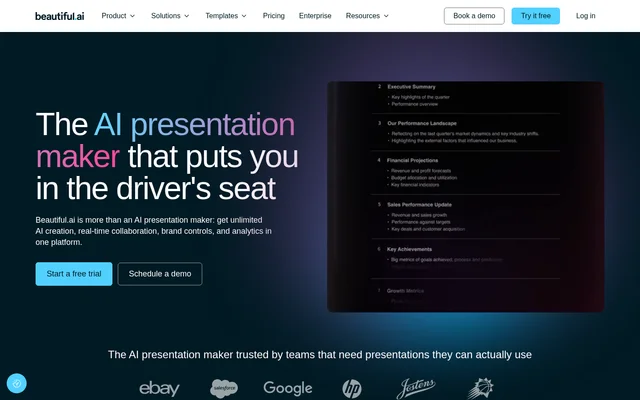
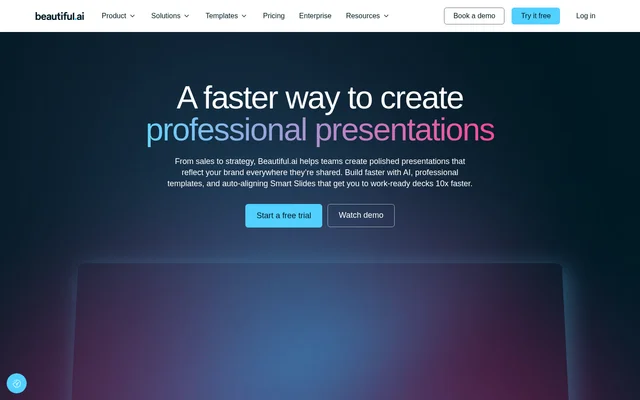
Beautiful AI is an AI presentation tool for creating, editing, collaborating on, and presenting slide decks. Beautiful AI combines guided content generation with Smart Slides that handle alignment, resizing, and animation. The website positions Beautiful AI for teams working on sales and strategy presentations, with templates also covering proposals, reports, plans, and internal communications.
Beautiful AI emphasizes consistent presentation design across a team. Users can define brand colors, fonts, logos, icons, and footers, then reuse those choices through shared themes. Professionally designed templates provide complete multi-slide narratives, while individual Smart Slide layouts support building a presentation slide by slide.
What Beautiful AI can do
Beautiful AI covers content drafting, slide formatting, visual assets, collaboration, and presentation delivery. The AI workflow includes outline review before slide generation, while Smart Slides adjust content as users edit. Beautiful AI also provides data visualization and sharing features, so teams can create a deck, distribute the presentation, and review audience engagement.
- Beautiful AI generates presentations from a topic, pasted outline, and supporting source material.
- Beautiful AI automatically aligns, resizes, and animates slide content.
- Beautiful AI offers over 300 Smart Slide layouts for data, comparisons, timelines, quotes, and image grids.
- Beautiful AI links charts and graphs to spreadsheets for live updates.
- Beautiful AI provides stock images and videos within the slide editor.
- Beautiful AI supports real-time collaboration, shared slide libraries, and user permissions.
- Beautiful AI records or uploads voice-overs and supports embedded voice or video context.
- Beautiful AI exports PDF and PPT files and tracks views and slide engagement.
How Beautiful AI works
Beautiful AI offers several starting points: an AI-guided workflow, individual Smart Slide layouts, or customizable presentation templates. In the AI workflow, users enter a topic or paste an outline and add source material for context. Users then choose a theme, select an image source, or define a consistent AI image style for the presentation.
Beautiful AI lets users review and refine a slide-by-slide outline before generating slides and visuals. After generation, users can explore different Smart Slide layouts while preserving their copy and content. Teams can apply shared themes, collaborate in real time, and deliver the finished presentation live, through a recorded walkthrough, or as an exported file.
Who Beautiful AI is for
Beautiful AI serves teams that need presentations for prospects, leadership, and colleagues. The template categories explicitly include pitch decks, proposals, plans and strategies, reports and reviews, sales and enablement, and internal communications. Brand controls and shared libraries support organizations seeking consistent deck design across different contributors and teams.
- Beautiful AI supports sales teams preparing prospect presentations and enablement materials.
- Beautiful AI supports strategy teams building plans and leadership presentations.
- Beautiful AI supports teams producing reports, reviews, and data presentations.
- Beautiful AI supports organizations standardizing internal communications and branded slide libraries.
Beautiful AI pricing and access
Beautiful AI offers a free trial through the website. The supplied page also includes pricing and enterprise navigation, login access, and demo booking. Beautiful AI does not specify subscription prices, trial duration, payment requirements, or feature allocations by plan in the supplied text, so the page does not establish a permanent free tier.
Beautiful AI strengths and available controls
Beautiful AI combines automated formatting with opportunities to review content and change layouts. Outline refinement helps users shape a presentation before generation, while shared themes and brand controls support consistency afterward. Protected links, flexible permissions, viewer analytics, narration, and export options extend the workflow beyond slide creation. The supplied page does not identify specific platform restrictions or feature limits.
Beautiful AI FAQ
What is Beautiful AI?
Beautiful AI is an AI presentation tool that combines guided deck generation, customizable templates, and auto-aligning Smart Slides. Beautiful AI supports presentation editing, team collaboration, brand controls, data visualization, narration, sharing, and viewer analytics.
Is Beautiful AI free?
Beautiful AI offers a free trial through the website. The supplied page does not state trial duration, subscription prices, payment requirements, or whether a permanent free plan is available.
How does Beautiful AI create presentations with AI?
Beautiful AI creates presentations through a guided workflow that starts with a topic, pasted outline, or supporting source material. Users choose a visual direction and refine a slide-by-slide outline before generating slides, then explore alternative layouts while preserving their content.
Who is Beautiful AI for?
Beautiful AI is for teams creating sales presentations, pitch decks, proposals, strategy decks, reports, and internal communications. Beautiful AI includes shared themes, brand controls, slide libraries, and collaboration features for organizations that want consistent presentation design across contributors.
Can Beautiful AI export PowerPoint and PDF files?
Beautiful AI supports exporting presentations to PPT and PDF. Beautiful AI also supports live presentations, recorded walkthroughs, recorded or uploaded voice-overs, and protected sharing links with viewer and slide-engagement tracking.
Can Beautiful AI link charts to spreadsheets?
Beautiful AI can link spreadsheets to charts and graphs for edits and live updates. Beautiful AI also provides data slide layouts, including charts, graphs, timelines, and diagrams, alongside animated data visualizations.
From the community
No reviews yet
Be the first to review this tool. What you write helps the next person choose.