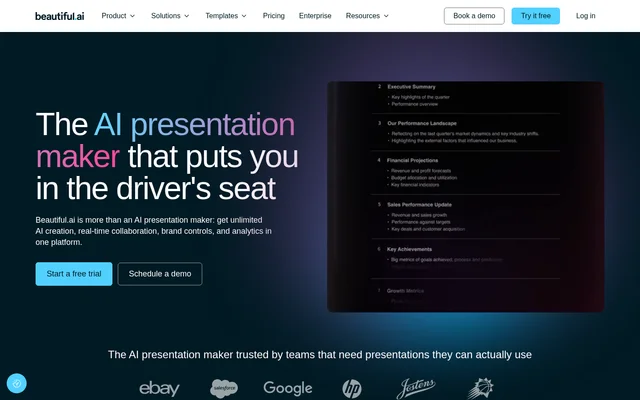
What is Beautiful.ai?
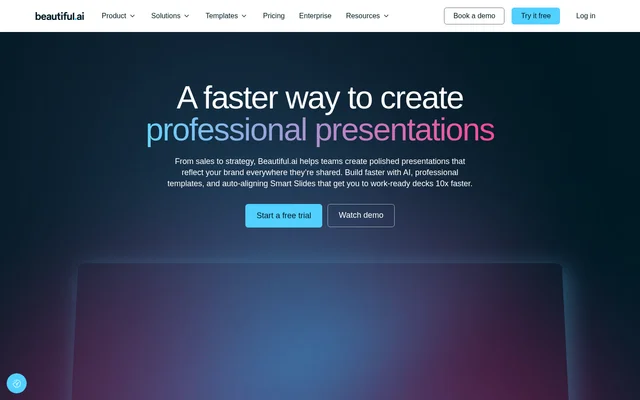
Beautiful.ai is an AI presentation maker for individuals, teams, and organizations that need editable, branded slide decks. Beautiful.ai combines presentation generation with slide design, text editing, image creation, and PowerPoint export. The Create with AI workflow separates narrative planning from visual design, allowing users to review the proposed outline before generating the presentation.
Beautiful.ai supports business presentation work such as marketing plans, quarterly reports, sales overviews, and investor pitch decks. Beautiful.ai also provides collaboration, brand controls, and analytics through its plan options, extending the workflow beyond generating an initial draft to editing, sharing, and tracking presentation engagement.
What Beautiful.ai can do
Beautiful.ai supports both full-deck generation and targeted changes to individual slides. Beautiful.ai lets users explore alternative ways to present text and data without rebuilding existing content. The editing tools also cover presentation copy, generated images, theme settings, and media selection within the same presentation workflow.
- Beautiful.ai generates presentations from prompts, pasted content, URLs, or uploaded files.
- Beautiful.ai previews alternative Smart Slide layouts while preserving copy and numbers.
- Beautiful.ai rewrites, expands, or shortens text within a text box.
- Beautiful.ai generates images and supports custom AI image styles.
- Beautiful.ai provides stock images, videos, and icons.
- Beautiful.ai exports decks as fully editable PowerPoint files.
How Beautiful.ai works
Beautiful.ai starts the guided workflow through Create Presentation, followed by Create with AI. Users supply a short prompt, detailed brief, pasted outline, notes, or other source material. Beautiful.ai then provides a slide-by-slide outline for review, so the structure and narrative can be refined before slide designs are generated.
Beautiful.ai lets users choose a theme, image source, language, and AI image style before generation. After generation, users can preview different layouts, edit text, and regenerate or swap images. Beautiful.ai preserves the existing copy and numbers during layout exploration, and finished presentations can be exported to PowerPoint for further editing.
Who Beautiful.ai is for
Beautiful.ai serves individuals creating professional presentations, collaborators working on brand-aligned decks, and organizations scaling presentation production. Beautiful.ai lists business-oriented examples spanning marketing, sales, reporting, and fundraising. Shared themes and assets support teams that need consistent presentation materials, while editable PowerPoint exports support delivery to clients or colleagues who expect that format.
- Beautiful.ai supports product marketing plans with audience demographics and marketing goals.
- Beautiful.ai supports quarterly reports covering financial and business performance.
- Beautiful.ai supports go-to-market decks covering audiences, competition, and projections.
- Beautiful.ai supports sales overviews covering revenue, pipeline health, and forecasts.
- Beautiful.ai supports seed round pitch decks covering problems, solutions, and financial projections.
Beautiful.ai pricing and plans
Beautiful.ai offers a 14-day free trial and paid Pro, Teams, and Enterprise plans. Pro costs $14.50 per month when billed annually, and a monthly Pro option costs $45. Beautiful.ai describes Pro as an individual plan with unlimited AI content generation, custom brand styling, AI image generation, writing assistance, translation, and Smart Slide design features.
Beautiful.ai adds real-time collaborative editing, shared libraries, version control, live data linking, and engagement analytics through Teams. Enterprise uses custom pricing and adds dedicated onboarding, SSO, advanced user permissions, audit logs, configurable brand guardrails, and SCIM. Beautiful.ai also advertises an SMB plan with flat rates for smaller teams, without stating a price in the supplied text.
Beautiful.ai strengths and limitations
Beautiful.ai combines outline review, content-preserving layout changes, branded themes, and editable PowerPoint export. Beautiful.ai also includes unlimited AI content generation rather than presenting generation as a credit-limited allowance. Access to collaboration and administrative capabilities depends on the selected plan, so the individual offering does not include every team or enterprise feature.
- Beautiful.ai limits free access to a trial in the stated pricing.
- Beautiful.ai places collaborative editing and engagement analytics in Teams.
- Beautiful.ai places SSO, SCIM, and advanced user permissions in Enterprise.
Beautiful.ai FAQ
What is Beautiful.ai?
Beautiful.ai is an AI presentation maker that turns prompts, outlines, and source material into editable slide decks. Beautiful.ai uses a guided workflow called Create with AI, which lets users review the narrative before generating slides and then refine layouts, text, images, and branding.
Is Beautiful.ai free?
Beautiful.ai offers a 14-day free trial rather than a stated ongoing free plan. Beautiful.ai has paid Pro, Teams, and Enterprise options, with Pro priced at $14.50 per month when billed annually and Enterprise available through custom pricing.
Can Beautiful.ai export to PowerPoint?
Beautiful.ai can export every created deck as a PowerPoint file, and the exported slides remain fully editable. Beautiful.ai therefore supports users who generate and design presentations in its workflow but need to deliver a PowerPoint presentation to clients or colleagues.
How do you create a presentation with Beautiful.ai?
Beautiful.ai starts presentation generation through Create Presentation and then Create with AI. Beautiful.ai accepts prompts, briefs, pasted outlines, notes, URLs, and uploaded files. Users review the slide-by-slide outline, choose styling, generate slides, and refine layouts or content afterward.
Who is Beautiful.ai for?
Beautiful.ai serves individuals making professional presentations, teams collaborating on branded decks, and enterprise organizations scaling presentation creation. Beautiful.ai lists use cases including product marketing plans, quarterly business reports, go-to-market strategies, sales performance overviews, and seed round pitch decks.
Does Beautiful.ai support team collaboration?
Beautiful.ai supports real-time collaborative editing through its Teams plan, alongside centralized slide and template libraries, shared assets, version control, and locked slides. Beautiful.ai also includes viewer and slide analytics, engagement alerts, and controls over who can view and edit.
From the community
No reviews yet
Be the first to review this tool. What you write helps the next person choose.