What is bigmp4?
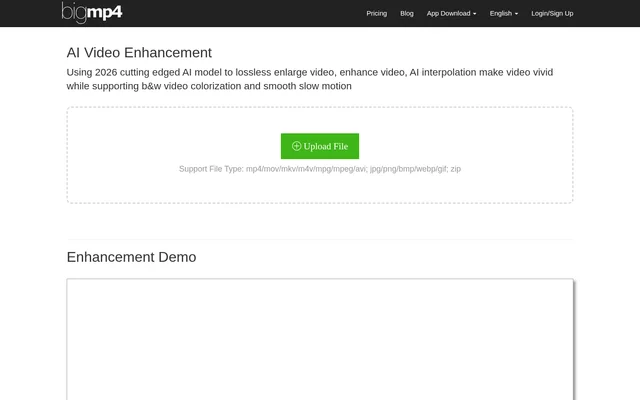
bigmp4 is an AI video enhancement service for enlarging footage, adding color to black-and-white videos and changing motion through frame interpolation. bigmp4 also supports still images, animated GIFs and image batches, making its processing options relevant to people working with more than video files alone.
bigmp4 offers browser-based file uploads alongside app downloads for Mac and Windows. The website presents demonstrations of enlargement, colorization, interpolation and slow motion. According to the page, the demonstration videos are processed automatically by bigmp4 AI and then cropped to fit the website.
What bigmp4 can do
bigmp4 combines enlargement and noise reduction with color and motion processing. Video enlargement targets include 2k, 4k and 8k, while interpolation increases frame rates. GIF files support several of the same operations, and ZIP uploads provide a batch workflow for image enlargement or colorization.
- bigmp4 enlarges videos with AI noise reduction.
- bigmp4 colorizes black-and-white videos.
- bigmp4 increases video frame rates to 60, 120 or 240fps.
- bigmp4 creates slow motion by retaining the original frame rate after interpolation.
- bigmp4 processes ZIP image batches for enlargement or colorization.
- bigmp4 supports GIF enlargement, colorization, interpolation and slow motion.
How bigmp4 works
bigmp4 provides an upload, configuration, processing and download workflow on its website. Supported formats include MP4, MOV, MKV, M4V and AVI video, plus JPG, PNG, BMP, WEBP and GIF images. ZIP files are accepted for image batches. The configuration interface shows the GPU points required for a task.
bigmp4 keeps tasks available after the browser closes and provides task history. Processing duration depends on the file's frame count and the selected settings rather than the displayed progress bar. Uploaded files and result files are automatically deleted within a week, so downloads have a limited retention window.
Who bigmp4 is for
bigmp4 is for people who need to change the resolution, color or motion of existing visual files. The supported workflows cover individual videos, still images, animated GIFs and ZIP image batches. Users can select enhancement tasks according to whether the material needs enlargement, colorization, a higher frame rate or slow motion.
- bigmp4 supports enlarging existing video footage.
- bigmp4 supports adding color to black-and-white videos.
- bigmp4 supports making motion smoother through frame interpolation.
- bigmp4 supports processing image collections uploaded as ZIP files.
bigmp4 pricing and plans
bigmp4 uses GPU points and gives free users 30 GPU points each month. The free plan lists a 10M upload limit, no priority processing, no AI interpolation and no batch mode. Paid packages list a 100M upload limit and include priority processing, AI interpolation and batch mode.
bigmp4 lists paid packages of $6 USD for 300 GPU points, $18 USD for 1080 GPU points and $24 USD for 1560 GPU points. Paid points have a 1 Year expiry, while the free allowance lists a 1 Month expiry. Payment options include Stripe, Wechat Payment and Alipay Payment.
bigmp4 strengths and limitations
bigmp4 brings video enlargement, colorization and motion processing together with image and GIF support. Free monthly points provide access without purchasing a package, although interpolation and batch processing require paid access. File retention is explicitly documented, and points deducted for failed processing are refunded after the failed task is deleted.
- bigmp4 can produce a jelly effect during interpolation around lens transitions or motion blur.
- bigmp4 suggests manually cropping affected video or reducing the interpolation multiplier.
- bigmp4 does not show actual processing progress through its progress bar.
- bigmp4 applies upload limits and GPU point expiry.
bigmp4 FAQ
What is bigmp4?
bigmp4 is an AI video enhancement service for upscaling footage, colorizing black-and-white videos, increasing frame rates and creating slow motion. bigmp4 also supports still-image enhancement, GIF processing and batch image processing through ZIP uploads.
Is bigmp4 free?
bigmp4 offers free users 30 GPU points each month, with a 10M upload limit and no AI interpolation or batch mode. Paid GPU point packages add priority processing, a 100M upload limit, interpolation and batch processing.
What files does bigmp4 support?
bigmp4 supports video formats including MP4, MOV, M4V, MKV and AVI, along with JPG, PNG, BMP, WEBP and GIF images. bigmp4 also accepts ZIP files for batch image enlargement or colorization.
Does bigmp4 delete uploaded files?
bigmp4 automatically deletes uploaded files and result files within a week. bigmp4 also states that tasks are not lost when the browser closes, and users can check task history.
Why can bigmp4 interpolation create a jelly effect?
bigmp4 can create a jelly effect when interpolating frames around lens transitions or motion blur. bigmp4 recommends manually cropping the video before interpolation or reducing the interpolation multiplier to address these scenarios.
Does bigmp4 refund GPU points for failed tasks?
bigmp4 refunds GPU points deducted for processing failures after the failed task is deleted. bigmp4 states this condition in its FAQ, so deleting the failed task is part of the refund process.
From the community
No reviews yet
Be the first to review this tool. What you write helps the next person choose.