What is ccusage?
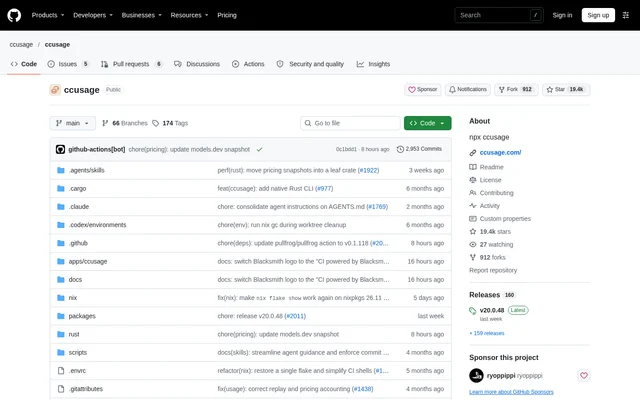
ccusage is an open-source CLI that turns local coding agent usage data into token and cost reports. ccusage is intended for developers working with coding agent CLIs who want to inspect usage across dates, conversation sessions, models, and supported sources without examining each source separately.
ccusage supports Claude Code, Codex, OpenCode, Amp, Droid, Codebuff, Hermes Agent, pi-agent, Goose, OpenClaw, Kilo, Kimi, Qwen, GitHub Copilot CLI, Gemini CLI, Antigravity, Grok Build CLI, and ZCode. Unified commands include every detected source, while source-focused commands restrict reporting to a particular coding agent.
What ccusage can do
ccusage organizes local usage records into daily, weekly, monthly, and session reports, with costs displayed in USD. ccusage also exposes model-level details and cache token usage. Reporting options control date ranges, grouping timezones, output formats, and whether cost information appears in terminal tables or exported JSON.
- ccusage tracks models and provides per-model cost breakdowns.
- ccusage displays cache creation and cache read tokens separately.
- ccusage exports structured JSON reports.
- ccusage filters reports by date range or recent period.
- ccusage groups Claude Code usage by project or instance.
- ccusage supports custom local data directories and token pricing overrides.
How ccusage works
ccusage runs directly through package runners without requiring a global installation. The quick-start command is npx ccusage@latest; alternatives include bunx ccusage, pnpm dlx ccusage, and pnpx ccusage. Nix users can run the repository's default package and app. The default report groups detected sources by day.
ccusage accepts daily, weekly, monthly, and session commands, with an optional source name to focus the report. Configuration files set defaults and provide IDE autocomplete and validation. Terminal output adapts to available width, while the compact option forces a smaller table layout for screenshots or sharing.
Who ccusage is for
ccusage serves developers who use coding agent CLIs and need to understand their recorded token consumption and associated costs. ccusage supports both combined reporting across detected agents and narrower analysis of particular sources. Claude Code users also have project filters, billing-window reports, and a statusline integration for hooks.
- ccusage helps developers review usage across coding agent sources.
- ccusage supports project-specific Claude Code cost analysis.
- ccusage produces JSON reports for further analysis.
- ccusage creates compact reports suitable for sharing.
ccusage pricing and access
ccusage is available as an MIT-licensed open-source project, with source code hosted on GitHub and documentation at ccusage.com. Package runners and Nix provide access to the CLI. The repository does not describe a paid ccusage subscription; the displayed token costs concern coding agent usage rather than a ccusage plan.
ccusage strengths and limitations
ccusage combines multiple coding agent sources with flexible reporting, structured exports, and local configuration. Offline mode allows reports to use pre-cached pricing data without network connectivity. Custom pricing overrides can be defined per raw model name in ccusage.json without rebuilding, giving users control over the pricing inputs used for analysis.
- ccusage relies on local coding agent usage data.
- ccusage requires pre-cached pricing data for offline mode.
- ccusage marks the Claude Code statusline integration as Beta.
ccusage FAQ
What is ccusage?
ccusage is an open-source command-line tool for analyzing coding agent token usage and costs from local data. ccusage produces daily, weekly, monthly, and session reports across supported sources, including Claude Code, Codex, and GitHub Copilot CLI.
Is ccusage free?
ccusage is available as an MIT-licensed open-source project rather than a listed paid subscription. ccusage can be run through package runners or Nix, and the repository provides source code and links to documentation.
How do you run ccusage?
ccusage can be run with npx ccusage@latest without a global installation. ccusage also supports bunx, pnpm dlx, pnpx, and Nix, with commands for daily, weekly, monthly, and session reports across detected sources.
Does ccusage work offline?
ccusage supports offline reporting with the --offline option, which uses pre-cached pricing data without network connectivity. ccusage also supports custom token pricing overrides per raw model name through the ccusage.json configuration file.
Can ccusage export reports as JSON?
ccusage exports structured JSON with the --json option for further analysis. ccusage also supports date filters, source-focused reports, and project-specific Claude Code reporting, while the --no-cost option removes cost fields from JSON output.
Can ccusage track Claude Code usage by project?
ccusage groups Claude Code usage by project or instance with --instances and filters specific projects with --project. ccusage can combine these options with JSON output for project-focused usage analysis.
From the community
No reviews yet
Be the first to review this tool. What you write helps the next person choose.