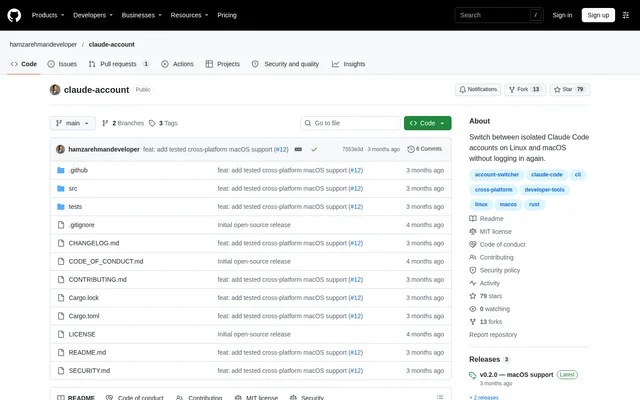
What is claude-account?
claude-account is an open-source profile switcher for Claude Code on Linux and macOS. The project separates account configuration and credential-storage directories so developers can move between saved logins without authenticating again. claude-account acts as a wrapper around the official Claude executable rather than replacing Claude Code's authentication system. The repository describes an independent community project that is not made, endorsed, or supported by Anthropic.
What claude-account can do
claude-account provides account-management commands alongside normal Claude Code usage. Profiles can be added, selected, inspected, and removed from the terminal. Claude Code remains responsible for login, logout, credential storage, and token refresh. claude-account forwards non-account commands and flags unchanged, allowing the official executable to continue handling ordinary prompts, model selection, and authentication-status commands.
- claude-account creates isolated configuration and credential-storage directories for named accounts.
- claude-account lists registered profiles and prints the current profile name for scripts.
- claude-account preserves settings and session history during ordinary account removal.
- claude-account supports an explicit purge of profile settings, sessions, plugins, and history.
- claude-account filters authentication environment variables unless an override is enabled.
How claude-account works
claude-account installs a shim in a separate directory that must appear before the official Claude executable in the shell PATH. Adding a profile opens Claude Code's official login flow and completes local onboarding. The first profile becomes active automatically, while adding another profile leaves the current selection unchanged. Selecting a different account affects newly launched Claude processes; existing sessions retain their original account.
claude-account passes the same private profile directory through CLAUDE_CONFIG_DIR and CLAUDE_SECURESTORAGE_CONFIG_DIR on macOS. Version checks run before login, launch, and logout to prevent an older global Keychain entry from selecting or logging out the wrong account. The state file stores profile names, directory paths, and the real executable path, but never access or refresh tokens.
Who claude-account is for
claude-account serves developers who use separate Claude Code accounts on Linux or macOS. Named profiles support work and personal account separation, while the current-profile command provides output suitable for shell scripts. The account-add workflow also exposes email, SSO, and console login options through Claude Code's official login flow. Existing sessions can continue under their original account while new processes use another profile.
- Developers can keep work and personal Claude Code profiles separate.
- Shell scripts can read the active profile name without extra output.
- Users can unregister an account while retaining local settings and session history.
claude-account licensing and installation
claude-account is released under the MIT License and can be obtained through release archives or built from source with Rust. Published archives cover Linux x86_64, macOS Apple Silicon, and macOS Intel. The documented release workflow downloads an archive and its checksum, verifies the download, extracts the files, and runs the installer. The installer prints a PATH export line to add to the shell startup file.
claude-account strengths and limitations
claude-account combines profile separation with unchanged forwarding to the official Claude executable. Credential contents remain under Claude Code's control, and ordinary account removal preserves local settings and history. Compatibility and installation constraints still matter: a working Claude Code installation is required, macOS credential isolation depends on a supported Claude Code version, and downloaded release binaries are not currently signed or notarized.
- claude-account requires Claude Code 2.1.144 or later for profile-scoped macOS Keychain credentials.
- claude-account release archives are checksum-protected but not signed or notarized.
- claude-account documentation recommends building from source if macOS Gatekeeper blocks a downloaded binary.
- claude-account does not import API-key profiles from Kerber0ss/claude-account-macos in this release.
claude-account FAQ
What is claude-account?
claude-account is an open-source command-line profile switcher for Claude Code on Linux and macOS. Each account receives an isolated configuration and credential-storage directory, while normal commands pass through to the official Claude executable.
Is claude-account free?
claude-account is available as an open-source project under the MIT License, with release archives and source-build instructions in the repository. A working Claude Code installation is required; the repository does not describe Claude Code subscription pricing.
Does claude-account read or copy login credentials?
claude-account never reads or copies credential contents, and Claude Code handles login, logout, credential storage, and token refresh. On macOS, claude-account also never writes Keychain credential contents. The state file contains profile names and paths, not access or refresh tokens.
Does claude-account support Windows?
claude-account documents support for Linux and macOS, with release archives for Linux x86_64, macOS Apple Silicon, and macOS Intel. The repository does not list a Windows release or Windows installation instructions.
Does switching claude-account profiles change existing sessions?
claude-account switches the account used by newly launched Claude processes only. Existing sessions retain the account used when those sessions started. Adding another profile also leaves the active profile unchanged.
What happens when claude-account removes an account?
claude-account runs Claude Code's official logout inside the profile and unregisters the account while preserving settings and session history. An explicit purge permanently deletes the profile's settings, sessions, plugins, history, and stored login. Removing the active profile requires a force option.
From the community
No reviews yet
Be the first to review this tool. What you write helps the next person choose.