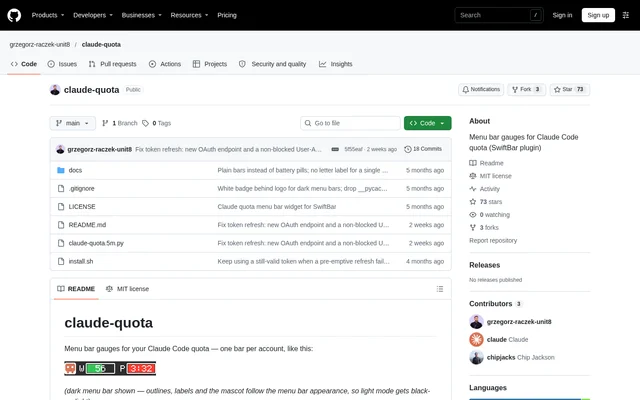
What is claude-quota?
claude-quota is an open-source SwiftBar plugin for monitoring Claude Code quota from the macOS menu bar. Claude Code users can see a separate utilization gauge for each account and open a dropdown for more detailed usage information. The project is hosted on GitHub and distributed under the MIT license.
claude-quota displays the 5-hour usage window in each account's gauge, while the dropdown includes weekly usage and reset times. When a usage limit is reached, the display changes to a countdown. A weekly limit takes precedence over the shorter usage window because the repository describes the weekly limit as the harder cap.
What claude-quota can do
claude-quota combines compact menu bar indicators with account-level usage details. The gauges change from green to orange at ≥70% utilization and red at ≥90%. Labels, outlines, and the mascot follow the menu bar appearance, including light mode. The dropdown keeps details available even when an account's gauge is hidden.
- claude-quota displays a separate quota gauge for each account.
- claude-quota replaces the percentage with a reset countdown when the 5-hour window is fully used.
- claude-quota shows a black gauge with a countdown when the weekly limit is reached.
- claude-quota lists extra-usage credits and per-model windows where the plan reports them.
- claude-quota refreshes every 5 minutes and provides a manual Refresh now entry.
- claude-quota supports custom account labels and hidden menu bar gauges.
How claude-quota works
claude-quota reads the Claude Code OAuth token from the macOS Keychain and queries the same usage endpoint used by Claude Code's /usage screen. When the token expires, claude-quota uses the same OAuth refresh flow as Claude Code and writes the replacement token back to the Keychain. Previous credentials are backed up before each write.
claude-quota automatically discovers accounts from ~/.claude and ~/.claude-* configuration directories that have Claude Code Keychain entries. Users can pin or rename accounts through ~/.config/claude-quota/accounts. The installation script sets up SwiftBar through Homebrew when necessary and adds SwiftBar to Login Items so the gauges return after a reboot.
Who claude-quota is for
claude-quota is intended for Claude Code users on macOS who want quota information visible outside the CLI. Multiple-account support covers configurations such as separate work and private accounts. Custom labels help distinguish accounts, while hidden gauges allow users to retain dropdown details without displaying every account in the menu bar.
- claude-quota helps users check usage without opening the Claude Code /usage screen.
- claude-quota lets users monitor work and private account quotas separately.
- claude-quota shows reset countdowns when usage windows are exhausted.
- claude-quota keeps selected account details available without showing their gauges.
claude-quota pricing and installation
claude-quota is available as an MIT-licensed open-source project rather than through a listed subscription plan. The repository provides a quick-install shell command and an alternative installation path from a Git checkout. Both installation paths require macOS and Homebrew and use the project's install.sh script to configure the plugin.
claude-quota may trigger a macOS Keychain permission dialog on the first refresh; the repository instructs users to select Always Allow. To uninstall claude-quota, users delete claude-quota.5m.py from the SwiftBar plugin folder. Users who no longer need SwiftBar can also remove SwiftBar from Login Items in System Settings.
Strengths and limitations of claude-quota
claude-quota provides multi-account monitoring without passwords, scraping, or third-party services. Automatic token renewal means users do not need to start the Claude Code CLI on that Mac to see current usage. Credential backups and configurable gauge visibility are additional capabilities, but compatibility depends on an internal Claude Code usage endpoint.
- claude-quota requires macOS and Homebrew.
- claude-quota may need a fix if Claude Code changes its undocumented usage endpoint.
- claude-quota requires running /login in the relevant Claude CLI when a refresh token becomes invalid.
- claude-quota can display per-model windows only when the account's plan reports them.
claude-quota FAQ
What is claude-quota?
claude-quota is an open-source SwiftBar plugin that displays Claude Code quota gauges in the macOS menu bar. Each account gets a usage indicator, with dropdown details covering usage windows, reset times, extra-usage credits, and per-model windows where available.
Is claude-quota free?
claude-quota is available as an MIT-licensed open-source project on GitHub, with no product subscription or paid tier listed in the repository. Users install claude-quota through the provided shell script or from a Git checkout.
Does claude-quota support multiple Claude Code accounts?
claude-quota supports multiple Claude Code accounts by automatically discovering configuration directories with matching Keychain entries. Users can also pin accounts, assign custom labels, and hide individual menu bar gauges while retaining those accounts' dropdown details.
How does claude-quota access Claude Code usage?
claude-quota reads the Claude Code OAuth token from the macOS Keychain and queries the same internal usage endpoint as Claude Code's /usage screen. claude-quota also refreshes expired tokens and backs up previous credentials before writing replacements.
What does claude-quota require to run?
claude-quota requires macOS and Homebrew, with SwiftBar installed automatically by the installation script if needed. The first refresh may require Keychain permission, and account discovery depends on Claude Code configuration directories with corresponding Keychain entries.
How often does claude-quota refresh usage?
claude-quota refreshes usage every 5 minutes through the SwiftBar filename convention and includes a manual Refresh now entry. If an account has an invalid refresh token, users must run /login in the relevant Claude CLI before the widget recovers on the next cycle.
From the community
No reviews yet
Be the first to review this tool. What you write helps the next person choose.