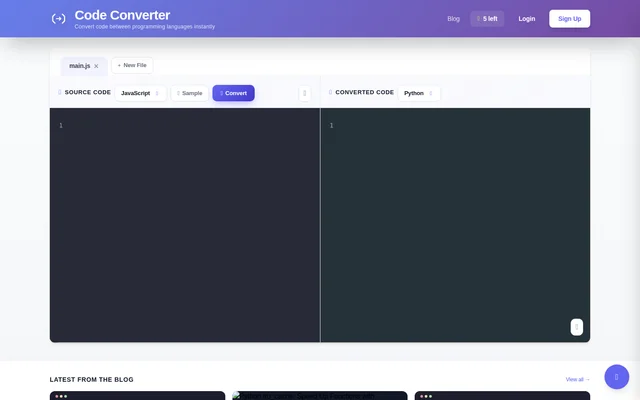
What CodeConverter can do
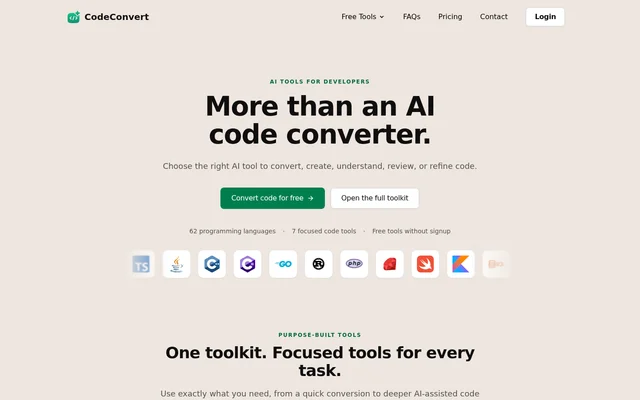
CodeConverter provides a workspace for choosing a source language, entering source code, and viewing converted code in a target language. CodeConverter lists both conversion features and editing conveniences, including syntax highlighting and clipboard copying. The interface also exposes conversion history and a control for clearing that history.
- CodeConverter translates code between supported programming languages using AI.
- CodeConverter provides source and target language selectors.
- CodeConverter displays source code and converted code in separate areas.
- CodeConverter includes syntax highlighting and copying to the clipboard.
- CodeConverter provides conversion history and a Clear History control.
- CodeConverter lists advanced model selection among plan features.
How CodeConverter works
CodeConverter presents a Source Code area, language selection controls, a Convert action, and a Converted Code area. The interface includes a Sample option and a New File control, with main.js shown as a file tab. CodeConverter displays conversion history below the workspace, including an empty-history message when no conversions are recorded. Access is through a web browser.
Who CodeConverter is for
CodeConverter serves developers who need to convert existing source code into another supported programming language. The available language choices include web-development languages such as JavaScript and TypeScript, general-purpose languages such as Python and Java, and languages such as R, MATLAB, Fortran, and COBOL. The PRO plan is presented for developers seeking unlimited daily conversions.
- CodeConverter can translate JavaScript source code into Python.
- CodeConverter can convert code between Java, C++, and other supported languages.
- CodeConverter lets developers view converted output separately from source code.
CodeConverter strengths and limitations
CodeConverter combines browser access, multiple language choices, and conversion-history controls in a single conversion workspace. The free account provides limited daily access, while PRO removes the daily conversion cap. The supplied page text does not explain which models can be selected or specify context-window sizes, so those listed features cannot be compared in detail from the available information.
- CodeConverter limits the Free plan to 5 conversions per day.
- CodeConverter places unlimited daily conversions in the paid PRO plan.
- CodeConverter lists model and context-window features without configuration details.
CodeConverter FAQ
How do you use CodeConverter?
CodeConverter provides a browser workspace with source-code and converted-code areas. CodeConverter users can select source and target languages, supply source code, and use the Convert action; the interface also includes a Sample option and conversion history.
From the community
No reviews yet
Be the first to review this tool. What you write helps the next person choose.