What is PseudoEditor?
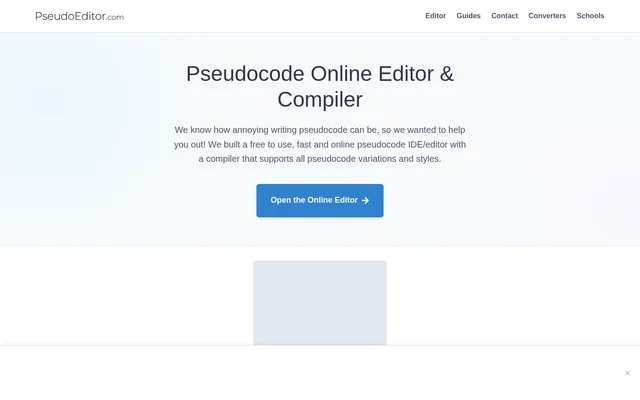
PseudoEditor is an online pseudocode editor and compiler for writing algorithms and learning programming logic. PseudoEditor serves students and teachers through a browser-based workspace rather than a general-purpose text editor. The website describes a free editing and compilation service alongside a Pro upgrade that adds AI tutoring, code generation, and code conversion.
What PseudoEditor can do
PseudoEditor combines pseudocode writing tools with compilation and debugging features. Syntax highlighting distinguishes keywords, functions, data types, and conditionals, while error highlighting helps users identify problems. PseudoEditor also provides autocomplete and display settings, with additional tutoring, generation, and conversion capabilities included in the Pro offering.
- PseudoEditor highlights pseudocode syntax and errors.
- PseudoEditor compiles pseudocode so users can test whether their algorithms work.
- PseudoEditor provides autocomplete and light or dark modes.
- PseudoEditor saves projects to the cloud for free account holders.
- PseudoEditor supports selectable exam-board syntax rules.
- PseudoEditor Pro includes an AI Tutor, intelligent code generators, and code converters.
How PseudoEditor works
PseudoEditor runs in a browser, and the website directs users to open the online editor to begin coding. Users write pseudocode and use the compiler to test the result. A free account enables cloud saving, allowing saved projects to be accessed, edited, and run from different devices at home or in the classroom.
PseudoEditor lets users toggle syntax rules within the editor to match their syllabus requirements. The named specifications are AQA, OCR, CIE, Edexcel, and IB. The website also describes a switch below the editor for enabling light mode, giving users a display choice alongside the available dark mode.
Who PseudoEditor is for
PseudoEditor is aimed at students and teachers working on programming logic and pseudocode. Exam-board syntax options support syllabus-specific work, while cloud projects support continuing assignments between devices. PseudoEditor also offers institutional licensing for schools and universities that want classroom-wide Pro access, teacher controls, and specification-aligned compilers.
- Students can write and test pseudocode while learning programming logic.
- Teachers can use exam-board syntax options for syllabus-aligned classroom work.
- Schools and universities can license Pro access for an entire classroom.
- Pro users can translate pseudocode into Python, C++, and other supported languages.
PseudoEditor pricing and plans
PseudoEditor offers its browser-based editor and compiler free of charge, with hosting and running costs supported by advertising. Creating a free account adds cloud project saving. PseudoEditor Pro removes ads and unlocks unlimited access to the AI Tutor, intelligent code generators, and code converters. The page does not state a Pro price.
PseudoEditor offers bulk institutional licensing for schools and universities separately from the individual editor experience. The institutional offer includes classroom Pro access, teacher controls, and specification-aligned compilers. The website provides an institutional licensing route, but the supplied page does not list institutional prices or detailed licensing terms.
PseudoEditor strengths and limitations
PseudoEditor brings pseudocode editing, compilation, syntax support, and project saving into a browser-based workflow. The named exam-board options make the service relevant to syllabus-based teaching, while Pro extends the toolset beyond editing. Access conditions matter: the free service contains advertising, cloud saving requires an account, and unlimited AI features are part of Pro.
- PseudoEditor supports free editing and compilation through an ad-supported service.
- PseudoEditor requires a free account to save projects to the cloud.
- PseudoEditor Pro is required for ad removal and unlimited AI Tutor, generator, and converter access.
PseudoEditor FAQ
What is PseudoEditor?
PseudoEditor is a browser-based pseudocode editor and compiler for writing, testing, and debugging algorithms. PseudoEditor includes syntax highlighting, error highlighting, autocomplete, and project saving, with features aimed at students and teachers learning programming logic.
Is PseudoEditor free?
PseudoEditor offers a free, ad-supported online editor and compiler, with cloud project saving available through a free account. PseudoEditor also offers a Pro upgrade that removes ads and adds unlimited AI Tutor, code generator, and code converter access.
Which exam boards does PseudoEditor support?
PseudoEditor supports exam-board specifications including AQA, OCR, CIE, Edexcel, and IB. PseudoEditor allows users to toggle syntax rules within the editor so their pseudocode matches the requirements of their syllabus.
Can PseudoEditor save projects across devices?
PseudoEditor supports cloud project saving through a free account. PseudoEditor users can access, edit, and run their saved pseudocode from different devices, including when moving between home and classroom work.
What does PseudoEditor Pro include?
PseudoEditor Pro includes unlimited access to an AI Tutor, intelligent code generators, and code converters that translate pseudocode into languages such as Python and C++. PseudoEditor Pro also removes all advertising from the experience.
Does PseudoEditor offer school licensing?
PseudoEditor offers bulk institutional licensing for schools and universities. PseudoEditor institutional access includes classroom-wide Pro access, teacher controls, and specification-aligned compilers; the supplied page does not state institutional pricing.
From the community
No reviews yet
Be the first to review this tool. What you write helps the next person choose.