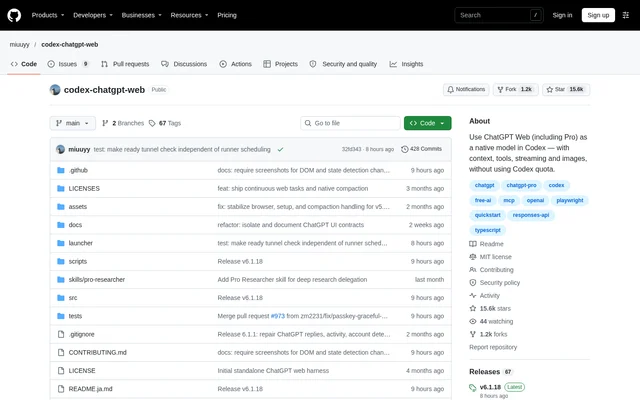
What is codex-chatgpt-web?
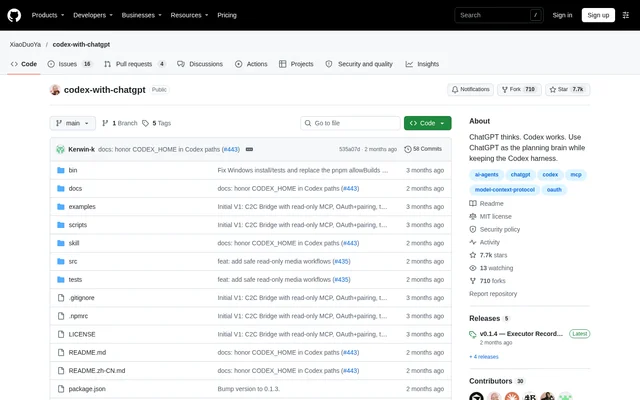
codex-chatgpt-web is an open-source project that connects ChatGPT Web models to Codex’s native model picker. Developers can use models available on their ChatGPT account while retaining the Codex interface, tasks, images and streaming. Messages travel through the signed-in ChatGPT Web session and do not use Codex quota. The project is independent software, is not affiliated with or endorsed by OpenAI, and uses unofficial browser automation rather than an OpenAI API.
What codex-chatgpt-web can do
codex-chatgpt-web supports browser-only conversations as well as coding workflows that need access to the current task’s tools. Full harness mode connects ChatGPT tool calls to Codex through MCP, while conversations remain tied to the Codex task as context grows. Model entries and reasoning choices reflect what the connected account exposes, rather than granting access to models outside that account.
- codex-chatgpt-web adds ChatGPT Web models to the Codex model picker.
- codex-chatgpt-web preserves images and streamed responses.
- codex-chatgpt-web connects task files, terminal tools and approvals through MCP.
- codex-chatgpt-web provides manual prompt sending through Zero Risk mode.
- codex-chatgpt-web offers local diagnostics and end-to-end health checks.
- codex-chatgpt-web enables Temporary Chat by default.
How codex-chatgpt-web works
codex-chatgpt-web starts with a launcher installation, followed by ChatGPT sign-in inside the embedded browser and a browser smoke test. Users then install the models, restart Codex and select an automatic model whose name ends in (Web). The launcher includes its browser and runtime, so packaged installations do not require separate Chrome, Node or Bun installations.
codex-chatgpt-web configures Full harness through the launcher’s MCP page. Setup includes creating the tunnel and regular API key, connecting the harness, enabling ChatGPT Developer Mode and creating the specified connector. Verify runtime checks that the connector is available. The official OpenAI tunnel-client establishes an outbound connection without exposing a public IP or opening an inbound port. Write and modify actions also require permission from the ChatGPT workspace and its administrator policy.
Who codex-chatgpt-web is for
codex-chatgpt-web is for developers who already work in Codex and want to use their ChatGPT Web account within that workflow. Browser-only mode suits conversations without local Codex tool access. Full harness supports coding tasks that need files, terminal commands and approvals. Zero Risk suits users who prefer to paste and send prepared prompts manually rather than let browser automation operate the ChatGPT page.
- Developers can use account-available ChatGPT models without consuming Codex quota.
- Coding users can connect ChatGPT tool calls to the current Codex task.
- Users can retain images, streaming and conversation context while working in Codex.
codex-chatgpt-web pricing and access
codex-chatgpt-web is available as an open-source project under the MIT license, with launcher downloads and a source-based development path. ChatGPT access is separate from the project’s license: available models, reasoning options, context limits and message allowances depend on the signed-in account and workspace. The repository describes access for both free and paid ChatGPT accounts, including Pro options when available. codex-chatgpt-web does not bypass authentication or account access controls.
codex-chatgpt-web strengths and limitations
codex-chatgpt-web combines native Codex model selection, a bundled browser runtime and optional MCP tool access. The outbound harness connection avoids inbound network exposure, while unexpected approval prompts fail closed unless an explicit auto-approval option is enabled. Important constraints remain: browser automation depends on the ChatGPT interface, login state is sensitive, and tool permissions depend on workspace policy. The documentation recommends a trusted workstation and reviewing the security model before enabling Full harness.
- ChatGPT interface changes can break browser selectors.
- Unsigned release builds may trigger Gatekeeper or SmartScreen warnings.
- Release packages target macOS, Windows x64 and Linux x64.
- The launcher profile must not be shared because browser state contains sensitive login information.
codex-chatgpt-web FAQ
What is codex-chatgpt-web?
codex-chatgpt-web is an open-source integration that makes ChatGPT Web models available in Codex’s native model picker. codex-chatgpt-web preserves tasks, streaming and images, and can connect ChatGPT to local coding tools through MCP using Full harness mode.
Is codex-chatgpt-web free?
codex-chatgpt-web is available as an open-source project under the MIT license. Model access comes from the connected ChatGPT account, so available models and message allowances depend on that account and workspace, including whether paid ChatGPT features are available.
Does codex-chatgpt-web use Codex quota?
codex-chatgpt-web does not use Codex quota for ChatGPT Web messages. Requests run through the signed-in ChatGPT Web session instead and remain subject to the message limits and model availability applied to that ChatGPT account.
Does codex-chatgpt-web support MCP tools?
codex-chatgpt-web supports MCP tool access through Full harness mode, connecting ChatGPT to the current Codex task’s files, terminal, tools and approvals. Setup requires the launcher’s MCP workflow and a ChatGPT connector; write and modify actions also require workspace permission.
Which operating systems does codex-chatgpt-web support?
codex-chatgpt-web provides release packages for macOS 13+ on arm64 and x64, Windows x64, and Linux x64. The packaged launcher includes a browser and runtime, so no separate Chrome, Node or Bun installation is needed.
Is codex-chatgpt-web an official OpenAI product?
codex-chatgpt-web is independent software and is not affiliated with or endorsed by OpenAI. The project uses unofficial browser automation rather than an OpenAI API, and ChatGPT interface changes can break browser selectors.
From the community
No reviews yet
Be the first to review this tool. What you write helps the next person choose.