What is Dadan?
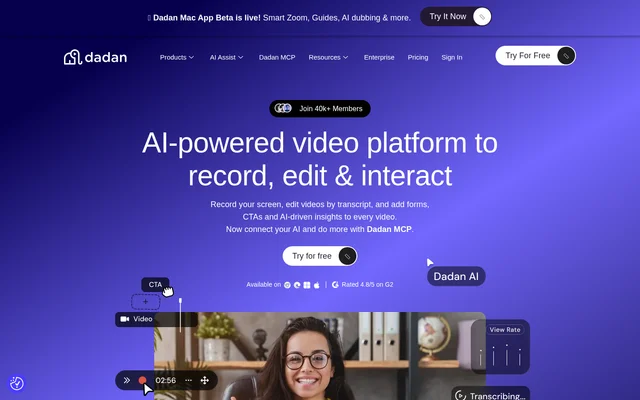
Dadan is an AI-powered video creation platform for recording, editing, hosting, and sharing videos. Dadan combines screen and webcam capture with transcript-based editing, interactive video elements, and automatically generated workflow guides. The service supports individuals and teams, including marketers, sales staff, content creators, educators, learning and development teams, and customer support teams.
Dadan covers a workflow from capturing a demonstration or lesson to editing the recording, adding viewer interactions, and measuring engagement. Dadan also supports shared workspaces so team members can collaborate online and automatically share videos with one another. Privacy settings control who can view, share, and interact with video content.
What Dadan can do
Dadan provides recording, editing, AI processing, and interaction tools within the same video service. Dadan supports visual editing as well as editing through a transcript, with tools for trimming, zooming, adding text or shapes, adjusting audio, and blurring the screen. AI features support transcription, summaries, chapter creation, and repurposing longer recordings.
- Dadan records the screen, webcam, or both with audio.
- Dadan removes silence and filler words with AI.
- Dadan turns long-form videos into short-form videos in different layouts.
- Dadan generates transcripts, summaries, timestamped chapters, and metadata.
- Dadan adds polls, quizzes, feedback, CTAs, and lead forms to videos.
- Dadan captures workflow steps and screenshots for editable guides.
- Dadan tracks video views, interactions, and engagement.
How Dadan works
Dadan follows a recording, editing, interaction, and analysis workflow. Users capture a screen, camera, or both through a browser, extension, or native app, then edit online using visual tools or the transcript. After editing, users can add forms, calls to action, polls, chapters, and other interactions, then track how viewers engage with the video.
Dadan also accepts video submissions through recording links that require no signup or installation for the recipient. Dadan lists over 30+ direct integrations and a custom webhook, with named services including HubSpot, Google Meet, YouTube, Zendesk, Jira, and GitHub. Dadan also advertises Dadan MCP for connecting AI, without detailing its setup on this page.
Who Dadan is for
Dadan serves people creating videos for communication, instruction, promotion, and support. Dadan describes workflows for individuals and large teams, including both experienced video creators and beginners. The listed uses range from product demonstrations and personalized sales messages to instructor-led training, classroom assignments, customer issue reports, and help videos made from support documentation.
- Dadan helps marketers record product demos, collect testimonials, and generate leads.
- Dadan supports sales outreach through personalized messages, video proposals, and CTAs.
- Dadan helps educators create lectures and use Google Classroom for video assignments.
- Dadan supports training teams creating interactive content and public video libraries.
- Dadan helps customer support teams collect video issue reports and create help videos.
Dadan pricing and plans
Dadan offers a free plan with basic features, 2 GB of storage, and capacity to create and store up to 25 videos. Dadan also offers a paid Professional plan with unlimited videos, more storage, auto-transcription, an advanced editing suite, and interaction tools. Users can upgrade to the Professional plan directly from their account dashboard.
Dadan does not state the Professional plan's subscription price in the supplied page text. Dadan identifies which additional capabilities accompany the upgrade but does not provide a complete feature-by-feature plan comparison here. The free plan provides access with explicit storage and video limits, rather than unlimited use of the service.
Dadan strengths and limitations
Dadan brings recording, editing, video sharing, interactive elements, and analytics into a connected workflow. Dadan also extends recorded workflows into guides that users can edit, annotate, translate into 180+ languages, export as PDF, or share online. Browser, extension, and native app recording options provide multiple ways to capture content, while shared workspaces support team collaboration.
- Dadan restricts free-plan storage to 2 GB.
- Dadan limits free-plan video creation and storage to 25 videos.
- Dadan places unlimited videos and additional editing and interaction tools in the paid Professional plan.
Dadan FAQ
What is Dadan?
Dadan is an AI-powered video platform for recording, editing, hosting, and sharing videos. Dadan supports screen and webcam capture, transcript-based editing, interactive elements, video analytics, and automatically generated step-by-step workflow guides.
Is Dadan free?
Dadan offers a free plan with basic features, 2 GB of storage, and up to 25 videos. Dadan also offers a paid Professional plan with unlimited videos, more storage, auto-transcription, advanced editing, and interaction tools.
Can Dadan edit videos using a transcript?
Dadan supports transcript-based video editing so users can edit videos like a document. Dadan also uses AI to remove silence and filler words and generate short videos from longer recordings in different layouts.
Can Dadan turn a screen recording into a guide?
Dadan turns recorded workflows into step-by-step guides by automatically capturing steps and screenshots. Dadan lets users edit and annotate guides, translate them into 180+ languages, and export them as PDF or share them online.
What integrations does Dadan support?
Dadan lists over 30+ direct integrations and a custom webhook. Named integrations include HubSpot, Google Meet, YouTube, Zendesk, Jira, GitHub, MailChimp, and Asana. Dadan also lists Google Classroom integration for video assignments and advertises Dadan MCP for connecting AI.
Can someone record a requested video without a Dadan account?
Dadan supports video requests through a link, and recipients do not need to sign up or install software to record. Dadan lets recipients open the link and start recording, supporting workflows such as collecting testimonials and customer issue reports.
From the community
No reviews yet
Be the first to review this tool. What you write helps the next person choose.