What is Deep Art Effects?
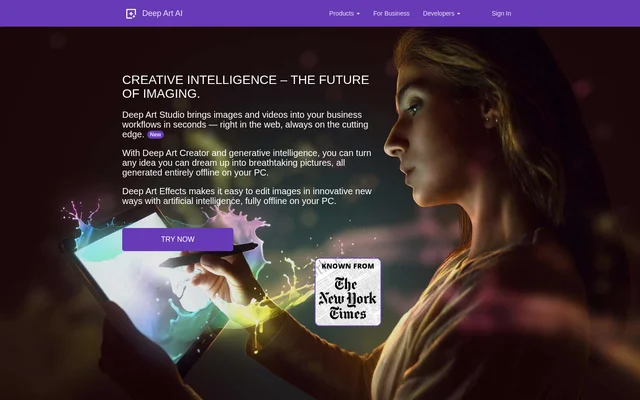
Deep Art Effects is an AI photo editor for people who want to turn snapshots into artwork or make practical edits such as enlarging a photo or removing its background. The desktop software processes images offline on the user's PC. The mobile app offers a way to create artwork from snapshots while away from the computer.
What Deep Art Effects can do
Deep Art Effects combines tools for changing how a photo looks with tools for preparing it for other uses. Art filters apply a visual style, while automatic colorization adds color to grayscale photos. The editing tools also resize images and separate them from their backgrounds.
- Apply predefined art filters and adjust them.
- Enlarge photos up to four times their original size.
- Automatically add color to grayscale photos.
- Automatically cut out photo backgrounds.
- Optimize photos automatically.
- Imitate the look of photos taken with an SLR camera.
How Deep Art Effects works
Deep Art Effects runs its desktop image processing on the user's PC rather than in the cloud. A user can select a predefined art filter and adjust it, or use an automatic operation such as colorization or background removal. For a different workflow, developers can visit the developer portal to access an API that adds filters and other image technology to their own applications.
Who Deep Art Effects is for
Deep Art Effects serves people who want to make artwork from existing photos, as well as those who need to make straightforward edits. Someone working with old black-and-white pictures can use automatic colorization, while someone working with a small image can use upscaling. The mobile app is aimed at people who want to work with snapshots on the go.
- Turn a snapshot into artwork with an adjustable filter.
- Add color to old black-and-white photos.
- Enlarge a small photo.
- Isolate the subject of a photo by removing its background.
Deep Art Effects pricing and plans
Deep Art Effects offers a free mobile app and an option to try the desktop software for free. The website provides an app installation link and a download link. The page does not list desktop prices, specify the length of the trial, or explain how the trial differs from other desktop access.
Deep Art Effects strengths and limitations
Deep Art Effects keeps desktop image processing on the user's device, so photos do not need to be sent to the cloud for editing. The website also says users retain the rights to the artwork they create. Those benefits sit alongside distinct product boundaries: the page presents prompt-based generation under other product names rather than as part of the Deep Art Effects editor.
- The local processing statement applies specifically to the desktop software.
- The website does not list desktop prices or trial terms.
- Web-based image and video generation is offered separately through Deep Art Studio.
Getting started with Deep Art Effects
Deep Art Effects provides separate entry points for desktop editing, mobile artwork, and application development. For offline editing, the website directs users to try the desktop software. For turning snapshots into artwork on the go, the site links to the free mobile app. Developers looking to add imaging features to their own software can start at the developer portal.
Deep Art Effects FAQ
What is Deep Art Effects?
Deep Art Effects is an AI photo editor that can turn photos into artwork, enlarge images, colorize grayscale pictures, and remove backgrounds. The desktop software processes images locally, while the mobile app is designed for creating artwork from snapshots on the go.
Is Deep Art Effects free?
Deep Art Effects offers a free mobile app and a free trial of the desktop software. The website does not list desktop prices or say how long the desktop trial lasts.
Does Deep Art Effects work offline?
Deep Art Effects works offline in its desktop version. The desktop software processes images locally on the user's PC instead of uploading them to the cloud for processing.
Can Deep Art Effects colorize and enlarge old photos?
Deep Art Effects can automatically colorize grayscale photos and enlarge images up to four times their original size. Colorization adds color to old black-and-white pictures, while upscaling is a separate tool for increasing image size.
Does Deep Art Effects offer an API?
Deep Art Effects offers an imaging API through its developer portal. Developers can use the API to add complex filters and other image-processing technology to their own applications.
From the community
No reviews yet
Be the first to review this tool. What you write helps the next person choose.