What is PicWonderful?
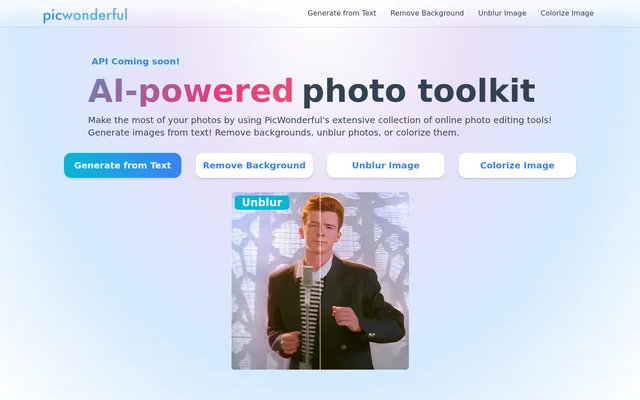
PicWonderful is an AI-powered online photo toolkit for generating images and editing photographs. PicWonderful brings together text-to-image generation, background removal, image unblurring, and photo colorization. The website presents these tools for people with different experience levels, explicitly including professional photographers and complete beginners.
PicWonderful also describes broader photo editing functions, including color adjustments, effects, background blur, and removal of unwanted elements. The service focuses on making changes through an online editor rather than describing a desktop installation. Its website includes a free editing workflow and identifies API access as coming soon.
What PicWonderful can do
PicWonderful combines image creation with tools for modifying existing photographs. Its main navigation highlights generation from text, background removal, unblurring, and colorization, while the feature descriptions add automatic image enhancement. The website's FAQ also describes editing options for colors, effects, portraits, backgrounds, and unwanted elements.
- PicWonderful generates images from text.
- PicWonderful removes image backgrounds.
- PicWonderful unblurs photos.
- PicWonderful colorizes black-and-white photographs.
- PicWonderful automatically enhances images to improve clarity.
- PicWonderful offers color adjustments and photo effects.
- PicWonderful supports background blur and unwanted-element removal.
How PicWonderful works
PicWonderful describes a website-based editing workflow that starts with selecting an editing feature. Users apply the chosen feature, download the edited photo, and can then share the result. The website lists basic adjustments, portrait beauty, and photo effects among the choices available through this process.
PicWonderful provides navigation links for its main tasks, including generating images from text and editing image backgrounds. Background removal is described as an automatic alternative to manual editing. PicWonderful does not present API use as part of the available workflow; the API entry is marked as coming soon.
Who PicWonderful is for
PicWonderful is presented for professional photographers and people with no prior editing experience. The website describes a user-friendly interface and tasks ranging from improving an imperfect shot to adding effects. Its colorization feature also addresses people who want to add color to black-and-white photographs and revisit older photographic memories.
- PicWonderful helps photographers adjust photos that did not capture the intended result.
- PicWonderful lets beginners apply photo effects and color changes.
- PicWonderful supports adding color to black-and-white photographs.
- PicWonderful provides background removal without tedious manual editing.
PicWonderful pricing and access
PicWonderful describes free online photo editing in its FAQ and directs users to its website to select features, apply edits, and download results. The provided page does not name subscription plans, list paid prices, or explain usage allowances. PicWonderful's API is separately marked as coming soon rather than offered as an available access option.
PicWonderful strengths and limitations
PicWonderful's stated strengths are the combination of image generation and photo editing, automatic enhancement, and an interface intended for different experience levels. Downloading edited photos is part of the described workflow. PicWonderful's stated access limitation is its forthcoming API, so the page supports website-based use but not a claim of currently available API integration.
PicWonderful FAQ
What is PicWonderful?
PicWonderful is an AI-powered online photo toolkit that combines text-to-image generation with photo editing. PicWonderful offers background removal, image unblurring, colorization, and automatic image enhancement for users ranging from beginners to professional photographers.
Is PicWonderful free?
PicWonderful describes free online photo editing in its website FAQ. PicWonderful explains that users can select an editing feature, apply the change, and download the result, but the provided page does not specify paid plans or usage allowances.
Can PicWonderful colorize black-and-white photos?
PicWonderful can colorize black-and-white photographs using its colorization feature. PicWonderful presents this tool as a way to add color to older photos and memories, alongside separate tools for unblurring images and removing backgrounds.
How do you edit photos with PicWonderful?
PicWonderful describes an online workflow in which users visit the website, select an editing feature, apply the feature, and download the result. PicWonderful lists basic adjustments, portrait beauty, and photo effects among the editing options.
Does PicWonderful have an API?
PicWonderful lists its API as coming soon, so the provided page does not present API access as currently available. PicWonderful instead describes using its photo editing features directly through its website.
Who is PicWonderful for?
PicWonderful is intended for professional photographers and complete beginners, according to its website. PicWonderful describes an interface designed for different experience levels and offers tools for improving photos, applying effects, removing backgrounds, and colorizing black-and-white images.
From the community
No reviews yet
Be the first to review this tool. What you write helps the next person choose.