What is Drafter AI?
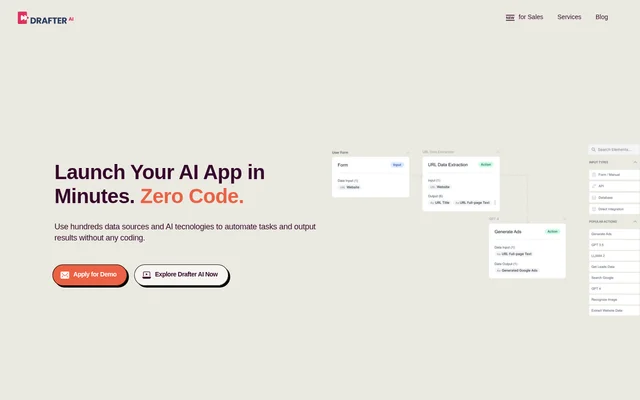
Drafter AI is a no-code tool for building AI-powered apps, product features, and automated workflows. Drafter AI serves teams that want to combine data sources and AI technologies without employing ML engineers for app development. The website describes a workspace-based approach that leads to a branded web app, with workflows tailored to a team's practices and guidelines.
What Drafter AI can do
Drafter AI combines multiple AI technologies into workflows that run automatically. Drafter AI supports text generation, data enrichment, summarization, and analysis, alongside capabilities for processing images, speech, and numerical data. The workflow inventory includes 100+ data sources and ML models, giving teams components for building apps around their own information and product requirements.
- Drafter AI generates blog posts, social media posts, and product descriptions from input data.
- Drafter AI analyzes text for context, key phrases, entities, and sentiment.
- Drafter AI structures raw data and classifies records using custom criteria.
- Drafter AI translates text and converts speech into text.
- Drafter AI identifies and labels objects in images.
- Drafter AI provides filtered searches of public information.
How Drafter AI workflows and knowledge work
Drafter AI lets teams configure app workflows using available data sources and ML models. Reusable prompt templates can be created once and used across multiple workflows, reducing repeated manual prompt entry. For internal knowledge, users upload selected PDFs, videos, or web content to storage, and Drafter AI identifies, indexes, and uses that information when needed.
Drafter AI also provides an API for adding natural language processing and text analysis to products. Supported examples include summarization and sentiment analysis. Drafter AI automatically generates API calls for each workflow, connecting the workflow-building process with product integration. This makes the same workflow approach relevant both to standalone AI apps and to features within existing products.
Who Drafter AI is for
Drafter AI is aimed at business teams and product builders seeking AI functionality without coding. The website also describes uses for people working with large datasets, users who are not data analysis experts, and customers who need interview, call, or meeting transcription. Content creation and public-information research are additional applications supported by the listed capabilities.
- Drafter AI helps teams automate recurring text and data tasks.
- Drafter AI lets product builders add classification, translation, and analysis features.
- Drafter AI supports researchers collecting and filtering public information.
- Drafter AI helps users interpret raw numbers and organize datasets.
Drafter AI strengths and workflow scope
Drafter AI brings workflow automation, reusable prompts, internal knowledge indexing, and product integration into a no-code app-building process. These capabilities support teams that need to combine different AI tasks rather than handle each task separately. Branded web apps and team access extend the workflow setup into a shared application that follows the team's practices and guidelines.
Getting started with Drafter AI
Drafter AI offers a demo application through its website. The documented setup begins with creating an account and configuring a workspace for AI apps. Users then build workflows from the available data sources and ML models. The final step is a branded web app tailored to the team's guidelines, followed by inviting team members to use the app.
Drafter AI FAQ
What is Drafter AI?
Drafter AI is a no-code AI app builder for creating automated workflows and AI-powered product features. Drafter AI combines data sources and ML models to support tasks such as text generation, summarization, data enrichment, and text analysis.
Does Drafter AI require coding?
Drafter AI supports building AI apps and automation tools without coding or ML engineers. Drafter AI uses configurable workflows, data sources, and ML models, with a setup process that includes creating a workspace and launching a branded web app.
Can Drafter AI use internal documents?
Drafter AI can use internal knowledge from selected PDFs, videos, and web content uploaded to storage. Drafter AI identifies and indexes those resources, then uses the knowledge when needed within AI workflows.
Does Drafter AI have an API?
Drafter AI provides an API for incorporating natural language processing and text analysis into products. Drafter AI supports functions such as text summarization and sentiment analysis and automatically generates API calls for every workflow.
What can you build with Drafter AI?
Drafter AI supports apps and product features for content generation, data classification, translation, image recognition, speech transcription, and public-information search. Drafter AI also enables workflows that combine multiple AI technologies and use internal documents as knowledge sources.
How do you get started with Drafter AI?
Drafter AI offers a demo application on its website and describes a workspace-based setup process. Drafter AI users create an account, configure a workspace, build app workflows, and launch a branded web app before inviting their team.
From the community
No reviews yet
Be the first to review this tool. What you write helps the next person choose.