What is Glide Apps?
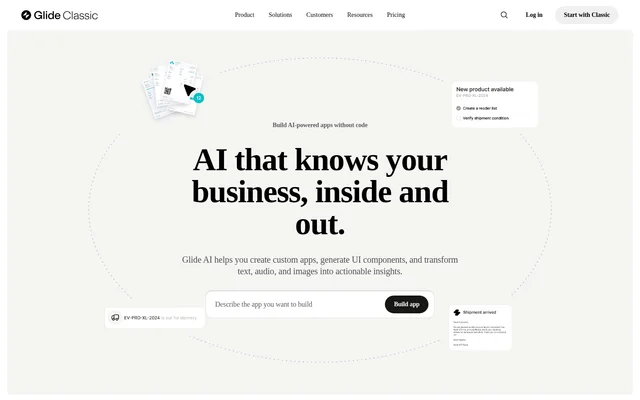
Glide Apps is a no-code app builder for creating custom software from business data. Individuals can use Glide Apps to draft an app, while teams can build tools for operations such as inventory tracking, field sales, and work orders. Glide Agent generates an app from a written description, while Glide AI adds data processing and automation to apps.
What Glide Apps can do
Glide Apps combines app creation with AI tools for interpreting business information. Glide Agent handles the initial app structure and layout, while other AI features can generate interface components or turn files into structured information. Teams can use that information in workflows, for example by extracting a deadline from a contract or prioritizing a support ticket.
- Glide Agent generates an app with a data structure and layout from a written request.
- Glide Apps generates components such as interactive cards and sliders through chat.
- Glide AI transcribes audio and summarizes text.
- Glide AI captures product details from images.
- Glide AI workflow steps process data, trigger actions, and update systems.
How Glide Apps works
Glide Apps lets users describe a tool to Glide Agent or add AI to an existing app on an eligible plan. Users can add a Glide AI column to work with data from any supported source, or add an AI step in the Workflow Editor to process data and act on the result. Data source options vary by plan and include Glide Tables, Google Sheets, Airtable, and Excel.
Who Glide Apps is for
Glide Apps serves individuals learning to build apps, makers developing prototypes, and business teams creating tools for day-to-day operations. The Maker plan is designed for prototypes, communities, and schools and supports unlimited personal users. The Business plan uses user-based pricing for companies. The examples below show how teams can use Glide AI beyond app creation.
- Track inventory and orders in a custom app.
- Summarize dictated notes from field teams.
- Prioritize urgent customer support tickets.
- Flag deadlines in contracts.
- Spot anomalies in financial reports.
Strengths and limitations of Glide Apps
Glide Apps lets teams add AI to existing apps and work with any data source already supported by Glide, so access to AI is not tied to a particular data connector. Glide Apps also states that data entered into Glide AI cannot be used to train the AI model further. Plan selection still affects publishing, included updates, and access to features such as the API.
- The Free plan supports drafts but does not include Glide AI.
- Teams created before the Glide Agent launch do not currently have access to Agent.
- Additional updates cost extra on Explorer, Maker, and Business.
Getting started with Glide Apps
Glide Apps provides a template gallery where prospective users can preview AI-powered apps without paying. Users who already have an app on an eligible plan can add a Glide AI column to an existing data source or add an AI step in the Workflow Editor. Glide Apps also offers documentation and certifications on building AI business software and creating intelligent automations.
Glide Apps FAQ
What is Glide Apps?
Glide Apps is a no-code app builder for creating custom software and automating business workflows. Glide Agent can generate an app from a written description, and Glide AI can extract information from text, audio, and images or use that information in workflows.
Is Glide Apps free?
Glide Apps offers a Free plan for drafting apps, but Glide AI is available only on Explorer, Maker, Business, and Enterprise. AI-powered templates can be previewed for free, and the Business plan offers a 14-day free trial.
Who is Glide Apps for?
Glide Apps is for individuals building their first apps, makers working on prototypes, and business teams creating tools for operations. The Maker plan is designed for prototypes, communities, and schools, while the Business plan offers user-based pricing for companies.
Can Glide Apps add AI to an existing app?
Glide Apps lets users add Glide AI to an existing app on the Explorer plan or higher. Users can add a Glide AI column to work with data from a supported source or add AI steps in the Workflow Editor to process data and trigger actions.
Does Glide Apps have an API?
Glide Apps includes the Glide API and a Call API action on the Business plan. The pricing comparison lists both features under Business rather than Explorer or Maker, and Enterprise includes the features available on Business.
From the community
No reviews yet
Be the first to review this tool. What you write helps the next person choose.