What is dsh-vision-toolkit?
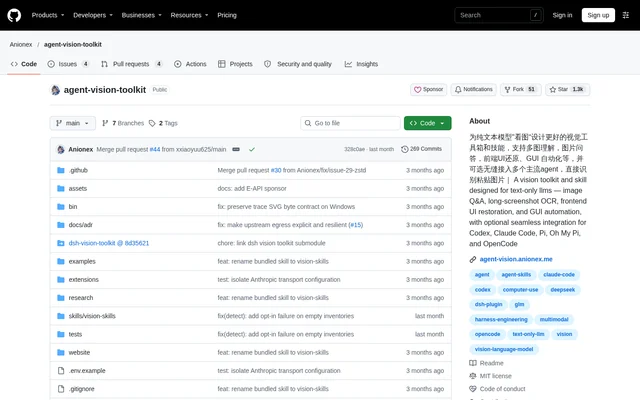
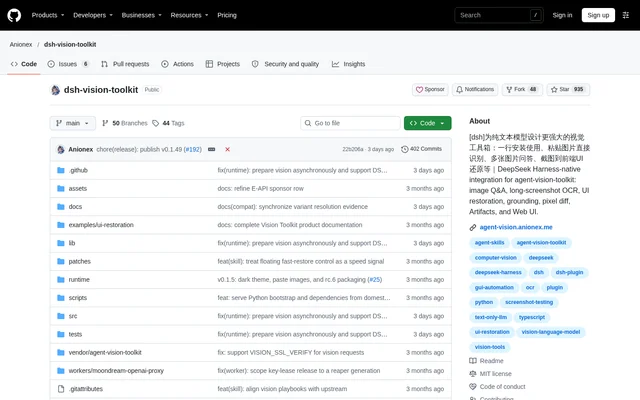
dsh-vision-toolkit is an open-source DeepSeek Harness plugin that gives text-only models access to visual tools and guided image workflows. The project integrates agent-vision-toolkit into DSH profiles, sessions, Settings, Artifacts, and the Web UI. The intended audience includes people asking questions about images and developers rebuilding interfaces from visual references.
dsh-vision-toolkit combines callable tools with a bundled vision-skills Skill. The tools handle visual operations, while the Skill explains which workflow to choose, how to sequence operations, and how to verify results. This separates task guidance from the underlying image-processing capabilities.
What dsh-vision-toolkit can do
dsh-vision-toolkit supports visual tasks beyond image descriptions, including locating objects, extracting text, rebuilding interfaces, and checking results against reference images. The documented workflows emphasize evidence relevant to the current request, such as identifying an error or locating a button, rather than producing only a general caption.
- dsh-vision-toolkit answers focused image questions and compares multiple images.
- dsh-vision-toolkit extracts text from long screenshots while preserving chat speakers, timestamps, and quotes.
- dsh-vision-toolkit rebuilds screenshots and sketches as editable front-end interfaces.
- dsh-vision-toolkit locates controls and returns original pixel coordinates.
- dsh-vision-toolkit extracts transparent graphics or rebuilds editable SVG assets.
- dsh-vision-toolkit uses rendered screenshots and pixel comparisons to verify visual work.
How dsh-vision-toolkit works
dsh-vision-toolkit installs through the DSH plugin command into a Web, Headless, or Desktop profile. After restarting the relevant application or profile, users open Settings, configure a vision provider, and run Test vision model. Desktop users run the installation command through DSH Terminal because the bundled CLI is not added to the system PATH.
dsh-vision-toolkit prepares an isolated runtime in the background, preferring a compatible system Python and downloading a standalone runtime when needed. Users can paste an image into a conversation or place an image in the session workspace, invoke /vision-skills, and describe the desired outcome. Visual tool calls wait until runtime preparation finishes.
Who dsh-vision-toolkit is for
dsh-vision-toolkit serves DeepSeek Harness users who want image-based conversations and developers who need structured visual workflows. The source describes tasks spanning front-end reconstruction, chat-history extraction, graphic restoration, diagram conversion, and screenshot-driven GUI operations. Each workflow provides guidance on inspection, tool selection, and verification.
- dsh-vision-toolkit helps front-end developers reconstruct pages from screenshots or sketches.
- dsh-vision-toolkit helps users recover messages from long chat screenshots.
- dsh-vision-toolkit helps agents convert diagrams into editable Mermaid or Graphviz representations.
dsh-vision-toolkit pricing and access
dsh-vision-toolkit is an open-source project published on GitHub under the MIT license. The documented access path is plugin installation followed by vision-provider configuration in DSH Settings. The supplied page does not list subscription plans or plugin prices, and access to the source should not be confused with pricing for a configured vision provider.
dsh-vision-toolkit strengths and limitations
dsh-vision-toolkit combines direct image input, native DSH integration, and task-specific verification workflows. Automatic runtime preparation reduces manual dependency setup, and a normal installation does not require an agent-vision-toolkit source checkout. Setup still requires provider configuration, and the source documents a Desktop marketplace installation issue with a terminal-based workaround.
- dsh-vision-toolkit requires a configured vision provider before image tasks can be tested.
- dsh-vision-toolkit visual calls wait for runtime preparation and report preparation failures.
- dsh-vision-toolkit installation through the documented Desktop marketplace may require the terminal workaround.
dsh-vision-toolkit FAQ
What is dsh-vision-toolkit?
dsh-vision-toolkit is an open-source vision plugin for text-only models in DeepSeek Harness. The project integrates agent-vision-toolkit capabilities and a bundled vision-skills Skill for image questions, screenshot OCR, interface reconstruction, visual grounding, and result verification.
Is dsh-vision-toolkit free?
dsh-vision-toolkit is available as an open-source project under the MIT license. The supplied page lists no plugin subscription prices. Using the visual tools requires configuring a vision provider, whose pricing is not established by the plugin's license.
Can dsh-vision-toolkit turn screenshots into HTML?
dsh-vision-toolkit supports rebuilding screenshots into editable HTML/CSS interfaces and turning sketches into working front-end pages. The documented workflow can reuse project components and assets, render the resulting interface, and compare screenshots to identify visual differences.
How do you install dsh-vision-toolkit?
dsh-vision-toolkit installs with the DSH plugin command for the selected Web, Headless, or Desktop profile. After installation, users restart the relevant profile or application, configure a vision provider in Settings, and run Test vision model before submitting images.
Can dsh-vision-toolkit read long chat screenshots?
dsh-vision-toolkit includes a workflow for reading long screenshots, chat histories, and scrolling pages. The bundled Skill guides chunked OCR, preserves speakers, timestamps, and quotes, merges duplicated overlap, and flags risky boundaries for verification.
From the community
No reviews yet
Be the first to review this tool. What you write helps the next person choose.