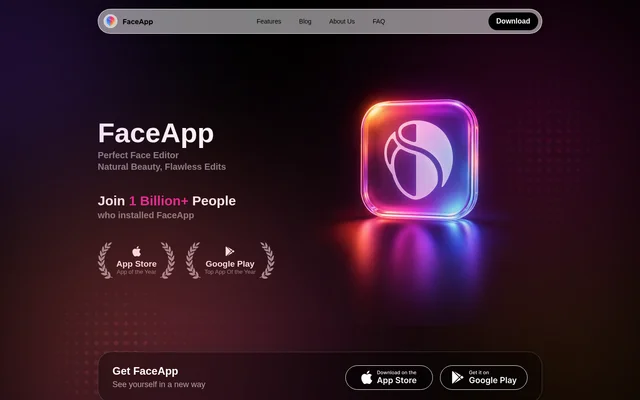
What is FaceApp?
FaceApp is a portrait editing app that offers filters and effects for modifying appearance in photos. FaceApp is suited to people who want to retouch portraits, explore different styles, or change facial expressions. The website highlights Retouch, Impression, Makeup, and Hair Volume as featured tools. These capabilities cover small skin corrections, realistic makeovers, cosmetic looks, and changes to hair volume, while additional feature descriptions cover facial hair previews and photo cleanup.
FaceApp also publishes an Insider blog about tips, trends, and features. The listed articles explain uses such as removing unwanted objects, comparing beard styles, refining hairstyles, and avoiding common photo editing mistakes. FaceApp presents these guides alongside its featured portrait effects, giving visitors examples of the kinds of edits available.
What FaceApp can do
FaceApp combines appearance filters with tools for correcting distractions in photos. FaceApp describes separate capabilities for skin retouching, makeup, hairstyles, facial hair, and expressions, rather than a single general makeover effect. The Remover tool addresses unwanted content in a picture, including people and objects. The following capabilities are explicitly described in the supplied page.
- FaceApp Retouch removes small imperfections and evens out skin tone.
- FaceApp Impression creates a realistic makeover.
- FaceApp Makeup applies different makeup looks.
- FaceApp hairstyle filters refine shape, add volume, and preview a new cut.
- FaceApp beard filters let users compare beard and mustache styles.
- FaceApp Emotions filters change facial expressions.
- FaceApp Remover removes photobombers, unwanted people, and distracting objects.
How FaceApp works
FaceApp uses named filters and editing tools to make specific changes to photos. For facial hair, the page describes trying beard or mustache styles, comparing looks, and saving a favorite. For hairstyles, FaceApp describes refining an existing shape or previewing a different cut. The Remover article describes cleaning up pictures in a few taps. The website also includes a Get FaceApp link for obtaining the app.
Who FaceApp is for
FaceApp is relevant to people who want to explore changes to their appearance in portraits or remove distractions from a photo. FaceApp’s examples focus on personal style choices, including makeup, haircuts, hair volume, beards, and mustaches. The expression filters also support playful or dramatic changes to a face. These examples describe photo editing and visual experimentation rather than a specialized professional workflow.
- FaceApp helps users preview makeup and hairstyle changes in portraits.
- FaceApp lets users explore beard and mustache alternatives.
- FaceApp supports cleaning up photos containing distracting people or objects.
FaceApp strengths and available product information
FaceApp’s stated strengths include the range of portrait adjustments and the combination of appearance editing with object removal. FaceApp also offers feature explanations and beginner editing advice through its blog. The supplied page does not identify supported operating systems, account requirements, or pricing details, so those aspects cannot be established from this text. The concrete capabilities described here are limited to the tools and examples named on the page.
FaceApp FAQ
What is FaceApp?
FaceApp is a portrait editing app with filters and effects for retouching skin, trying makeup and hairstyles, changing facial expressions, and removing unwanted content from photos. FaceApp also offers beard and mustache previews.
Can FaceApp remove unwanted objects from photos?
FaceApp offers a Remover tool for removing photobombers, unwanted people, and distracting objects from photos. FaceApp’s blog describes using the tool to clean up pictures in a few taps.
Can FaceApp preview hairstyles and beards?
FaceApp offers hairstyle filters to refine hair shape, add volume, or preview a new cut. FaceApp’s beard filter lets users try beard and mustache styles, compare looks, and save a favorite.
Can FaceApp change facial expressions?
FaceApp offers Emotions filters for changing facial expressions in photos. FaceApp describes these filters as a way to explore playful, dramatic, and unexpected reactions, alongside its other portrait editing tools.
What retouching and makeup tools does FaceApp offer?
FaceApp offers Retouch to remove small imperfections and even out skin tone, Impression for a realistic makeover, and Makeup for cosmetic looks. FaceApp also highlights Hair Volume for adding volume to hair.
From the community
No reviews yet
Be the first to review this tool. What you write helps the next person choose.